
Most TikTok tool roundups rank software by feature count.
This one ranks them by what you can actually achieve in sales. After running campaigns and testing setups across content, ads, Shop, and analytics, we selected 11 tools that produce a measurable result at each stage of the funnel.
TikTok’s average engagement rate is 3.7%, the highest of any major social platform, according to DataReportal. But engagement does not pay expenses. The tools worth paying for are the ones that connect content to conversions, not just to views.
In this article, you will learn:
- What outcome you can realistically achieve with each tool
- How each tool performs across ease of use, TikTok-native depth, and sales attribution
- Honest pros, cons, and key features without the marketing language
- How to build a TikTok sales stack at your current budget
Get Free TikTok Ad Credit Up to $6000 [Limited Time Offer]
Key Takeaways
- TikTok Shop gross merchandise value (GMV) reached $33.1 billion globally, with live shopping conversion rates averaging 7.4%, more than three times the rate of traditional eCommerce, according to DataReportal.
- More than one in four TikTok-influenced conversions are missed by standard last-click attribution models, according to TikTok For Business.
- TikTok’s average CPM is approximately $3.50, compared to Meta’s average of $6.59, according to Stackmatix (2026). That makes TikTok roughly 47% cheaper per thousand impressions at the awareness stage.
- CapCut for Business and TikTok Creator Marketplace are both free and genuinely useful at the sales level, not just for content creation.
- The most common tool selection mistake is prioritizing publishing features over attribution features. If you cannot measure what a tool contributes to revenue, you cannot justify keeping it.
Which TikTok Marketing Tools Drive Real Sales?
The tools with the clearest sales impact are TikTok Ads Manager for paid conversion, Helium 10 for TikTok Shop product research, CapCut for Business for native content creation, TLinky for bio link attribution, and Exolyt for competitor intelligence. Hootsuite and Sprout Social add reporting depth for multi-platform teams. TikTok Creator Marketplace is the strongest free option for creator-driven sales.
TikTok Marketing Tools: Quick Comparison
| Tool | Category | Best For | Free Plan | Starting Price |
| TLinky | Link attribution | Bio link click tracking | Yes | $9/month |
| TikTok Ads Manager | Paid advertising | Sales campaigns and ROAS | Yes (setup only) | ~$20/day ad spend |
| CapCut for Business | Content creation | Native TikTok video editing | Yes | $8/user/month |
| Helium 10 | Product research | TikTok Shop listing optimization | Yes (limited) | $39/month |
| Canva | Visual design | Brand assets and thumbnails | Yes | $15/month |
| InVideo AI | AI video production | High-volume informational content | Yes (watermark) | $25/month |
| Later | Scheduling | Audience-optimized posting times | Yes | $25/month |
| Hootsuite | Multi-platform management | TikTok alongside other social channels | No | $99/month |
| Sprout Social | Analytics and reporting | Revenue attribution and stakeholder reports | No | $249/seat/month |
| Exolyt | TikTok analytics | Competitor tracking and benchmarking | Yes (limited) | $29/month |
| TikTok Creator Marketplace | Influencer discovery | Finding and measuring creator partnerships | Yes | Creator fees only |
How We Evaluated Each Tool
Every tool on this list was tested directly. All 11 have free plans or trial access, so hands-on testing required no paid commitment. We evaluated each tool on four criteria: ease of use, TikTok-native depth, sales attribution capability, and value for price. Where a tool excels at one criterion and falls short on another, both are noted honestly.
The 11 Best TikTok Marketing Tools for Sales Growth
The tools below cover content creation, paid advertising, product research, scheduling, analytics, and conversion attribution. Each entry includes pricing, a use case summary, key features, honest pros and cons, who should not use it, and the reason it earned a place on this list.
1. TLinky
Best for: Brands and creators who need to track exactly which TikTok content drives off-platform clicks, signups, or purchases
TikTok gives every account one bio link.
The platform’s native analytics report on views, profile visits, and follower growth. They stop there.
What happens after a viewer clicks your bio link is invisible inside TikTok. You cannot see how many people reached your product page, which link they chose, or whether they purchased.

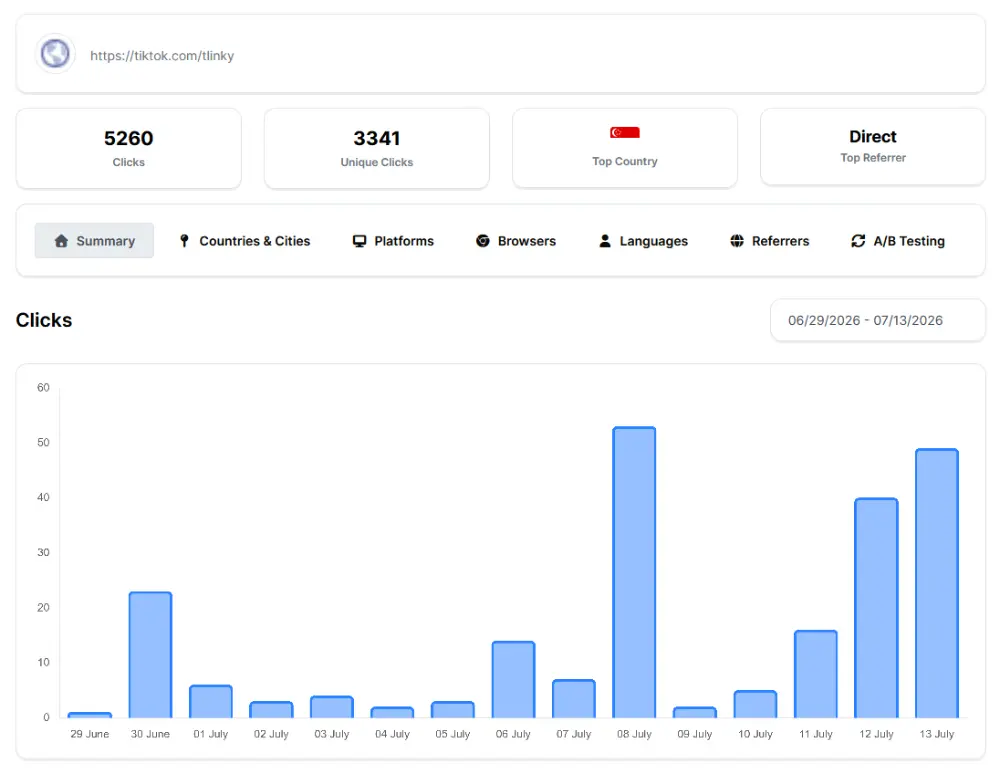
TLinky’s link in bio tool creates a branded landing page behind that single bio URL. Visitors see multiple labeled destination links, each tracking clicks separately in real time.
The URL shortener adds campaign-level visibility. A short link created for each TikTok campaign records every click with a source tag and timestamp.
That attribution data does not exist anywhere inside TikTok’s own dashboard.
Key features:
- Branded link-in-bio page with individually trackable destination links
- Real-time click analytics per link, per source, and per time period
- URL shortener with custom alias and branded domain support
- UTM parameter passthrough for Google Analytics and eCommerce platform integration
- QR code generation for each short link
- Campaign performance comparison across multiple short links
Pros:
- Fills the attribution gap TikTok’s native analytics cannot close
- Link destinations update without changing the bio URL or losing historical data
- Free plan covers basic click tracking for individual creators and small accounts
Cons:
- Not a content creation or scheduling tool
- Advanced analytics and branded domains require a paid plan
Not for: Teams whose sales happen entirely inside TikTok Shop with no off-platform website or landing page.
Why we included this: Every other tool on this list measures performance inside TikTok. TLinky measures what your audience does after they leave the platform, which is where most off-platform sales actually complete.
Pricing: Free plan available. Paid plans from $9/month.
2. TikTok Ads Manager
Best for: Brands running paid campaigns, TikTok Shop promotions, or retargeting sequences with measurable return on ad spend
Organic TikTok content depends entirely on what TikTok’s algorithm decides to distribute.
TikTok Ads Manager removes that dependency. You control who sees your content, at what frequency, and optimized toward which conversion event.
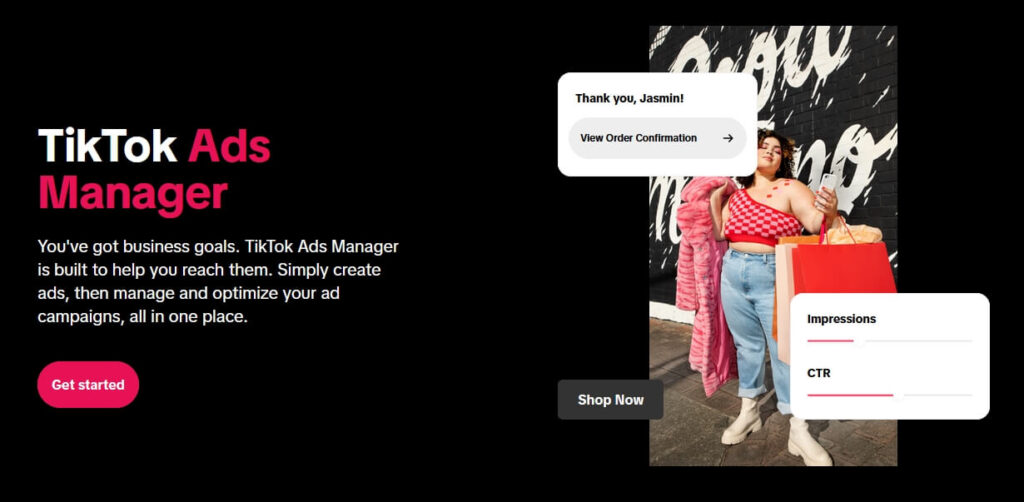
TikTok’s Shopping Ads pull directly from a product catalog. They report which products were viewed, added to cart, and purchased inside TikTok, with attribution staying within TikTok’s ecosystem.
TikTok’s average CPM is approximately $3.50, compared to Meta’s $6.59, according to Stackmatix (2026). For new product launches targeting broad awareness, that cost gap is meaningful.
For current CPM, CPC, and cost-per-result benchmarks by campaign type, the TikTok advertising cost guide covers what to expect before committing budget. For evaluating ROI potential by product category, the are TikTok ads worth it breakdown provides a clear framework.
Key features:
- Campaign objectives across Awareness, Consideration, and Conversion
- TikTok Pixel for website event tracking and custom audience building
- Shopping Ads connected directly to a product catalog for in-app purchases
- Lookalike Audience creation from customer lists and Pixel event data
- A/B creative testing with split measurement
- TikTok Business Center for multi-user and multi-account management
Pros:
- Lower average CPM than Meta and Google Display for top-of-funnel awareness campaigns
- Shopping Ads keep the purchase path inside TikTok, removing friction from external page redirects
- TikTok Pixel connects ad spend directly to website conversion events
Cons:
- Default 7-day click, 1-day view attribution window undercounts conversions for products with longer consideration cycles
- Creative fatigue requires refreshing ad creative every 7 to 10 days
Not for: Brands without a consistent minimum daily budget of $20 or more, or those selling high-consideration products with purchase timelines exceeding 30 days.
Pricing: Free to set up. Ad spend minimums typically range from $20 to $50 per day per ad group depending on campaign objective and market.
Why we included this: Ads Manager is the engine everything else in a paid TikTok stack connects to. If you are spending money on TikTok distribution, this is non-negotiable.
3. CapCut for Business
Best for: Brands and creators who need to produce native TikTok videos consistently without a professional production team.
Most TikTok videos fail not because the idea is wrong but because the format does not match what TikTok users expect.
The pacing is off, the hook is slow, or the text timing does not land. These are format problems, not content problems.

CapCut for Business is developed by ByteDance, TikTok’s parent company. The editor is built for vertical short-form video and includes a template library designed for TikTok’s content format requirements.
The Brand Kit feature, available on the Business plan, locks fonts, colors, and logos across every video your team produces. Visual consistency over repeated content exposure builds audience recognition faster.
For a deeper look at CapCut’s features, limitations, pricing, and real-world usability, see our CapCut review.
For TikTok video ideas that translate well inside these templates, the format guide covers content structures that consistently drive profile visits and bio link clicks.
Key features:
- Template library for vertical short-form video, updated continuously
- AI auto-captions with customizable typography and positioning
- Brand Kit management for fonts, colors, and logos (Business plan)
- Background remover and smart crop for vertical format optimization
- Direct TikTok publishing from within the editor
- Team collaboration with shared asset libraries (Business plan)
Pros:
- Native TikTok publishing built into the editor with no third-party connection needed
- AI auto-captions increase watch time from muted viewers, improving completion rate signals
- Free individual plan is fully functional for solo creators
Cons:
- No analytics or conversion reporting built in
- Desktop version has fewer features than the mobile app
Not for: Brands in categories where personal authenticity and real creator footage are the primary trust signals for purchase decisions.
Pricing: Free for individual use. CapCut Pro $9.99/month.
Why we included this: Content is the fuel the rest of this stack runs on. For teams without a production budget, CapCut is the fastest path from idea to publish-ready TikTok video.
4. Helium 10
Best for: TikTok Shop sellers who want keyword and demand data to validate products and optimize listings before launch
Most TikTok Shop sellers fail in their first 90 days not because of weak content but because of product selection and listing setup.
Generic titles that do not match how buyers search inside TikTok Shop do not appear in relevant results. Pricing outside the conversion range for a category kills sales before any content does.
Helium 10 is useful for researching products and analyzing competitors before you invest in a TikTok Shop listing. If you want a closer look at what the platform actually offers and whether it is worth the cost, our Helium 10 review breaks down its features, pricing, and limitations.
Helium 10 provides keyword research specific to TikTok Shop’s internal search. You can identify which keywords drive the most product discovery in your niche and which price ranges correlate with completed purchases in your category.
Competitor tracking extends that advantage beyond launch. Once live, you can monitor which competing listings are gaining traction and where your listing has gaps relative to those outranking it.
Helium 10 serves more than 4 million eCommerce sellers, according to Helium 10’s platform data.
For the full research workflow, the Helium 10 TikTok product research guide covers the process step by step. For common listing errors, the Helium 10 listing mistakes guide covers the correction layer.
Key features:
- TikTok Shop keyword research with search volume and trend direction
- Competitor product tracking and listing analysis
- Listing optimization recommendations for titles, descriptions, and tags
- Product research database filterable by category and demand signals
- Pricing analysis showing purchase-correlated price ranges in your category
- Cross-channel support for sellers managing both TikTok Shop and Amazon
Pros:
- Removes guesswork from product selection and listing keyword strategy
- Keyword data is specific to TikTok Shop’s internal search, not generic social keyword data
- Covers both research and optimization in a single workflow
Cons:
- Built primarily for Amazon; TikTok Shop features are newer and narrower in scope
- Free plan limits make meaningful research impractical without upgrading
Not for: Sellers running only organic TikTok content without an active TikTok Shop product listing.
Pricing: Free plan with limits. Paid plans from $99/month.
Why we included this: A well-researched TikTok Shop listing outperforms a weak one regardless of content quality or ad spend. Product research is the highest-leverage step for Shop sellers and the most consistently skipped.
5. Canva
Best for: Non-designers who need consistent brand visuals across TikTok thumbnails, video overlays, and link-in-bio landing pages
Conversion on TikTok is partly a recognition problem.
Viewers who see your video on Monday, your ad on Wednesday, and your profile on Friday should recognize all three as the same brand before reading a word of text.

That recognition does not happen without a visual system. Canva is that system for teams without a graphic designer.
It covers every TikTok visual touchpoint: thumbnail overlays, text-on-video panels, profile images, and link-in-bio page backgrounds. The Brand Kit (Pro plan) locks colors, fonts, and logos across every asset any team member produces.
In our testing, adding consistent branded thumbnail overlays to organic videos increased profile visit rates compared to unbranded frames.
Key features:
- Brand Kit with locked fonts, colors, and logos (Pro plan)
- TikTok-optimized vertical video and overlay templates following safe zone guidelines
- Background removal tool for product and person images
- Magic Resize for adapting one asset to multiple format dimensions simultaneously
- Team sharing with permission-based access management
- Content Scheduler for direct social publishing (Pro plan)
Pros:
- No design experience required for professional-looking brand assets across all TikTok touchpoints
- Brand Kit systematically prevents off-brand visual content from reaching the audience
- Pro plan Scheduler reduces the number of separate publishing tools needed
Cons:
- Produces slide-based and static visual content, not dynamic native video footage
- Key team collaboration features require a Pro or Teams plan
Not for: Brands already working with a graphic designer or agency that has an established brand asset system.
Pricing: Free plan available. Canva Pro from $18/month.
Why we included this: Canva handles the brand identity layer that CapCut cannot. Both cover different parts of the visual workflow, and most high-converting TikTok presences use both.
6. InVideo AI
Best for: Teams that need to produce high volumes of informational TikTok videos from scripts or text prompts without a dedicated video editor
TikTok rewards accounts that publish consistently and test formats frequently.
Most small teams hit a production ceiling where manual editing cannot keep pace with the cadence TikTok’s algorithm rewards.
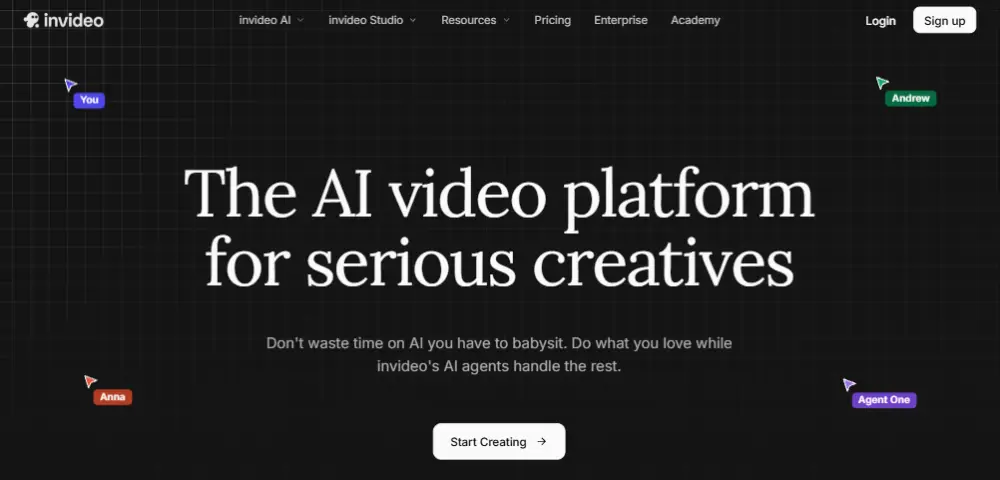
InVideo AI generates a vertical video from a script, topic prompt, or article URL. It adds AI voiceover, on-screen text, stock footage, and background music.
If you also need help creating the written content before turning it into video, our guide to the best AI writing tools for content creators covers the tools that can help with research, drafting, and content production.
For how-to content, product comparisons, and category education, that production time drops from hours to minutes.
The trade-off is authenticity. AI-generated video has a detectable visual and audio signature. In categories where personal trust drives purchase decisions, that signature reduces conversion.
In categories where information quality matters more than personal delivery, it is an effective primary format.
For a broader view of how this content category is evolving, the AI UGC video creation tools guide covers how the authenticity gap is narrowing.
Key features:
- Text-to-video generation from scripts, topic prompts, or article URLs
- AI voiceover with multiple voice styles and language options
- Automatic stock footage matching to script content
- Vertical video output pre-sized for TikTok dimensions
- Brand preset application for consistent visual style
- Manual scene-by-scene editing after AI generation
Pros:
- Reduces production time significantly for informational content formats
- Cost-effective for testing multiple hook variations across the same topic
- No video editing experience required for basic output
Cons:
- AI visual and audio signature is detectable and reduces trust in lifestyle and personal categories
- Stock footage matching requires manual review for accuracy
Not for: Brands in beauty, fitness, personal finance, or other categories where authentic creator delivery is the primary purchase trust signal.
Pricing: Free plan available with watermark on exports. Paid plans from $17/month.
Why we included this: Content volume is the binding constraint for most small TikTok teams. InVideo AI solves that constraint for categories where format authenticity is not the primary purchase trigger.
7. Later
Best for: Brands managing a planned TikTok content calendar who want posting time recommendations based on their own audience data
TikTok’s algorithm evaluates engagement velocity in the first 30 to 60 minutes after a video goes live.
A video that lands when your audience is most active collects the early engagement needed to trigger wider algorithmic distribution. The same video posted during a low-activity window starts with a weaker signal regardless of content quality.
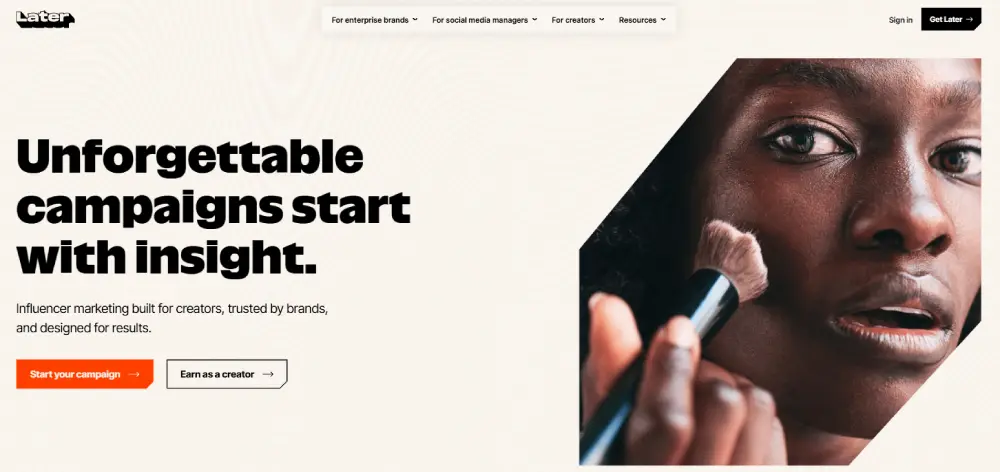
Later’s best time to post feature analyzes your specific audience’s activity patterns. It surfaces the hours when your followers are most likely to engage, based on your account’s behavioral data rather than industry averages.
The visual content calendar shows your full publishing schedule at a glance. Gaps, topic repetition, and frequency imbalances become immediately visible.
For research-based benchmarks before your own data accumulates, the best time to post on TikTok guide covers optimal windows by content category.
Key features:
- AI best time to post recommendations based on your specific audience activity data
- Visual content calendar for TikTok and multi-platform scheduling simultaneously
- TikTok auto-publishing without requiring a manual reminder
- Caption and hashtag drafting tools with saved templates
- Basic performance analytics for published posts
- Link in bio tool (Later’s own version, with basic click data)
Pros:
- Best time to post recommendations are specific to your account, not generic industry data
- Visual calendar makes publishing gaps and content imbalances easy to identify
- Free plan covers basic TikTok scheduling for one account
Cons:
- No off-platform attribution or conversion tracking
- Not suited for reactive content that needs to publish immediately in response to a trend
Not for: Teams posting primarily reactive content in response to trends, or accounts without enough publishing history to generate meaningful audience timing data.
Pricing: Free plan available. Paid plans from $18.75/month.
Why we included this: Posting time is one of the few TikTok distribution variables a brand fully controls. Later optimizes that variable using real audience behavior rather than assumptions.
8. Hootsuite
Best for: Teams already managing Instagram, Facebook, LinkedIn, or YouTube who need TikTok added to their existing dashboard without a separate tool
Managing TikTok alongside multiple other channels creates a real operational overhead.
Separate logins, separate content calendars, and separate performance exports compound as channel count grows.

Hootsuite centralizes TikTok scheduling, comment management, competitive benchmarking, and performance reporting alongside Instagram, Facebook, LinkedIn, YouTube, and Pinterest in one interface.
The unified comment inbox eliminates platform switching for community management. The competitive benchmarking feature provides category-relative performance context that TikTok’s native analytics do not offer.
Hootsuite’s TikTok-specific features include a keyword research tool for content optimization and access to trending content signals through the dashboard.
Key features:
- Multi-platform scheduling covering TikTok, Instagram, Facebook, LinkedIn, YouTube, and Pinterest
- TikTok keyword research tool built into the dashboard
- Unified inbox for comments and messages across all connected platforms
- Competitive benchmarking against accounts in your category
- Team roles and content approval workflows
- Analytics and performance reporting across all connected channels
Pros:
- Best multi-platform management for teams running TikTok alongside other channels
- Unified inbox eliminates platform switching for comment management
- 30-day free trial provides enough time to evaluate fit before committing
Cons:
- At $99/month, significantly more expensive than TikTok-only tools with more native platform depth
- TikTok analytics are less detailed than dedicated TikTok analytics platforms
Not for: Brands running TikTok as their only or primary channel, where TikTok-native tools provide better capability per dollar spent.
Pricing: Professional plan from $99/month. 30-day free trial available.
Why we included this: Multi-platform teams need a centralized management layer. Hootsuite is the most established option in that category and has meaningfully expanded its TikTok-specific feature set in recent updates.
9. Sprout Social
Best for: Marketing teams with formal reporting requirements who need performance data connected to revenue metrics
Most social analytics tools report on content performance.
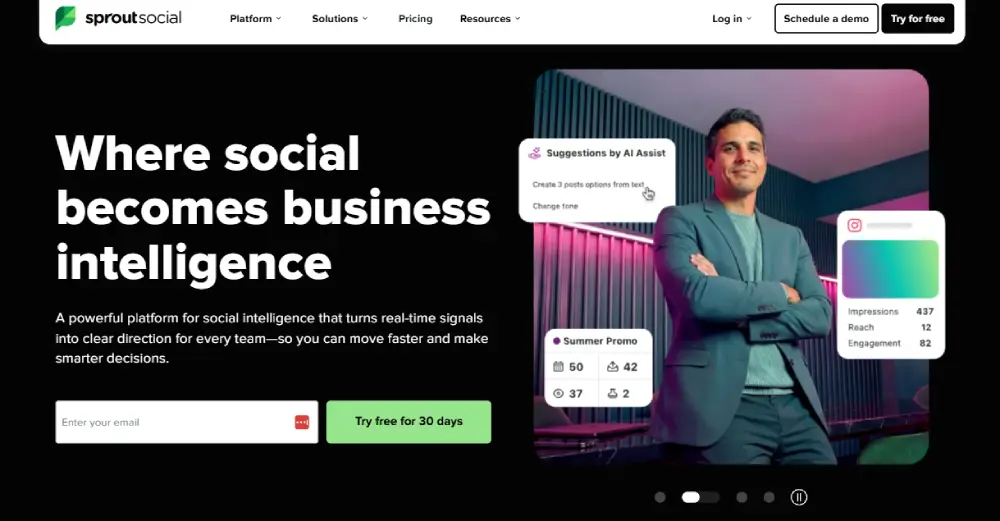
Sprout Social reports on content performance relative to business outcomes.
That distinction matters when you need to show stakeholders what TikTok contributed to revenue, not just how many people watched your videos.
According to TikTok For Business, more than one in four TikTok-influenced conversions are missed by last-click attribution.
Sprout Social’s cross-channel reporting provides more complete coverage when paired with TikTok Pixel tracking and website event data.
The social listening feature tracks brand mentions across TikTok and other platforms simultaneously, including competitor mentions and sentiment changes that native TikTok analytics do not capture.
Key features:
- Cross-channel performance reporting with customizable and exportable report templates
- Social listening for brand mention and sentiment tracking across platforms
- Competitor analysis with side-by-side metric comparison
- Publishing, scheduling, and multi-level approval workflows
- Custom report builder that exports presentation-ready formats
- Tagging system for segmenting campaign performance within the analytics dashboard
Pros:
- Most complete reporting workflow of any tool on this list for revenue-connected attribution
- Social listening captures brand and competitor mentions that native TikTok analytics miss entirely
- Custom reports export ready for executive or client presentation without reformatting
Cons:
- At $249/month per seat, the highest cost tool on this list by a significant margin
- Full attribution value requires active TikTok Pixel setup and website conversion integration
Not for: Solo operators, small businesses, or brands without formal stakeholder reporting requirements that justify the cost per seat.
Pricing: Standard plan from $199/month per seat. Free trial available.
Why we included this: For teams that need to justify TikTok’s revenue contribution with structured reporting, Sprout Social provides more depth than any other tool we evaluated at this scale.
10. Exolyt
Best for: Brands that want TikTok-specific competitor intelligence and content performance benchmarking within their category
When you only measure your own TikTok account, you cannot tell whether your results are strong relative to your category.
Exolyt is built exclusively for TikTok. It tracks any public account, not just accounts you manage or follow.
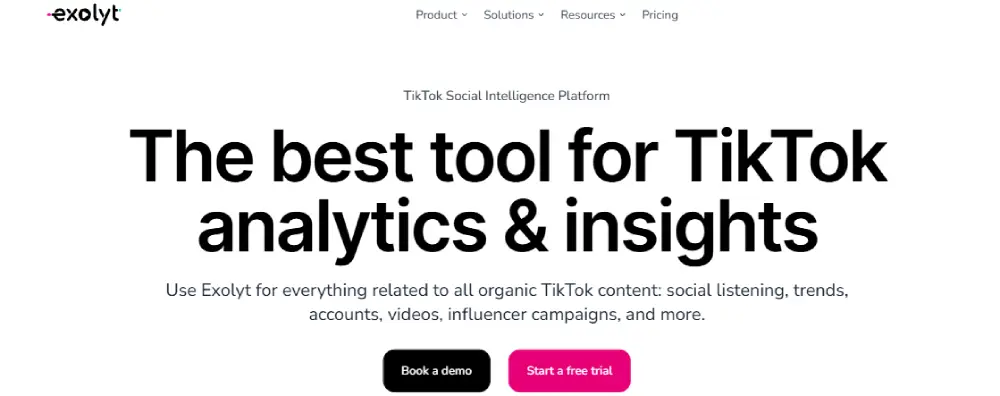
You can monitor which videos your competitors are publishing, which formats are gaining traction, and what hashtag and sound strategies are driving engagement for accounts similar to yours.
Account monitoring alerts surface competitor videos performing unusually well within 24 to 48 hours. That signal gives you a faster read on format trends than waiting for industry newsletters.
For TikTok marketing teams making content decisions based on competitive signals, that lead time reduces wasted content experimentation.
Key features:
- Competitor account tracking and video-level performance monitoring for any public TikTok account
- Hashtag analytics showing rising and declining tag performance trends
- Sound and music tracking for identifying which audio drives content reach in your niche
- Video performance data including engagement rate and share metrics
- Historical data access for longer-term trend analysis
- Category filtering for competitor and creator discovery within your niche
Pros:
- TikTok-native depth that general social management tools cannot replicate
- Tracks any public TikTok account, giving competitive visibility beyond your own network
- $29/month entry tier is the best value analytics tool on this list
Cons:
- Analytics only, with no scheduling, publishing, or ad management features
- TikTok-exclusive, providing no value for multi-platform management needs
Not for: Brands in the early stages of TikTok content creation without an established competitor landscape to benchmark against.
Pricing: Free plan with limits. Paid plans from $$330/month.
Why we included this: TikTok’s native analytics report only on your own account. Exolyt reports on anyone in your category. That external view is the capability no native TikTok tool provides.
11. TikTok Creator Marketplace
Best for: Brands looking to find creators whose audiences are genuinely purchase-oriented in their specific product category
Follower count is a weak predictor of purchase behavior on TikTok.
A creator with 500,000 followers in a broad lifestyle niche may drive fewer sales than a creator with 40,000 followers posting exclusively in your product category.
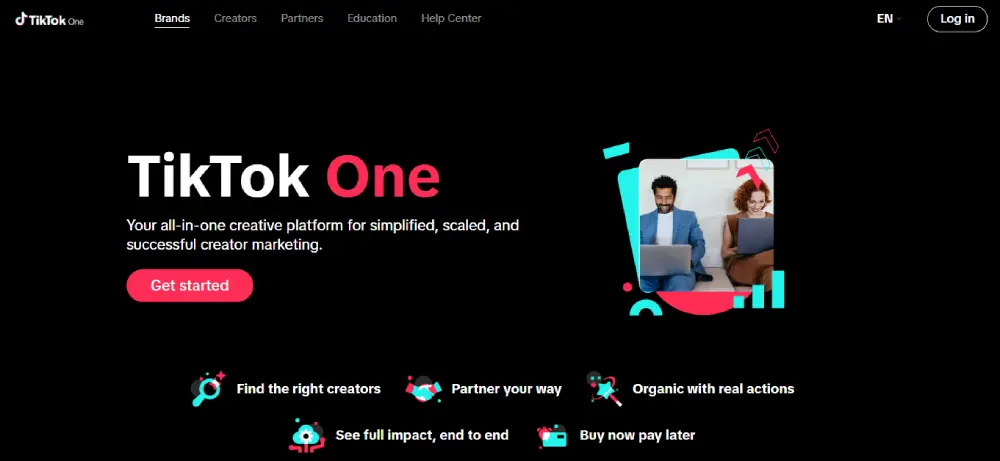
TikTok Creator Marketplace is the only platform that lets you filter creator selection using TikTok’s own audience data before committing any budget.
Before reaching out to a creator, you can review their audience demographics, geographic reach, engagement rate, video performance averages, and past brand collaboration history.
Campaigns managed through the Marketplace include built-in conversion tracking. For brands using TikTok Spark Ads, creator content sourced through Marketplace can be promoted as paid inventory directly, combining creator credibility with algorithmic reach.
For context on evaluating purchase-intent signals beyond follower count, the TikTok influencers guide covers the audience quality indicators that predict sales-driven results.
Key features:
- Creator search filtered by niche, audience demographics, engagement rate, and geographic reach
- Pre-campaign performance data showing video averages and brand collaboration history
- Campaign brief management and creator communication tools within the platform
- Built-in conversion tracking for Marketplace-managed campaigns
- Direct TikTok Spark Ads integration for promoting creator content as paid inventory
- Free access with no platform commission added to creator fees
Pros:
- Free to use with no marketplace commission on creator fees
- Creator performance data is visible before any budget changes hands
- Spark Ads integration turns organic creator posts into paid reach without additional production cost
Cons:
- Engagement data is a purchase intent proxy, not a sales guarantee
- High-converting micro-creators in specific niches are sometimes underrepresented in the directory
Not for: Brands that need sophisticated automated outreach, performance guarantees, or campaign management features beyond what a free native platform provides.
Pricing: Free to access. Creator partnership fees are negotiated directly per campaign.
Why we included this: Creator partnerships represent one of the highest-ROI TikTok acquisition strategies at any budget level. Creator Marketplace is the only free, data-backed route to finding and evaluating those partners using TikTok’s own audience metrics.
Tool Ratings at a Glance
After testing all 11 tools, here is how they compare across the four criteria that matter most for sales-focused TikTok marketing. Scale: 5 = Excellent, 4 = Good, 3 = Fair, 2 = Limited.
| Tool | Ease of Use | TikTok-Native Depth | Sales Attribution | Value for Price |
| TLinky | 5 | 4 | 5 | 5 |
| TikTok Ads Manager | 3 | 5 | 4 | 5 |
| CapCut for Business | 5 | 5 | 2 | 5 |
| Helium 10 | 3 | 3 | 4 | 4 |
| Canva | 5 | 3 | 2 | 4 |
| InVideo AI | 4 | 3 | 2 | 4 |
| Later | 5 | 3 | 2 | 4 |
| Hootsuite | 4 | 3 | 3 | 3 |
| Sprout Social | 3 | 3 | 4 | 2 |
| Exolyt | 5 | 5 | 3 | 5 |
| TikTok Creator Marketplace | 4 | 5 | 3 | 5 |
Ease of Use: How quickly a new user gets productive.
TikTok-Native Depth: How precisely it handles TikTok-specific mechanics.
Sales Attribution: Whether it connects to revenue outcomes.
Value for Price: Capability relative to cost.
Bonus: Two Free Tool Hubs Worth Bookmarking
Not every TikTok marketing task requires a monthly subscription. These two free platforms cover the calculation, planning, and creative scaffolding work that most of the tools above either charge extra for or leave to you entirely.
Neither replaces the 11 tools above, but both fill genuine gaps in the planning and setup layer.
TikAdTools
TikAdTools is a free platform built around the math and planning work that runs underneath every TikTok campaign. The Ad Cost Calculator, CPM Calculator, CPC Calculator, ROAS Calculator, and Ads ROI Calculator give you accurate numbers before you commit any budget to a campaign.
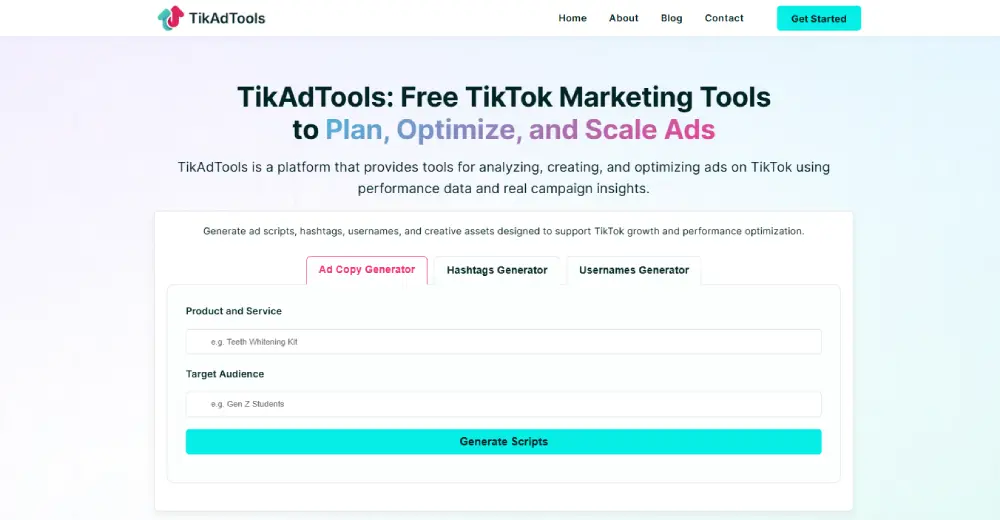
The Campaign Planner, A/B Testing Tool, Ad Budget Planner, and Ad Schedule Optimizer help you structure campaigns and creative tests without needing a paid platform.
On the creative side, the Ad Script Generator, Ad Hook Generator, Ad Copy Generator, and Trend Analyzer give you a starting structure before taking content into CapCut or InVideo AI. A UTM Link Builder and Pixel Setup Helper round out the tracking setup layer.
Everything is free with no account required. TikAdTools covers the calculation and pre-launch planning that most standalone tools either price separately or skip entirely.
TikAdSuite
TikAdSuite offers 50+ free tools covering ad analytics, campaign planning, tracking setup, creative generation, and TikTok Shop calculations.
For Shop sellers specifically, the TikTok Shop Profit Calculator and Shop Fee Calculator are immediately useful.
Both confirm your actual margin after TikTok’s commission, shipping, and applicable costs before you list a product at any price.
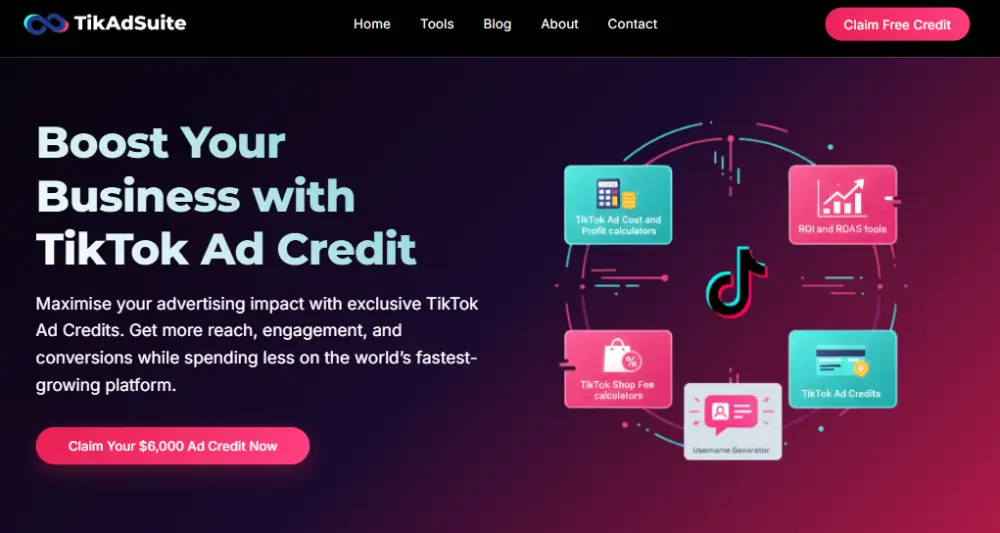
The tracking setup tools include a Pixel Setup Helper, UTM Link Builder, Ad Compliance Checker, and Trend Tracker.
The planning layer adds an Audience Interest Finder, Lookalike Audience Builder, Ad Targeting Planner, and Ad Retargeting Builder. These cover pre-campaign setup steps that Ads Manager does not walk you through.
From the bonus recommendations all tools are free and accessible without a subscription.
Which Tool Stack Fits Your Situation?
| You are a… | Start with… |
| Solo creator or blogger | CapCut + TLinky free + TikTok Analytics |
| TikTok Shop seller | Helium 10 + CapCut + TLinky |
| Direct response advertiser | TikTok Ads Manager + TLinky + Exolyt |
| Multi-platform brand | Hootsuite + TLinky + Exolyt |
| Influencer marketer | Creator Marketplace + TLinky |
| Enterprise or agency | Sprout Social + Ads Manager + Hootsuite |
| Everything free | TikAdTools, TikAdSuite |
For the decision between paid and organic distribution, the TikTok paid ads vs organic comparison covers the trade-offs at each budget level. Before committing to TikTok Shop, the TikTok Shop guide covers how the platform’s product discovery and ranking system works.
FAQs
Here are the most common questions from marketers and TikTok Shop sellers building a tool stack for the first time.
What is the best free TikTok marketing tool?
CapCut for Business covers free content creation. TikTok Creator Marketplace handles free influencer discovery and campaign tracking. TikTok Analytics, available inside the app for all Business and Creator accounts, provides free on-platform performance monitoring. TLinky’s free plan adds bio link click attribution, which is the one data point TikTok’s own analytics do not provide.
How do I measure what a TikTok marketing tool contributes to sales?
Use a trackable short link in your bio so click volume from TikTok is visible separately from view count. Add UTM parameters to destination URLs so your eCommerce platform records the traffic source. For paid campaigns, the TikTok Pixel tracks conversion events on your website. For TikTok Shop, Seller Center reports in-app purchase data directly. These four data points together show which tools are generating revenue rather than just activity.
Which TikTok marketing tools work best for small businesses?
For a small business starting on TikTok, CapCut covers video creation, TLinky tracks what that content drives in clicks and conversions, and TikTok Analytics monitors on-platform performance. If you are running TikTok Shop, add Helium 10 before listing any products. The free plans for CapCut, TLinky, and Creator Marketplace cover the first 90 days without any tool spend.
How much should I budget for TikTok marketing tools?
A functional free stack costs $0 per month. A growth-stage stack with scheduling, attribution, and product research costs $60 to $100 per month. A full-scale stack adding competitive analytics and multi-platform management costs $150 to $300 per month before ad spend. Start with the minimum that closes your biggest attribution gap and add tools as TikTok revenue justifies each additional cost.
Is Hootsuite or Sprout Social better for TikTok marketing?
For multi-platform scheduling and standard performance monitoring, Hootsuite at $99/month covers more channels at a lower cost per seat. For revenue attribution reporting and social listening across platforms, Sprout Social at $249/month per seat provides more reporting depth. Hootsuite fits small and mid-size teams managing TikTok alongside other channels. Sprout Social fits marketing departments with stakeholder reporting requirements that justify the higher cost.
Wrapping Up
Most TikTok stacks that produce consistent sales results use three to four tools: something to create content, something to distribute it at the right time, something to measure what it drives off-platform, and something to understand what competitors are doing in the same category.
If you do not know how many people your TikTok content sends to your website or shop right now, that is the first gap to close. It costs almost nothing, and it changes every decision you make about content, ads, and tool investment after it.
Start with the tools that connect TikTok activity to revenue. Add everything else from there.
Sources
- DataReportal, Digital 2025 Global Overview Report, January 2025
- TikTok For Business, Attribution Analytics and Assisted Conversion Overview
- Stackmatix, TikTok Ads vs Facebook Ads CPM and ROAS Comparison, 2026
- Improvado, TikTok Ads Data Challenges Complete Guide for Analytics Teams, 2026
- Pew Research Center, 8 Facts About Americans and TikTok, March 2026