
Most TikTok creators and brands make content decisions based on gut feel. The ones growing fastest are using data: they know which video format keeps viewers watching longest, which posting times reach their specific audience, and how they compare to competitors producing similar content.
The problem is that TikTok’s built-in analytics only go so far. The native dashboard caps your data history at 60 days, shows only your own account, and gives zero visibility into what is working for brands in your niche.
Every day that passes without a third-party tool is a day of historical performance data you lose permanently.
According to TikTok for Business, there are over 1 billion daily active users on TikTok as of 2026. That audience produces an enormous volume of performance signals: engagement rates by content format, trending sounds, hashtag reach, competitor posting patterns, and follower demographic shifts.
The right analytics tool turns those signals into decisions.
In this article, you will learn:
- Which TikTok analytics tools are worth paying for and which free options cover the basics
- The difference between organic and paid analytics, and which tools cover each
- How each tool handles competitor tracking, trend detection, and reporting
- Which tool fits creators, which fits brands, and which fits agencies
- Specific tools built for TikTok Shop and e-commerce analytics
Key Takeaways
- TikTok’s native analytics are free but limited to 60 days of history and your own account data. Any serious analytics need requires a third-party tool.
- There are two distinct analytics layers on TikTok: organic content performance (views, engagement, follower growth) and paid campaign performance (CPM, CPA, ROAS). Most tools cover one, not both.
- Tools built exclusively for TikTok (such as Exolyt) provide deeper campaign and competitor data than general social media management platforms.
- TikTok Shop sellers need a separate category of analytics tool. Kalodata and similar platforms track product sales estimates and affiliate performance that standard analytics tools do not cover.
- Vista Social is the strongest full-featured option for teams managing TikTok alongside other platforms, with a free plan and pricing that scales predictably.
Quick Answer: Best TikTok Analytics Tools
The best TikTok analytics tool depends on what you need to measure. TikTok’s built-in analytics cover basic video and follower data for free. Exolyt goes deeper on campaign, influencer, and competitor tracking for TikTok-specific teams. Vista Social is the best all-in-one option for multi-platform management with TikTok reporting built in. For TikTok Shop sellers, Kalodata is the strongest dedicated commerce analytics tool.
TikTok Analytics: Quick Comparison
| Tool | Category | Best For | Free Plan | Starting Price |
|---|---|---|---|---|
| TikTok Built-in Analytics | Native | Creators, beginners | Yes | Free |
| Exolyt | TikTok-specific | Campaign and influencer tracking | Limited | $400/mo |
| Vista Social | Social management | Multi-platform teams | Yes | $79/mo |
| Socialinsider | Competitive analytics | Agencies and benchmarking | No | $99/mo |
| Brand24 | Social listening | Brand monitoring and PR | No | $249/mo |
| Iconosquare | Visual analytics | Reporting-focused marketers | No | $39/mo |
| Kalodata | E-commerce analytics | TikTok Shop sellers | Yes | $45.9/mo |
| Rival IQ | Competitive benchmarking | Competitive analysis teams | No | $239/mo |
How We Evaluated Each Tool
We evaluated all 8 tools using free plans and trial access. We tested each tool on four criteria: data depth (how many metrics are available and how granular they are), competitor tracking capability (whether you can monitor accounts outside your own).
Ease of reporting (how fast you can export or share results) and value for price (what you get per dollar compared to alternatives) completed the evaluation. We did not include tools that could not be independently verified through official pricing and feature documentation.
The 8 Best TikTok Analytics Tools
Every tool below was evaluated for its specific analytics use case. The first entry covers TikTok’s own free analytics tools, which every user should understand before paying for anything else.
1. TikTok Built-in Analytics
Best for: Creators and brand accounts who want a free starting point for their own performance data
TikTok provides a native analytics dashboard accessible to all Business and Creator accounts. The organic dashboard, available at analytics.tiktok.com or inside the app, covers four tabs.
Those tabs are: Overview (totals for views, followers, and profile visits), Content (per-video performance with watch time and traffic sources), Followers (demographics by age, gender, geography, and active hours), and LIVE (live stream metrics if applicable).
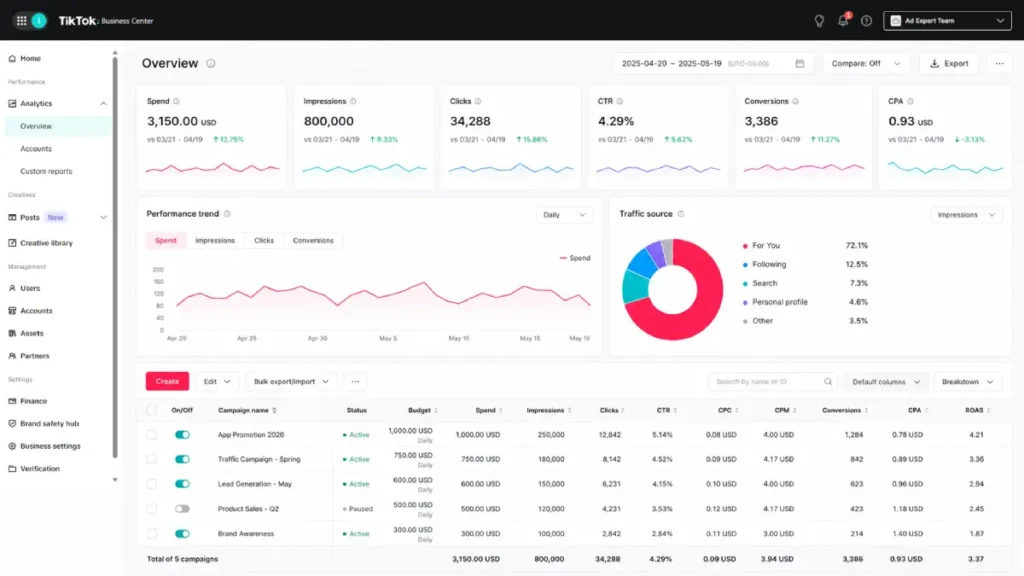
TikTok also provides a separate analytics layer inside TikTok Ads Manager for advertisers. The Ads Manager dashboard tracks paid campaign metrics including CPM, CPC, CTR, conversion rate, and ROAS at the campaign, ad group, and ad level. These two dashboards serve completely different purposes and should not be confused.
The core limitation of native analytics is the 60-day data retention window on the organic dashboard. Video and follower data older than 60 days is no longer accessible. For advertisers, Ads Manager retains data longer and allows custom date ranges, but still restricts you to your own campaign data.
Understanding what native analytics offer and where they stop is the starting point for deciding which third-party tool to use next. For a full breakdown of which metrics to track and what they mean, see TikTok analytics.
Key features
- Free for all Business and Creator accounts
- Four analytics tabs: Overview, Content, Followers, LIVE
- Per-video metrics including average watch time, completion rate, and traffic source breakdown
- Audience demographics by age, gender, territory, and active hours
- Separate Ads Manager analytics dashboard for paid campaign performance with custom date ranges
Pros
- Free with no plan or credit card required
- Accurate first-party data straight from TikTok’s own systems
- Ads Manager analytics are more detailed than most third-party tools for paid campaign data
Cons
- Organic data retention capped at 60 days, permanently deleting older history
- No competitor tracking of any kind
Pricing
Free for all TikTok Business and Creator accounts.
Not for: Any brand or creator who needs historical organic data beyond 60 days, competitor insights, or trend tracking.
Why we included this: Every paid tool on this list builds on top of the data native analytics provides. Understanding what the free dashboard covers prevents you from paying for features you do not need.
2. Exolyt
Best for: Campaign managers and influencer marketing teams who need to track TikTok performance across specific accounts, hashtags, and campaigns
Exolyt is a TikTok-specific analytics platform with a strong focus on campaign measurement and influencer tracking.
You can monitor specific creator accounts, track the performance of a campaign hashtag, and pull engagement metrics for influencer partnerships without needing creators to share their native analytics with you.
The influencer discovery feature helps brands identify TikTok creators in specific niches based on follower count, engagement rate, and content category. For teams running performance-based influencer campaigns, Exolyt surfaces engagement rate trends and follower growth patterns that help identify which creators are actually growing versus which ones are stagnant.
Brand sentiment tracking is a useful addition that most TikTok-specific tools skip. Exolyt monitors how your brand name appears in video captions and comment threads, giving you an early signal for reputation issues or viral moments tied to your products.
For a broader guide to working with TikTok creators, see TikTok influencers.
Key features
- Influencer discovery and account analytics for public TikTok profiles
- Campaign tracking across hashtags with reach, engagement, and contributor metrics
- Brand mention and sentiment monitoring across TikTok video captions and comments
- Audience demographic data for any tracked account
- Exportable campaign reports for client or team sharing
Pros
- Strong influencer vetting capabilities without requiring account access from creators
- Campaign hashtag tracking shows reach, engagement, and contributing creators in one view, which makes influencer campaign performance easy to measure
- Brand sentiment layer adds a layer that most TikTok analytics tools skip
Cons
- TikTok-only, no cross-platform data for Instagram or YouTube
- Free tier is very limited and pushes users toward paid plans quickly
Pricing
Paid plans start from approximately $400 per month. A limited free tier is available for basic profile lookups.
Not for: Teams that primarily need organic content performance data for their own account. Exolyt is built for monitoring external accounts and campaigns, not for self-reporting.
Why we included this: Exolyt is the strongest tool for influencer and campaign accountability. If your TikTok strategy depends on paid creator partnerships, it solves the measurement problem that native analytics cannot.
3. Vista Social
Best for: Social media teams managing TikTok alongside other platforms who need analytics, scheduling, and reporting in one place
Vista Social is a full-featured social media management platform that includes comprehensive TikTok analytics alongside scheduling, engagement, and reporting tools. The TikTok module covers follower counts, likes, comments, shares, and views with visual dashboards showing performance over custom date ranges.

The best-time-to-post feature is based on your specific audience activity data rather than a generic recommendation. Vista Social calculates when your followers are most active on TikTok and recommends posting windows based on that data. This is useful for accounts posting consistently and trying to maximize organic reach.
Vista Social supports connecting multiple TikTok profiles to one account, which makes it practical for agencies managing several clients or brands running multiple TikTok accounts for different product lines.
Automated reporting saves time when you need to send regular performance updates to clients or stakeholders. For teams tracking whether TikTok content is driving measurable business results, the platform connects to how to measure ROI on TikTok ad campaigns.
Key features
- TikTok performance reports with views, engagement, follower growth, and best-performing content
- Best-time-to-post recommendations based on your specific audience activity
- Multi-profile support for managing multiple TikTok accounts from one dashboard
- Automated report scheduling for regular delivery to clients or team members
- TikTok post scheduling and content calendar alongside analytics
Pros
- Free plan available, making it accessible before committing to a paid tier
- Multi-platform coverage includes Instagram, Facebook, YouTube, LinkedIn, and Pinterest alongside TikTok
- Automated reporting reduces time spent on manual exports for agency teams
Cons
- TikTok analytics are less granular than dedicated TikTok-only tools like Exolyt
- No competitor account tracking or trend intelligence features
Pricing
Free plan available with limited features. Paid plans start at $79 per month, with a 20% discount on annual billing.
Not for: Teams that need deep competitor tracking or trend intelligence. Vista Social covers your own account performance well but does not monitor other accounts or trending content.
Why we included this: Vista Social is the strongest multi-platform option at its price point with a usable free tier. For teams managing TikTok as one channel among several, it provides more analytics value per dollar than most general social media platforms.
4. Socialinsider
Best for: Agencies and in-house teams that need to benchmark TikTok performance against competitors and produce client-ready reports
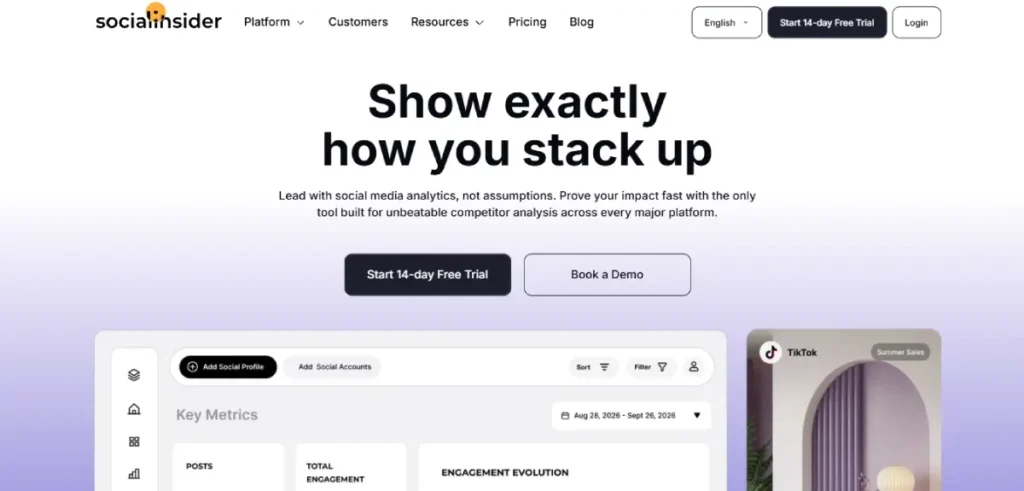
Socialinsider is built for competitive analysis at scale. The TikTok module lets you add competitor accounts to a benchmarking dashboard and track their posting frequency, engagement rate, follower growth, and top-performing content side by side with your own account.
For agencies managing multiple clients in similar industries, this comparative view is the primary use case.
Historical data access goes well beyond TikTok’s 60-day native limit. Socialinsider maintains historical performance records for tracked accounts, which is essential for spotting long-term content strategy shifts or seasonal engagement patterns.
White-label reporting is available on higher tiers, allowing agencies to export branded reports for client delivery without manual reformatting. The cross-platform scope covers Instagram, Facebook, YouTube, Twitter, and LinkedIn alongside TikTok.
This lets agencies present TikTok performance in the context of a client’s full social media presence. For campaigns where TikTok is one piece of a wider paid media plan, see TikTok ads campaign structure.
Key features
- Competitor account benchmarking with side-by-side engagement, growth, and content metrics
- Historical TikTok data beyond the 60-day native limit
- Multi-platform support across TikTok, Instagram, Facebook, YouTube, Twitter, and LinkedIn
- White-label report export for agencies delivering branded client reports
- Content category analysis showing which post types drive the most engagement for tracked accounts
Pros
- Competitive benchmarking depth is stronger than almost any other tool on this list
- Historical data access makes long-term trend analysis possible
- White-label reporting saves significant time for agency teams producing regular client reports
Cons
- No free plan, and the starting price at $99 per month is high relative to tools with comparable TikTok-specific analytics
- No trend prediction or sound/hashtag tracking features
Pricing
Plans start at $99 per month. No free plan. Annual billing reduces the monthly cost.
Not for: Solo creators or small teams without a recurring need for competitor benchmarking. The price is only justifiable when competitor analysis and client reporting are central to your workflow.
Why we included this: For agencies managing TikTok on behalf of multiple clients, Socialinsider’s benchmarking and white-label reporting capabilities are not matched by less expensive tools. It earns its place on this list for a specific professional use case.
5. Brand24
Best for: PR teams, brand managers, and marketers who need to monitor what people say about their brand across TikTok and the wider web
Brand24 is a social listening tool, not a content analytics platform. The distinction matters. Instead of tracking how your videos perform, Brand24 tracks every time someone mentions your brand name, product, or selected keywords across TikTok, Twitter, Instagram, Reddit, news sites, blogs, and podcasts.
The mention volume tracking is particularly valuable for identifying when your brand is gaining organic traction outside of your own content. If a creator makes a video about your product without tagging you, Brand24 can surface that mention, which native TikTok analytics will never show you.
Sentiment analysis assigns a positive, negative, or neutral classification to each mention, which gives PR teams an early warning system for potential crises. Real-time alerts can notify you within minutes of a spike in negative mentions, which is significantly faster than manual monitoring.
For brands concerned about how their advertising is being received, Brand24 provides context that goes well beyond what any content performance dashboard can show.
Key features
- Real-time brand mention monitoring across TikTok, social platforms, blogs, news, and podcasts
- Sentiment analysis classifying mentions as positive, negative, or neutral
- Mention volume tracking over time to detect conversation spikes
- Influencer identification based on who is driving the most reach with your brand mentions
- Email and mobile alerts for sudden mention volume changes or sentiment shifts
Pros
- Only tool on this list that monitors brand mentions outside of owned content across the entire web
- Real-time alerts enable faster response to reputation issues than any post-reporting tool
- Influencer identification from organic mentions helps brands find creators already engaging with their products
Cons
- Not useful for content optimization. Brand24 monitors conversations but does not analyze video performance, follower growth, or engagement on your own posts
- TikTok-specific data depth is shallower than platforms that integrate directly with TikTok’s API for account-level metrics
Pricing
Plans start at $249 per month. No free plan, though a free trial is available.
Not for: Creators or brands focused primarily on improving their own content performance. Brand24 is a brand monitoring tool, not a content analytics tool.
Why we included this: For brands investing in TikTok advertising and organic content simultaneously, knowing when your brand is mentioned organically is a measurement gap that no content analytics tool fills. Brand24 specifically closes that gap.
6. Iconosquare
Best for: Marketing managers and agencies who prioritize visually polished analytics dashboards and need to present TikTok data clearly to clients or executives
Iconosquare started as an Instagram analytics platform and has expanded to cover TikTok, Facebook, Twitter, and LinkedIn. Its strongest differentiator is the quality of its reporting interface.
Dashboards are well-designed and easy to read at a glance, which matters when you need to present social media data in meetings or to clients unfamiliar with raw analytics.

Custom dashboards let you select which metrics to display, removing noise and focusing on the numbers that your specific reporting process requires. Scheduled report delivery allows you to set up automated monthly or weekly exports to send to stakeholders without manual work.
Community analytics provide a useful layer beyond just content performance. Iconosquare tracks audience behavior patterns, showing when followers are most active and which content types generate the highest save and share rates.
This helps content teams make production decisions based on data rather than assumptions. For teams connecting analytics to TikTok ad creative best practices, audience behavior data informs creative direction.
Key features
- Custom dashboards with selectable metrics for building role-specific views
- Scheduled automated report delivery to clients or team members via email
- Community and audience analytics showing active hours and content type engagement patterns
- Multi-platform coverage including TikTok, Instagram, Facebook, Twitter, and LinkedIn
- Content calendar with scheduling tools integrated alongside analytics
Pros
- Cleanest, most visually polished reporting interface of any tool on this list
- Automated report scheduling saves consistent manual work for teams producing regular updates
- Custom dashboards allow different team members to see only the metrics relevant to their role
Cons
- TikTok analytics are less developed than Instagram features. Iconosquare built its reputation on Instagram and TikTok coverage is still catching up
- No competitor tracking or trend detection capabilities
Pricing
Plans start at approximately $39 per month. A free trial is available. No free plan.
Not for: Teams that need competitor analysis or trend intelligence. Iconosquare is reporting-focused and does not monitor external accounts.
Why we included this: When data presentation quality matters, Iconosquare produces more professional-looking reports than any other tool on this list at a mid-tier price. For agencies delivering client-facing analytics, the interface saves significant time that would otherwise go to manual formatting.
7. Kalodata
Best for: E-commerce brands and TikTok Shop sellers who need product-level sales intelligence rather than content performance metrics
Kalodata fills an analytics gap that none of the other tools on this list address: TikTok Shop product data. If you are selling through TikTok Shop, Kalodata provides sales estimates by product, trending item identification by category, affiliate performance metrics, and seller rankings across the platform.
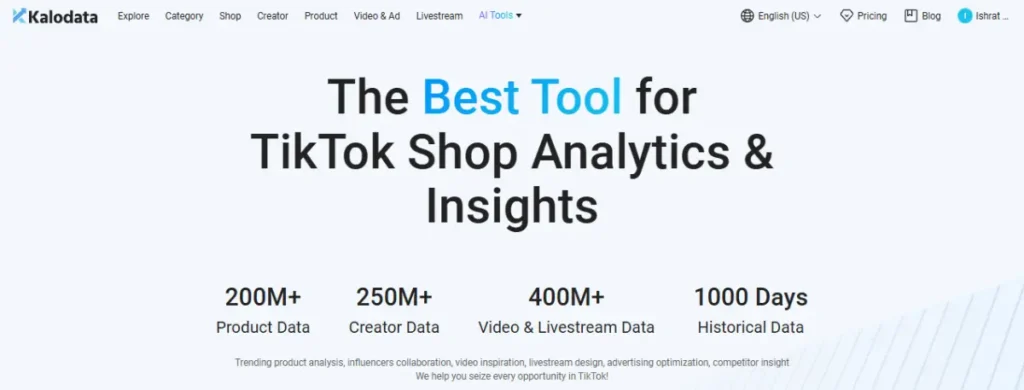
The product discovery feature lets you filter by category, estimated sales volume, price range, and growth rate to identify what is gaining traction before investing in inventory or ad spend.
For brands considering which products to promote in TikTok Shop Ads, this market intelligence reduces the guesswork of product selection.
Affiliate creator analytics show which TikTok creators are driving the most sales for products similar to yours, which helps brands identify potential creator partners based on actual commerce performance rather than follower count alone.
For brands already running TikTok Shop campaigns, Kalodata connects directly to the TikTok live shopping ads ecosystem.
Key features
- TikTok Shop product sales estimates with filtering by category, price, and growth rate
- Seller performance rankings showing top-performing shops by estimated revenue
- Affiliate creator analytics identifying which creators drive commerce results in specific categories
- Trending product discovery updated frequently with current market signals
- Video sales attribution showing which content formats generate the most product purchases
Pros
- The only dedicated TikTok Shop analytics tool on this list, covering a data layer no other platform provides
- Product discovery and category trend data helps brands make inventory decisions before launching campaigns
- Affiliate creator identification is based on actual sales performance, not follower metrics
Cons
- Purely focused on e-commerce data. No content analytics, audience metrics, or follower growth tracking
- Sales figures are estimates, not verified first-party data from TikTok’s systems. Accuracy varies by category
Pricing
Free tier available with limited data access. Paid plans start at approximately $45.9 per month for full access.
Not for: Creators or brands that do not sell through TikTok Shop. Kalodata provides zero value for organic content measurement or ad campaign tracking outside of the commerce layer.
Why we included this: TikTok Shop is one of the fastest-growing e-commerce channels in 2026, according to TikTok for Business. For sellers on the platform, the standard analytics tools on this list leave a critical data gap that Kalodata specifically fills.
8. Rival IQ
Best for: Marketing teams and agencies that need enterprise-level competitive benchmarking across TikTok and multiple platforms
Rival IQ is a social media analytics and competitive intelligence platform built for teams that take competitor analysis seriously.
The TikTok module allows you to monitor a defined set of competitors, track their posting frequency, engagement rates, top-performing hashtags, and content strategy shifts over time alongside your own account data.
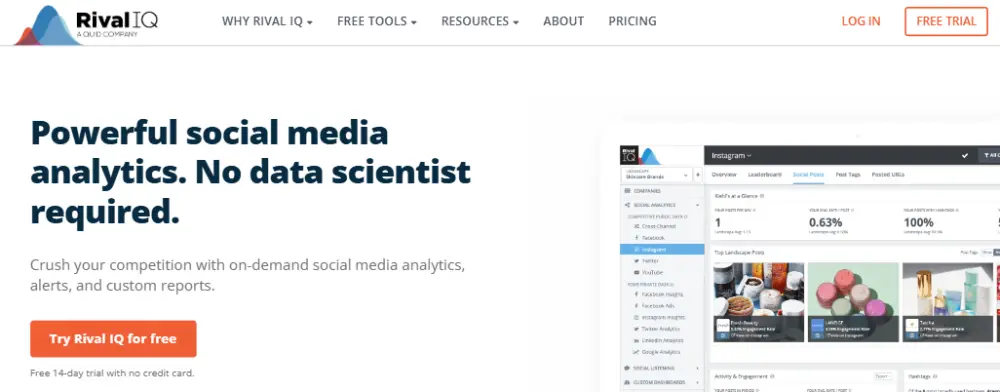
The hashtag analytics feature surfaces which tags your competitors use most frequently and which generate the highest engagement for accounts in your industry.
This is useful for content planning decisions: knowing which hashtags your top competitors rely on and how those hashtags actually perform gives your team a data advantage before content is published.
Comprehensive social media audits produce a report analyzing your TikTok performance across a defined time period, with benchmarks against your competitors and recommendations for strategy adjustments.
For teams trying to understand why their engagement rate is declining while a competitor’s grows, this audit format gives a direct side-by-side comparison. For advertisers looking to connect analytics to spending decisions, see TikTok advertising cost.
Key features
- Competitor performance monitoring across TikTok, Instagram, Facebook, YouTube, Twitter, and LinkedIn
- Hashtag analytics showing which tags competitors use and which generate the highest engagement
- Automated social media audit reports benchmarking your performance against selected competitors
- Historical data retention allowing trend analysis over months or years
- Custom alert notifications for competitor activity spikes or significant engagement changes
Pros
- Competitive benchmarking depth and historical data access are among the strongest of any tool in this category
- Cross-platform scope allows a complete view of competitor strategy across all major social channels
- Hashtag analytics go deeper than most tools, connecting hashtag use to engagement outcomes
Cons
- Starting price of $239 per month makes Rival IQ one of the most expensive options on this list, which is hard to justify without a strong and recurring need for competitive benchmarking
- No content scheduling or publishing features
Pricing
Plans start at $239 per month. No free plan. A free trial is available for evaluation.
Not for: Small businesses or individual creators. The price is only justified for teams where ongoing competitive intelligence is a core business function.
Why we included this: For brands in competitive categories where understanding a rival’s TikTok strategy provides direct business value, Rival IQ offers capabilities that mid-tier tools cannot match. It is expensive, but it earns its place for the specific teams that need it.
Tool Ratings at a Glance
After testing all 8 tools, here is how they compare across the four criteria we used in our evaluation.
| Tool | Ease of Use | Data Depth | Competitor Tracking | Value for Price |
|---|---|---|---|---|
| TikTok Built-in Analytics | 5 | 3 | 2 | 5 |
| Exolyt | 4 | 4 | 5 | 2 |
| Vista Social | 5 | 3 | 2 | 5 |
| Socialinsider | 4 | 4 | 5 | 3 |
| Brand24 | 4 | 3 | 3 | 4 |
| Iconosquare | 5 | 3 | 2 | 4 |
| Kalodata | 4 | 5 | 4 | 4 |
| Rival IQ | 3 | 5 | 5 | 2 |
5 = Excellent, 4 = Good, 3 = Fair, 2 = Limited. Data Depth reflects TikTok-specific metric granularity. Competitor Tracking covers external account monitoring. Value for Price reflects what each tool delivers relative to its cost.
Which Tool Stack Fits Your Situation?
| You are a… | Start with… |
|---|---|
| Individual creator, no budget | TikTok Built-in Analytics |
| Brand growing organically, limited budget | Vista Social (free plan) |
| Brand running a TikTok hashtag campaign | Exolyt for campaign hashtag tracking |
| Agency managing multiple TikTok clients | Socialinsider or Iconosquare for benchmarking and reporting |
| E-commerce brand selling through TikTok Shop | Kalodata for product analytics + Vista Social for content |
| Brand manager monitoring reputation and mentions | Brand24 for listening + TikTok Built-in Analytics |
| Large brand needing full competitive intelligence | Rival IQ for benchmarking + Exolyt for TikTok campaign and creator data |
| Influencer marketing team | Exolyt for campaign and creator tracking |
The strongest setup for most growing brands is a combination of one tool for your own content performance (Vista Social or TikTok built-in) and one tool for competitor and campaign data (Exolyt, Socialinsider, or Rival IQ). Running both together costs less than a single enterprise platform and covers more ground.
FAQ
TikTok analytics can be confusing because the term covers two separate things: how your organic content performs and how your paid campaigns perform. These are the questions that come up most often when choosing a tool.
What metrics should I track on TikTok?
The most important organic metrics are video completion rate (what percentage of viewers watch the full video), average watch time (how many seconds they stay before scrolling), engagement rate (total interactions divided by views), follower growth rate, and traffic source breakdown (For You Page versus Following versus Search).
For paid campaigns in TikTok Ads Manager, the metrics that matter most are CPM, CPC, CTR, cost per purchase, and ROAS. Tracking both sets gives you a complete picture of whether your content is working and whether your ad spend is efficient.
The TikTok ads metrics guide covers how to read and act on each paid metric.
Is TikTok’s native analytics free?
Yes, TikTok’s organic analytics dashboard is completely free for any Business or Creator account that has published at least one video. The Ads Manager analytics dashboard is also free but requires an active TikTok for Business account.
The main cost of relying only on native analytics is the 60-day data cap on the organic dashboard. After 60 days, older performance data is no longer accessible, which makes long-term trend analysis impossible without a third-party tool that stores data on your behalf.
Can I track competitors with TikTok analytics?
TikTok’s native tools only show your own account data. You cannot see competitor follower counts, engagement rates, or content performance in the native dashboard.
Third-party tools that provide competitor tracking include Exolyt, Socialinsider, and Rival IQ. The key difference between them is scope: Exolyt focuses on TikTok-specific competitor and campaign data, while Socialinsider and Rival IQ extend that coverage across multiple platforms.
For understanding how TikTok’s algorithm affects which content gets shown, see TikTok algorithm.
Which tool is best for TikTok Shop analytics?
Kalodata is the strongest dedicated TikTok Shop analytics tool. It provides product sales estimates, trending product discovery, and affiliate creator performance data that no standard social media analytics platform covers.
For brands that sell through TikTok Shop and also want standard content performance tracking, pairing Kalodata with Vista Social’s free or paid tier covers both e-commerce intelligence and content performance in one affordable combination.
Do I need a paid analytics tool if I am just starting out on TikTok?
No. TikTok’s free built-in analytics are sufficient until you are posting consistently (at least three to five times per week) and need to understand more than your own video performance.
The moment you need to answer questions like “why is a competitor growing faster?or “which hashtags are driving reach in my niche?or “am I losing 60 days of data I should have saved?is the moment a paid tool becomes worth the cost.
For most brands that are serious about TikTok growth, that point arrives within the first few months of consistent posting. For more on growing sustainably on TikTok, see TikTok for business.
Wrapping Up
The right TikTok analytics tool depends entirely on what question you are trying to answer. If you need to know how your own content is performing, the free built-in tools are a legitimate starting point.
If you need to know how competitors are growing, which hashtags are trending, or what products are gaining traction in TikTok Shop, no free tool can answer those questions.
For most brands, the practical starting point is the native analytics dashboard plus one third-party tool that fills your most pressing gap. For growing brands, that gap is usually competitor tracking. For e-commerce brands, it is TikTok Shop product data. For agencies, it is client-ready reporting and benchmarking.
Once you have analytics in place, the next step is acting on what the data shows. The maximize ROAS on TikTok ads guide covers how to use performance data to make scaling decisions, and the TikTok statistics for marketers page provides industry benchmarks to calibrate your own performance against.
Sources