
Email is still the highest-ROI channel available to a small business.
Email marketing delivers $36 to $42 for every $1 spent for small businesses in 2026, the highest return of any digital marketing channel, according to research from Constant Contact and Litmus (2026).
That number is not a historical artifact from a decade ago. It still holds because email reaches people who already opted in, on a channel your business controls directly.
64% of small businesses now use email marketing, according to Constant Contact (2026). The question for the 36% who do not is why, and the most common answer is that the tools feel complicated or expensive.
The more honest answer is usually that no one compared them carefully enough to find the right fit.
The hidden cost trap in email marketing tools is real: most platforms charge by subscriber count, not by how often you send. If you have 10,000 subscribers but only email them twice a month, you pay for 10,000 contacts at rest.
A few platforms on this list charge by send volume instead, which completely changes the economics for low-frequency senders.
In this article, you will learn:
- Which tools have genuinely useful free plans and which have free plans that only exist to capture your credit card
- The true pricing model of each tool, including how costs scale as your list grows
- Which tools connect email marketing to your TikTok and social traffic for closed-loop attribution
- Which platform fits your specific situation based on list size, sending frequency, and business type
Get Free TikTok Ad Credit Up to $6000 [Limited Time Offer]
Key Takeaways
- Email marketing delivers $36 to $42 ROI per $1 spent in 2026, the highest return of any digital channel for small businesses, according to Constant Contact and Litmus (2026).
- Automated email sequences generate 320% more revenue than non-automated campaigns, according to EmailMonday (2026), which makes automation availability on the free or entry tier a critical selection factor.
- Brevo charges by send volume rather than subscriber count, which makes it significantly cheaper than per-subscriber platforms for businesses with large lists that send infrequently.
- Klaviyo’s behavioral segmentation is built specifically for ecommerce: it can trigger emails based on cart abandonment, product views, and purchase history in ways that general-purpose platforms cannot.
- Mailchimp’s pricing increases sharply at list sizes above 500 subscribers, and the cost is higher than most alternatives at comparable subscriber counts, which is worth comparing carefully before committing.
What Is the Best Email Marketing Tool for Small Businesses?
MailerLite is the best overall email marketing tool for most small businesses. It offers a genuinely functional free plan up to 250 subscribers, clean automation tools, and the lowest cost as your list grows. For ecommerce businesses on Shopify, Klaviyo provides behavioral segmentation that generic tools cannot replicate. For businesses with large lists but infrequent sends, Brevo’s volume-based pricing model is cheaper than every per-subscriber platform on this list.
Email Marketing Tools: Quick Comparison
| Tool | Best For | Free Plan | Starting Price |
|---|---|---|---|
| MailerLite | Best overall value for small businesses | Yes (250 subscribers) | $12/month |
| Brevo | High subscriber count, low send frequency | Yes (300 emails/day) | $9/month |
| Mailchimp | Brand recognition and beginner onboarding | Yes (250 contacts) | $13/month |
| Klaviyo | Ecommerce behavioral segmentation | Yes (250 contacts) | Scales by list |
| HubSpot Email Marketing | CRM-integrated contact-level attribution | Yes (1,000 contacts) | $50/month |
| Moosend | Best automation depth at the $9/month entry tier | No free plan | $9/month |
| ConvertKit (Kit) | Creator-focused subscriber tagging and landing pages | Yes (1,000 subscribers) | $39/month |
| Campaign Monitor | Best visual drag-and-drop email design | No free plan | $13/month |
| ActiveCampaign | Most powerful automation builder for complex sequences | No free plan | $15/month |
| Omnisend | Ecommerce multi-channel email, SMS, and push | Yes (500 emails/month) | $16/month |
| Constant Contact | Event marketing and local business outreach | 60-day trial | $12/month |
How We Evaluated Each Tool
Every tool on this list was tested directly using its free plan or trial access. We evaluated on four criteria: how useful the free plan or entry tier is before requiring an upgrade, how well the automation tools work for a non-technical user, what the real monthly cost is at 1,000 and 5,000 subscribers, and which specific business type each platform serves best.
The 11 Best Email Marketing Tools for Small Businesses in 2026
Choosing an email marketing platform is largely about matching the pricing model to your list behavior and the feature set to your business type. A creator with a 10,000-person free list needs something different from an ecommerce brand with 2,000 active buyers. Each entry below is specific about who the tool is for and who it is not.
1. MailerLite
Best for: Small businesses that want a full-featured email platform with a genuinely useful free plan and predictable pricing as the list grows
MailerLite’s free plan allows up to 250 subscribers and 2,500 email sends per month, with automation workflows, landing pages, and basic segmentation included. Most free plans on this list are designed to push you to a paid tier quickly.
MailerLite’s free tier is genuinely functional for a list that has not yet reached 250 subscribers.
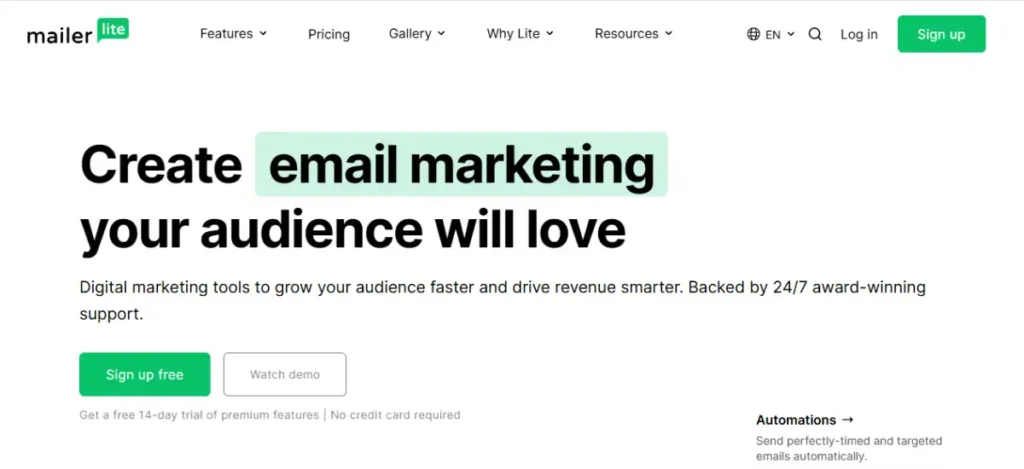
The drag-and-drop editor produces clean, mobile-responsive emails without requiring design experience. Template quality is consistent, and the interface is among the most intuitive tested across all 11 platforms.
Automation on MailerLite covers the sequences most small businesses actually need: welcome series, post-purchase follow-ups, abandoned cart reminders (on paid plans), and re-engagement campaigns. The automation builder uses a visual workflow editor that is straightforward for non-technical users.
Paid pricing is $12/month for up to 500 subscribers and scales by subscriber count from there. The cost per subscriber is lower than Mailchimp, ConvertKit, and ActiveCampaign at most list sizes.
For small businesses driving email signups from TikTok content, the link in bio captures social traffic into an email opt-in page. MailerLite’s embedded forms work with that flow without any custom development.
Key features:
- Free plan up to 250 subscribers with automation, landing pages, and segmentation included
- Drag-and-drop email builder with mobile-responsive templates
- Visual automation workflow builder for welcome series, drip campaigns, and behavior-triggered emails
- Landing page builder included on all plans, including free
- A/B testing on subject lines and content blocks
- Subscriber segmentation by behavior, tag, and custom field
Pros:
- Free plan is the most functional on this list for a list under 1,000 subscribers
- Visual automation builder is accessible for non-technical users without training
- Pricing stays lower than most competitors at comparable subscriber counts through list growth
Cons:
- Free plan removes MailerLite branding from emails only on paid tiers
- Advanced ecommerce features like abandoned cart automation require a paid plan
Not for: Ecommerce businesses that need behavioral segmentation based on purchase history and cart events, where Klaviyo or Omnisend provide deeper platform integration.
Why we included this: MailerLite earns the top position because it is the most balanced tool on this list: genuinely useful free tier, intuitive interface, strong automation, and pricing that stays fair as the list grows. For a small business starting email marketing or switching from a more expensive platform, it is the most practical starting point.
Pricing: Free up to 250 subscribers. Paid from $12/month.
2. Brevo
Best for: Businesses with large subscriber lists that send campaigns infrequently, where per-subscriber pricing creates an unfair cost burden
Brevo charges by email send volume, not by the number of contacts you store. If you have 20,000 subscribers but only send one campaign per month, you pay based on 20,000 sends, not for having 20,000 contacts sitting in the database.
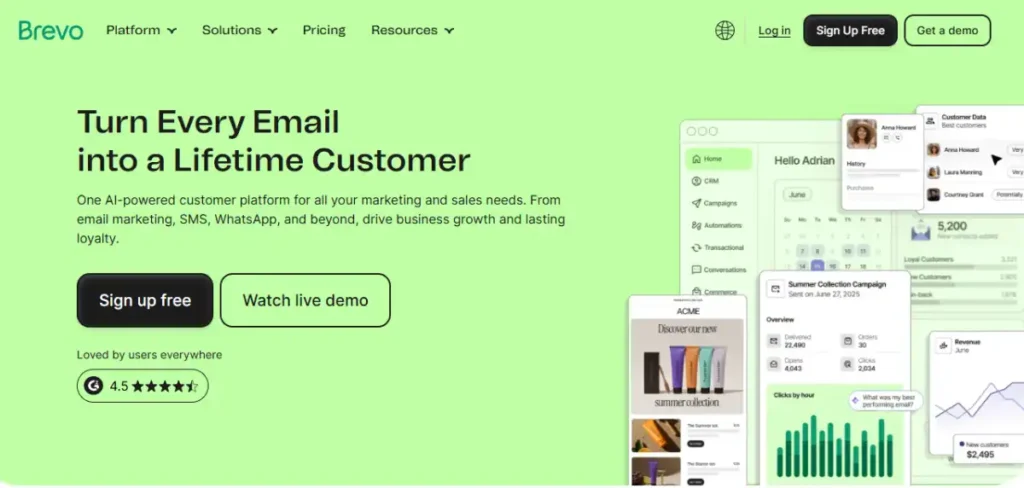
That pricing model is genuinely unusual in the email marketing space, and it changes the economics completely for certain business types.
A seasonal business that emails its full list four times per year pays a fraction of what it would pay on a per-subscriber platform for the same activity.
The free plan allows 300 emails per day (approximately 9,000 per month) to an unlimited number of contacts. That daily cap is a real constraint for campaigns, but the unlimited contact storage means you can grow your list freely before paying.
Brevo includes a CRM, SMS marketing, live chat, and a meeting scheduler alongside email, which makes it closer to a small business customer communication platform than a standalone email tool. For businesses that want email and SMS in one place without paying for two tools, Brevo covers both.
Connecting Brevo email campaigns to TikTok-driven web traffic works well through UTM parameters. The TikTok marketing guide covers how to structure that traffic-to-email funnel from the social side.
For a more detailed look at its current pricing, features, and which businesses it fits, read our Brevo review.
Key features:
- Volume-based pricing with unlimited contact storage at all tiers
- Free plan: 300 emails per day to unlimited contacts
- Email, SMS, and WhatsApp campaign tools in one platform
- Built-in CRM for contact management and deal tracking
- Marketing automation with behavior-based triggers
- Transactional email and API access for developer use
Pros:
- Volume-based pricing makes it significantly cheaper than per-subscriber tools for large lists with low send frequency
- Unlimited contact storage on the free plan removes the list-size pressure most free plans create
- SMS and email in one platform eliminates the need for a separate SMS marketing tool
Cons:
- 300 emails per day on the free plan is a real constraint for any campaign above 9,000 monthly sends
- CRM and campaign tools are functional but not as deep as HubSpot or ActiveCampaign in their respective specialties
Not for: Businesses with small lists that send frequently, where per-subscriber pricing at a tool like MailerLite would be cheaper than Brevo’s per-send model.
Why we included this: Brevo’s pricing model deserves to be in this comparison because it is genuinely different. A business with 15,000 subscribers who sends once a month should know they have a cheaper option than the per-subscriber platforms that dominate the category.
Pricing: Free plan (300 emails/day, unlimited contacts). Starter from $9/month (5,000 emails/month).
3. Mailchimp
Best for: Small businesses starting email marketing for the first time who want a familiar interface and extensive beginner-friendly resources
Mailchimp is the most recognized email marketing brand in the world, which means it is often the default starting point for small businesses encountering email tools for the first time.
The interface is polished, the onboarding is thorough, and the template library is extensive.
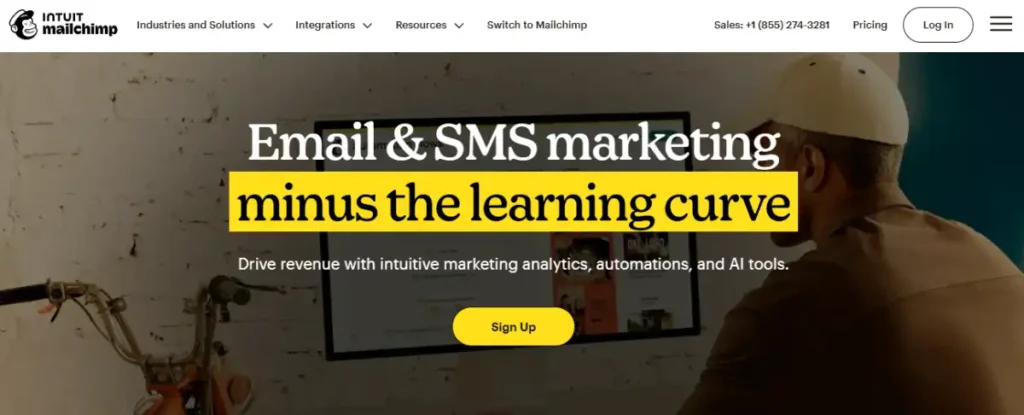
The free plan allows 250 contacts and 500 emails per month, which is restrictive compared to MailerLite’s 250 contacts and 2,500 monthly sends at the same $0 price point. The free plan also limits automation to a single-step welcome email; multi-step sequences require a paid plan.
Pricing increases sharply at higher list sizes. At 5,000 subscribers, Mailchimp’s Essentials plan costs more than both MailerLite and Brevo for comparable sending volume. The per-subscriber cost is one of the higher ones on this list, which is worth calculating for your specific list size before committing.
Mailchimp’s strengths are its integrations (over 300 third-party apps), its audience prediction tools, and its long history of deliverability performance. For businesses already using multiple tools that integrate with Mailchimp, the switching cost of moving platforms may exceed the savings from a cheaper alternative.
Key features:
- 300+ third-party app integrations covering ecommerce, CRM, and social platforms
- Drag-and-drop email builder with a large template library
- Audience segmentation with behavioral and predictive tags
- Subject line helper and content optimizer on paid plans
- Basic automation on free plan (single-step only)
- Creative Assistant that generates on-brand design variations
Pros:
- Most recognized email platform; third-party integrations and community resources are the most extensive on this list
- Polished onboarding experience and in-app tutorials make it the easiest starting point for first-time users
- Deliverability track record is strong due to the platform’s scale and spam filtering investment
Cons:
- Per-subscriber pricing is higher than most alternatives at list sizes above 1,000 contacts
Not for: Businesses prioritizing the lowest cost as their list grows, where Brevo or Moosend offer equivalent features at lower prices at most subscriber counts.
Why we included this: Mailchimp’s market position means it appears in almost every comparison a small business owner will do. It belongs here because omitting it would make this list less useful, not because it wins on price or feature depth. It does not. The comparison context matters.
Pricing: Free plan (250 contacts, 500 emails/month). Essentials from $13/month.
4. Klaviyo
Best for: Ecommerce businesses on Shopify, WooCommerce, or BigCommerce that need email automation triggered by actual shopping behavior
Klaviyo is the most capable ecommerce email tool on this list and the most narrowly focused. It is built for one use case: sending the right email based on what a subscriber just did in your store.
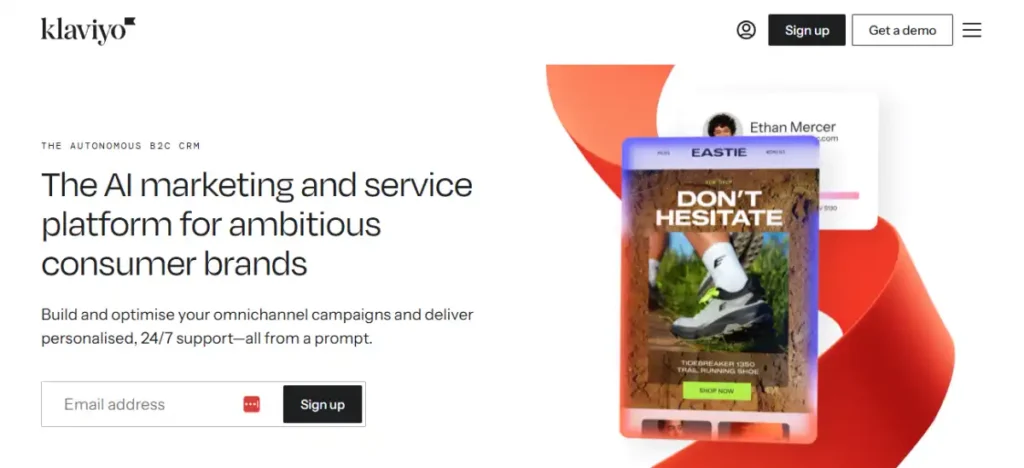
Cart abandonment sequences trigger when a specific product is left in a cart. Browse abandonment emails send when someone viewed a product but did not add it to cart. Post-purchase sequences adapt based on what category the customer bought from. Win-back campaigns trigger after a calculated period of inactivity based on that subscriber’s own purchase frequency, not a fixed number of days.
This behavioral specificity requires deep ecommerce platform integration, and Klaviyo provides it. The Shopify integration is particularly tight, syncing product data, order history, and real-time browsing behavior directly into Klaviyo’s segmentation engine.
The free plan allows 250 contacts and 500 emails per month, the most restrictive free tier on this list. For an established ecommerce business, the free plan is too limited to be useful in production. The paid pricing scales by contact count, and at larger list sizes Klaviyo becomes one of the more expensive options per subscriber.
Personalized email campaigns achieve 6x higher transaction rates than generic broadcasts, according to EmailMonday (2026), and Klaviyo’s segmentation depth is what makes that personalization possible at scale.
Key features:
- Deep Shopify, WooCommerce, and BigCommerce integration with real-time behavioral data
- Behavioral trigger flows: cart abandonment, browse abandonment, post-purchase, and win-back
- Predictive analytics for customer lifetime value, next purchase date, and churn risk
- SMS and email in one platform with shared segmentation
- A/B testing on flows, subject lines, and content blocks
- Revenue attribution report showing exactly which email drove each sale
Pros:
- Behavioral segmentation depth is unmatched by any other tool on this list for ecommerce use cases
- Revenue attribution report connects each email directly to purchase events
- Predictive analytics enable proactive outreach before a customer lapses
Cons:
- Free plan limit of 250 contacts is too restrictive for most active ecommerce businesses
- Per-subscriber pricing becomes expensive at list sizes above 10,000 compared to general-purpose alternatives
Not for: Service businesses, content creators, or local businesses without an ecommerce store, where Klaviyo’s behavioral triggers have nothing to fire against and the pricing premium is not justified.
Why we included this: Klaviyo is the clearest choice for ecommerce and justifies a separate entry because the behavioral email automation it enables is categorically different from what general-purpose tools provide.
An ecommerce business choosing between MailerLite and Klaviyo is not just choosing between two email tools. It is choosing between email and behavioral automation.
Pricing: Free plan (250 contacts, 500 emails/month). Paid scales by contact count from approximately $20/month at 500 contacts.
5. HubSpot Email Marketing
Best for: Small businesses that want email attribution tied to individual contact records in a CRM, not just aggregate open and click rates
HubSpot’s email marketing tool is part of its free CRM, which means every email you send is connected to a contact record.
When a subscriber opens a campaign, clicks a link, or unsubscribes, that activity is logged against their contact record alongside every other interaction that contact has had with your business.
This contact-level view changes what attribution means. Instead of “this campaign had a 24% open rate,” you see “these 240 specific people opened this email, and 18 of them became customers within 30 days.” That granularity is what sales teams need to follow up intelligently, and it is not available in standalone email tools without CRM integration.
The free plan includes 2,000 email sends per month to unlimited contacts, basic templates, and full CRM access. Automation on the free plan is limited to a single-step email trigger. Multi-step sequences and more complex workflows require the Marketing Hub Starter plan.
For small businesses capturing TikTok leads through a bio link, HubSpot’s free CRM stores those contacts and lets you track the full journey from first TikTok click to eventual customer.
The social media metrics guide covers how to connect social traffic data to this contact timeline. For the TikTok-specific side of that measurement, the TikTok analytics guide explains what TikTok’s native dashboard shows and what it does not, and how HubSpot fills that gap.
Key features:
- Email marketing connected to HubSpot’s free CRM with full contact-level attribution
- Free plan: 5,000 emails/month to unlimited contacts with basic templates
- Contact timeline showing every interaction a subscriber has had with your business
- Drag-and-drop email editor with HubSpot template library
- Basic segmentation and list management on the free tier
- Revenue attribution reports on paid Marketing Hub tiers
Pros:
- Contact-level attribution connects email performance to individual sales outcomes
- Free CRM and email combination is the strongest free offering for businesses wanting both tools in one place
- Contact timeline gives sales teams immediate context for follow-up without switching platforms
Cons:
- Email-only users pay for CRM infrastructure they may not need
- Multi-step automation requires Marketing Hub Starter, which increases the cost beyond standalone email tools
Not for: Businesses that only need email marketing with no CRM use case, where simpler platforms like MailerLite or Brevo provide better email-specific value at lower cost.
Why we included this: HubSpot’s email tool earns its place specifically because of the CRM layer. For businesses that manage a sales pipeline alongside email campaigns, the contact-level attribution it provides is a fundamentally different product from email analytics in isolation.
Pricing: Free plan (1,000 contacts). Marketing Hub Starter from $50/month.
6. Moosend
Best for: Small businesses that want deep automation workflows at the lowest paid price point, without a free plan to start
Moosend does not offer a free plan, but its $9/month entry tier includes more automation depth than any other platform at that price.
Unlimited emails to up to 500 subscribers, a full visual automation builder, landing pages, subscription forms, and A/B testing are all included from the first dollar.
Automated email sequences generate 30x higher returns than non-automated campaigns, according to EmailMonday (2026). At $9/month, Moosend is the most cost-effective way to access the automation tier that produces those results.
The automation builder handles multi-step sequences with conditional logic: if a subscriber opens an email but does not click, send a follow-up with a different subject line 48 hours later; if they click but do not purchase, trigger a discount sequence; if they purchase, move them to a post-purchase series. This conditional branching is typically reserved for higher-priced platforms.
Deliverability performance is strong, which matters because even the best-written email has no value if it lands in spam. Moosend’s spam testing tool lets you check a campaign against spam filters before sending.
Key features:
- Full visual automation builder with conditional logic on the $9/month entry plan
- Unlimited email sends to subscribers on all plans
- Landing page and subscription form builder included
- A/B testing on subject lines, content, and send time
- Pre-built automation templates for welcome, abandoned cart, and re-engagement flows
- Spam testing tool for pre-send deliverability checking
Pros:
- Automation depth available at $9/month exceeds what most platforms offer at two or three times the price
- Unlimited sends per month eliminates the per-email cost calculation at scale
- Spam testing included reduces the trial-and-error of improving deliverability
Cons:
- No free plan; the 30-day free trial requires a credit card and ends abruptly
- Smaller brand recognition means fewer third-party integration partners than Mailchimp or HubSpot
Not for: Businesses that need a genuine zero-cost starting point, where MailerLite’s free plan or Brevo’s unlimited contact-free tier offers automation without requiring a credit card.
Why we included this: Moosend is on this list because the automation quality at $9/month is genuinely unusual. A small business that can afford the starting cost gets more workflow automation per dollar here than anywhere else in the category.
Pricing: No free plan. 30-day free trial. Paid from $9/month (500 subscribers, unlimited sends).
7. ConvertKit (Kit)
Best for: Creators, bloggers, coaches, and independent writers who build their business around an email audience rather than a product catalog
ConvertKit, now rebranded as Kit, is built around subscriber tagging rather than list segmentation. Instead of putting subscribers into separate lists, every subscriber is in one pool and gets tagged based on their behavior, interests, and actions.
You can then send emails to any combination of tags without list management complexity.
This approach suits creators with a single audience that has multiple overlapping interests. A business coach who also sells a course and hosts a podcast can tag subscribers by which lead magnet they downloaded, which content they engage with, and whether they are course students, and send to any combination of those tags without duplicating contacts or paying for the same subscriber twice across multiple lists.
The free plan is the most generous on this list for subscriber count: 10,000 subscribers with unlimited landing pages and unlimited forms. The trade-off is that automation is not available on the free plan, which is a meaningful limitation for anyone whose email strategy depends on automated sequences.
For creators who drive email signups from TikTok paid ads vs organic content, Kit’s landing page tools let you create sign-up pages without a separate website builder.
Key features:
- Tag-based subscriber management instead of multiple separate lists
- Free plan up to 10,000 subscribers with landing pages and forms included
- Visual automation builder on paid plans with conditional logic and tag triggers
- Creator Network for cross-promotion with other Kit creators
- Commerce tools for selling digital products directly to email subscribers
- Subscriber scoring based on engagement behavior
Pros:
- Most generous free plan subscriber limit on this list at 10,000 contacts
- Tag-based system eliminates duplicate subscriber costs across multiple list segments
- Landing page builder included on free plan for email capture without a separate website
Cons:
- Automation is not available on the free plan, limiting the utility of the 10,000 free subscriber allowance
- Creator-focused design means ecommerce and local business features are underdeveloped
Not for: Ecommerce businesses, local businesses, or teams that need event marketing and transactional email alongside newsletter campaigns, where Kit’s creator-first design leaves meaningful capability gaps.
Why we included this: Kit earns its position because the free subscriber limit of 10,000 is genuinely unusual and the tag-based system solves a real complexity problem for creators managing diverse audiences. For the creator business model, it is the most thoughtfully designed tool on this list.
Pricing: Free up to 1,000 subscribers. Creator plan from $39/month (automation included).
8. Campaign Monitor
Best for: Small businesses and agencies that produce visually branded emails and need the strongest drag-and-drop design experience on the market
Campaign Monitor’s email builder is the most polished visual design experience tested across all 11 platforms.
The drag-and-drop interface handles custom branding, multi-column layouts, conditional content blocks, and animated elements with less friction than any comparable tool.
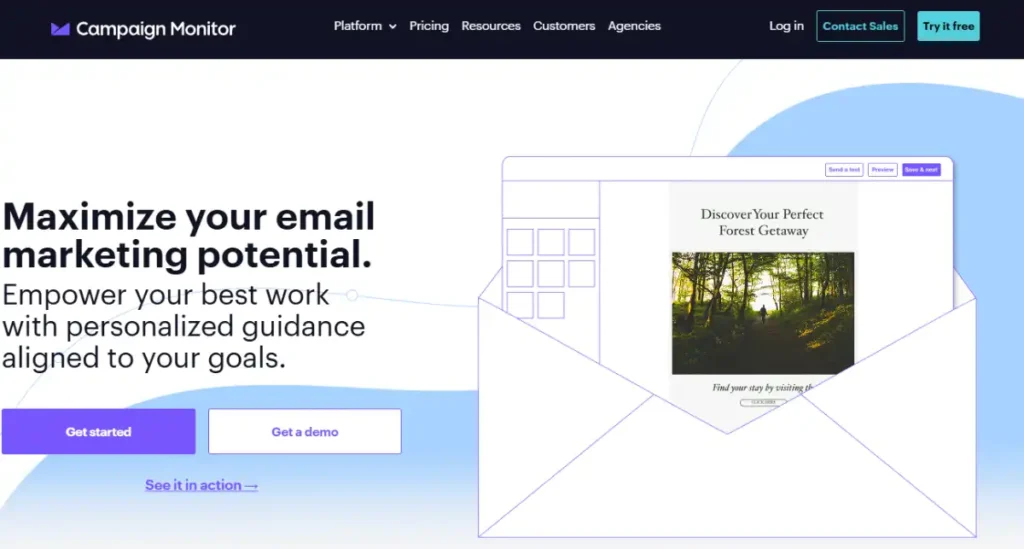
For businesses where email design is part of the brand experience (retail brands, events companies, design studios), the visual quality of the template output justifies the cost premium over simpler builders.
Campaign Monitor does not have a free plan. The $13/month Basic plan covers up to 500 subscribers with a 2,500 email send limit per month, which is more restrictive on sends than most competitors at a similar price.
The platform’s analytics include inbox previews across 20+ email clients, which reduces the risk of sending a campaign that renders correctly in Gmail but breaks in Outlook. That preview feature alone can prevent the brand damage that comes from sending a visually broken email to your full list.
For brands connecting email campaigns to paid social traffic, the ecommerce growth blueprint covers how email fits into the broader retention marketing layer for online stores.
Key features:
- Drag-and-drop email builder with the most advanced visual design controls on this list
- Inbox preview across 20+ email clients and devices before sending
- Conditional content blocks that show different content to different subscriber segments
- Journey Designer for multi-step automation workflows
- Brand kit management for agencies handling multiple client accounts
- Transactional email API for order confirmations and account emails
Pros:
- Visual design quality and builder flexibility exceed every other platform tested at this price range
- Inbox preview across 20+ clients prevents rendering issues before the campaign sends
- Conditional content blocks allow personalized email sections without building separate campaigns
Cons:
- No free plan; the $13/month entry tier has a restrictive 2,500 monthly send cap
- Automation capabilities are functional but not as deep as Moosend or ActiveCampaign
Not for: Businesses that prioritize automation depth over design quality, where Moosend or ActiveCampaign provide more complex workflow logic at a similar or lower price.
Why we included this: Campaign Monitor is the right tool when the email itself is part of the product experience. A beautifully designed email from a retail brand or event company reinforces brand perception in a way that a functional but generic template does not.
Pricing: No free plan. Basic from $13/month (500 subscribers, 2,500 sends/month).
9. ActiveCampaign
Best for: Small businesses that have outgrown simple drip sequences and need sophisticated automation logic with CRM, lead scoring, and conditional branching
ActiveCampaign is the most powerful automation platform on this list. The automation builder supports conditional branching, goal-based sequences, lead scoring, CRM deal creation triggered by email behavior, and split-path testing, all within a single visual workflow canvas.
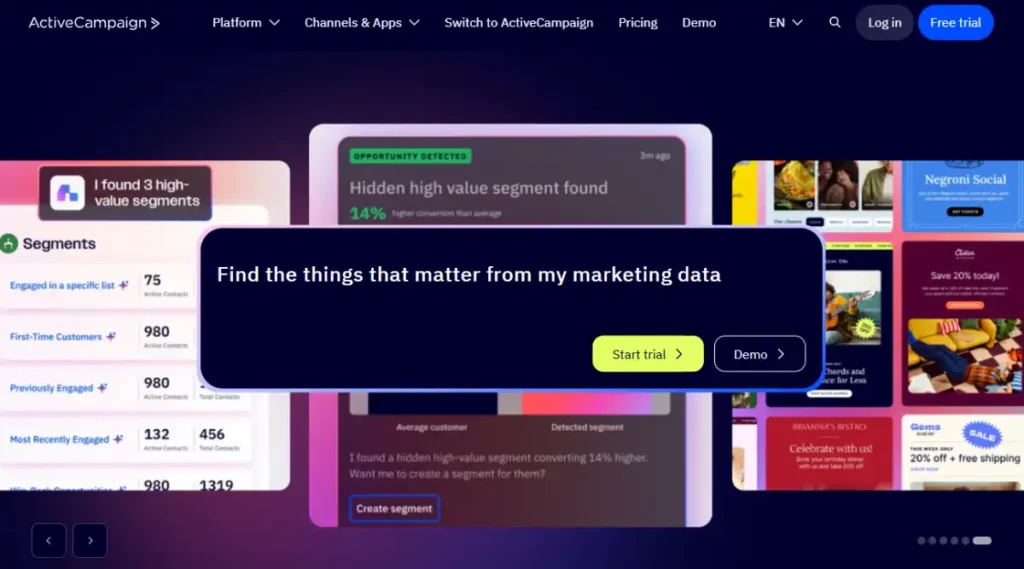
A typical ActiveCampaign automation might work like this: a new subscriber joins from an opt-in page, receives a five-email welcome sequence, and gets a lead score based on which emails they open. If they reach a score threshold, a deal is automatically created in the CRM and assigned to a sales rep. If they do not engage, they enter a re-engagement sequence after 30 days of inactivity.
That kind of interconnected automation is not available in most tools on this list without purchasing separate tools for email and CRM. ActiveCampaign covers both in one platform.
There is no free plan. The $15/month Starter plan covers 1,000 contacts with basic automation. The full power of ActiveCampaign’s automation engine (CRM integration, lead scoring, and conditional deal creation) requires higher-tier plans.
For small businesses using UTM-tracked campaigns to drive email signups, the URL shortener creates trackable links for each campaign that feed source data into ActiveCampaign’s contact records.
Key features:
- Visual automation builder with conditional branching, goal-based logic, and split-path testing
- Built-in CRM with deal pipeline, lead scoring, and task assignment
- Email automation triggered by CRM deal stage changes and contact score thresholds
- Predictive sending for optimized delivery time per subscriber
- Site tracking to trigger automations based on pages visited on your website
- 900+ integrations with third-party tools
Pros:
- Automation complexity available in one platform eliminates the need for separate email and CRM tools
- Lead scoring connects email engagement to sales pipeline management
- Site tracking triggers email sequences based on web behavior, not just email actions
Cons:
- No free plan; $15/month Starter plan limits access to the full automation feature set
- Interface complexity requires more onboarding time than simpler platforms on this list
Not for: Businesses with simple email needs (a welcome series, a monthly newsletter, and an occasional promotion) where the complexity and cost of ActiveCampaign exceed what the email program actually requires.
Why we included this: ActiveCampaign earns its position because there is a real segment of small businesses that have outgrown simple tools and need automation logic that goes beyond sequential drip sequences. For those businesses, the complexity is not a drawback. It is the point.
Pricing: No free plan. Starter from $15/month (1,000 contacts).
10. Omnisend
Best for: Ecommerce small businesses that want to add SMS and web push notifications to their email campaigns without managing three separate tools
Omnisend’s core advantage is channel consolidation. From a single platform, you can send email campaigns, SMS messages, and web push notifications to the same subscriber segments, with shared automation flows that move between channels based on subscriber behavior.
A practical example: an abandoned cart automation sends an email two hours after abandonment. If the subscriber does not open within 24 hours, the flow sends an SMS reminder. If they still do not convert, a push notification fires the next morning. The same subscriber, three touchpoints, one automation.
Omnichannel sequences like this require the subscriber’s phone number alongside their email, which means opt-in form design matters more on Omnisend than on email-only platforms. The platform includes embedded pop-ups and landing pages designed to capture both data points at once.
The free plan allows 500 emails per month to unlimited contacts, which is restrictive for active campaigns. The $16/month Standard plan removes that cap for lists under 500 contacts.
For small ecommerce businesses tracking TikTok-to-email conversion, the organic TikTok strategy guide covers how to structure content that drives email signups alongside product traffic.
Key features:
- Email, SMS, and web push notifications in one platform with shared segmentation
- Pre-built ecommerce automation flows: abandoned cart, welcome series, order confirmation, and win-back
- Embedded pop-up forms that capture email and phone number simultaneously
- Product recommendation blocks that pull live inventory data into email templates
- Revenue attribution report per campaign and per automation flow
- Shopify, WooCommerce, and BigCommerce integrations for real-time order data
Pros:
- Email, SMS, and push notifications in one platform eliminate the cost and complexity of separate tools
- Pre-built ecommerce flows reduce setup time compared to building automations from scratch
- Revenue attribution connects each channel touchpoint to actual purchase events
Cons:
- Free plan limit of 500 emails per month makes it unsuitable for active campaigns without a paid plan
- SMS and push notification value depends on successfully capturing phone numbers at opt-in, which requires form optimization most beginners underestimate
Not for: Service businesses, creators, or any business without an ecommerce store, where Omnisend’s ecommerce automation triggers have nothing to fire against and a general-purpose platform provides a better fit.
Why we included this: Omnisend is the right answer for ecommerce brands that want to move beyond email to a coordinated multi-channel approach without buying three separate tools. The consolidated billing and shared segmentation justify the cost premium over running email, SMS, and push as separate subscriptions.
Pricing: Free plan (500 emails/month, 250 contacts). Standard from $16/month.
11. Constant Contact
Best for: Local businesses, nonprofits, and event-based businesses that need email marketing alongside event registration and physical-world outreach tools
Constant Contact has been in the email marketing space longer than almost any platform on this list, and its product reflects that history: it is built around the needs of local businesses, nonprofits, and organizations that host events and want email to support them.
The event marketing tools are the most distinctive feature. Constant Contact includes event registration pages, ticketing, RSVP tracking, and automated event reminder sequences, all from within the email platform. No separate Eventbrite integration required for basic event outreach.
The platform also includes direct mail integration, which lets you design a postcard campaign alongside an email campaign and target the same audience through both channels. For local businesses that still reach customers by mail, that combination in one workflow is genuinely unusual.
There is no permanent free plan; Constant Contact offers a 60-day free trial, after which the starting paid plan is $12/month for 500 contacts. The pricing increases with list size and is comparable to Mailchimp at most tiers.
For businesses using UTM parameters to track which email campaigns drive website visits, Constant Contact’s campaign reporting connects open and click data with the downstream traffic those clicks generate.
Key features:
- Event registration, ticketing, and automated event reminder sequences built in
- Direct mail integration for postcard campaigns to the same subscriber list
- Drag-and-drop email editor with 200+ templates organized by industry
- Social media posting and scheduling included on higher tiers
- Contact list import from Excel, Outlook, Salesforce, and 40+ other sources
- Real-time campaign reporting with industry benchmark comparisons
Pros:
- Event registration and reminder automation are not available in any other tool on this list
- Direct mail integration lets local businesses coordinate email and physical mail from one platform
- Industry benchmark comparisons in reporting help businesses understand performance in context
Cons:
- No permanent free plan; the 60-day trial ends with a paid commitment or full data loss
- Pricing is comparable to Mailchimp at most tiers, without Mailchimp’s integration ecosystem advantage
Not for: Ecommerce businesses or creators whose email strategy does not involve events, physical-world outreach, or the local business use cases where Constant Contact’s specific features provide value.
Why we included this: Constant Contact belongs on this list because the event marketing tools it includes are not replicated elsewhere at a comparable price, and the local business segment has specific needs that general-purpose email platforms were not designed for.
Pricing: No permanent free plan. 60-day trial. Paid from $12/month (500 contacts).
Tool Ratings at a Glance
After testing all 11 tools, here is how they compare across the criteria that matter most for small business email marketing.
Scale: 5 = Excellent, 4 = Good, 3 = Fair, 2 = Limited.
| Tool | Free Tier Value | Automation Depth | Ease of Use | Value for Price |
|---|---|---|---|---|
| MailerLite | 5 | 4 | 5 | 5 |
| Brevo | 4 | 3 | 4 | 5 |
| Mailchimp | 3 | 3 | 5 | 3 |
| Klaviyo | 2 | 5 | 3 | 3 |
| HubSpot Email | 4 | 3 | 4 | 4 |
| Moosend | 1 | 5 | 4 | 5 |
| ConvertKit (Kit) | 5 | 3 | 4 | 4 |
| Campaign Monitor | 1 | 3 | 5 | 3 |
| ActiveCampaign | 1 | 5 | 3 | 3 |
| Omnisend | 2 | 4 | 4 | 4 |
| Constant Contact | 2 | 3 | 5 | 3 |
Free Tier Value: How useful the free plan or trial is before requiring a paid upgrade. Automation Depth: Complexity and flexibility of available email sequences and conditional logic. Ease of Use: Interface intuitiveness for non-technical users. Value for Price: Capability relative to monthly cost at the entry tier.
Which Email Marketing Tool Fits Your Situation?
| You are a… | Start with… |
|---|---|
| Small business starting email marketing for the first time | MailerLite |
| Business with a large list that sends campaigns infrequently | Brevo |
| Ecommerce store on Shopify or WooCommerce | Klaviyo or Omnisend |
| Creator or blogger building an audience around content | ConvertKit (Kit) |
| Business already using HubSpot CRM | HubSpot Email Marketing |
| Business that needs deep automation on a tight budget | Moosend |
| Local business or organization that hosts events | Constant Contact |
| Agency managing email campaigns for multiple clients | Campaign Monitor |
| Business with complex multi-step sales automation needs | ActiveCampaign |
For small businesses using TikTok to grow their email list, the link in bio is the most direct path from a social audience to an email subscriber. The call to action guide covers how to frame that conversion invitation in TikTok content specifically.
FAQ
Email marketing tool questions tend to center on pricing traps, list management, and automation access before committing to a platform.
How much does email marketing cost for a small business?
A small business with a list under 250 subscribers can use MailerLite, Brevo, or ConvertKit at no monthly cost. As the list grows, expect to pay $12 to $25 per month in the 1,000 to 5,000 subscriber range, depending on platform and send frequency. Ecommerce-specific platforms like Klaviyo and Omnisend cost more at scale but provide behavioral automation that justifies the premium for businesses with active store customers. The most expensive mistake is choosing a platform based on brand recognition and discovering the pricing model doubles your cost as the list grows.
What is the difference between email marketing and marketing automation?
Email marketing is sending campaigns to a list. Marketing automation is sending emails triggered by what a subscriber does, not just a scheduled send date. A welcome email sent when someone signs up is automation. A follow-up email sent because a subscriber opened your last email but did not click is also automation. The tools on this list that offer the strongest automation depth are Moosend, ActiveCampaign, Klaviyo, and Omnisend. Most tools offer basic automation on free or entry tiers; complex conditional logic typically requires a mid-tier or higher plan.
Is email marketing still effective for small businesses in 2026?
Email marketing returns $36 to $42 for every $1 spent for small businesses in 2026, the highest ROI of any digital marketing channel, according to Constant Contact and Litmus research. That performance persists because email reaches people who opted in and owns a communication channel that social media platforms do not control. A TikTok account can be restricted or an algorithm can change; an email list belongs to the business. 41% of small businesses report email as their most valuable marketing channel, according to Constant Contact’s Small Business Now report (2026).
How do I grow my email list from TikTok?
The most effective method is a link in bio that points directly to an email opt-in landing page, with TikTok content that gives viewers a specific reason to subscribe. A generic “join my newsletter” call to action converts poorly. A specific lead magnet (a checklist, a free tool, a discount, a guide) tied directly to the content the viewer just watched converts much better. Most email marketing tools on this list include a landing page builder for this purpose.
Can I switch email marketing platforms without losing my subscriber list?
Yes. Every platform on this list accepts subscriber list imports via CSV. You export your current subscriber list, import it to the new platform, and re-confirm opt-in status if required by the new platform’s policies. The main considerations are: automation workflows need to be rebuilt in the new platform’s interface, historical analytics stay with the old platform, and active sequences need to be paused and migrated carefully to avoid sending duplicate emails during the transition.
Wrapping Up
The right email marketing tool is the one you will actually use consistently, at a price that does not punish your list as it grows.
Most small businesses need less than they think: a functional free tier, a welcome sequence, and a monthly campaign. MailerLite covers that without a subscription. Add automation complexity only when your email program has matured enough to need it.
Email is one of the few channels where a small business competes directly with any brand in the world based entirely on the quality of what is in the message. The tool matters less than what you send with it.
Sources
- EmailMonday, Email Marketing Automation Statistics 2026
- Litmus, Email Marketing ROI Report 2026
- Email Marketing Statistics & Trends for 2026