
A marketer running three campaigns at once ends up copying leads between spreadsheets, re-entering the same contact into four different tools, and manually posting the same update across five channels.
An automation tool replaces that manual work with a workflow that runs itself. It works the same way a URL shortener replaces a long, unreadable link with one that is easier to share and track.
An automation tool is software that watches for an event in one app, such as a new form submission or a new row in a spreadsheet, then automatically performs an action in another app without a person doing it by hand.
Marketing teams use this connective layer to move leads, content, and data between the platforms they already run.
Marketing is one of the top three functions by AI automation usage across Zapier’s workflow data, alongside IT and project management, according to Zapier’s business automation statistics.
Most comparison articles for this topic stop at pricing and integration counts. Almost none of them cover what happens after a workflow fires: a lead moves through five tools, but nobody can tell which channel actually sent it.
In this article, you will learn:
- Which of these four tools has a genuine free plan versus a free trial dressed up as one
- The exact task, operation, or execution limits on each free and entry-level plan, verified against the vendor’s current pricing page
- How task-based, operation-based, and execution-based pricing models differ in practice
- A workflow for attaching a trackable short link or UTM tag to whatever an automation tool sends out, so a lead’s source does not get lost between apps
- Which tool fits a solo marketer, a small team, and a technical builder who wants self-hosted control
A Better Way to Share Links
Create short, branded links that are easier to share and track. It’s free to get started and only takes a few seconds.
Key Takeaways
- Zapier, Make, and Pabbly Connect each offer a genuine free-forever plan, while n8n’s only free option is its self-hosted Community Edition, since n8n Cloud starts at $20 per month with no free tier.
- Zapier prices by task, Make prices by operation (called credits), n8n Cloud prices by full workflow execution, and Pabbly Connect prices by task, so a 10,000-unit plan means something different on each platform.
- Pabbly Connect does not count triggers, filters, routers, or formatters toward its task limit, so a workflow built with many of those steps consumes fewer billable tasks than the same workflow on Zapier or Make.
- An automation workflow that moves a lead from one of the best lead generation tools for small businesses into a CRM still needs a shortened, tagged link at the point it reaches the reader, or the marketing team loses the ability to tell which channel the lead came from.
- n8n prices by full workflow execution instead of by individual step, so a ten-step workflow that runs once still counts as a single execution, unlike Zapier’s per-task model.
Quick Answer
The best automation tools for marketers in 2026 are Zapier for the widest app library and easiest setup, Make for complex multi-step workflows on a visual canvas at a lower cost, n8n for technical teams that want self-hosted control, and Pabbly Connect for budget-conscious teams running high-volume workflows without per-step charges.
Automation Tools for Marketers: Quick Comparison
| Tool | Category | Best For | Free Plan | Starting Price |
|---|---|---|---|---|
| Zapier | No-code automation platform | Widest integration library and the easiest setup for non-technical marketers | 100 tasks per month, free forever | $19.99/month (Professional) |
| Make | Visual workflow automation | Complex, multi-step marketing workflows on a visual canvas | 1,000 operations per month, free forever | $9/month for 10,000 operations, billed annually (Core) |
| n8n | Open-source workflow automation | Technical marketers who want self-hosted control over their data | Free self-hosted Community Edition, no free cloud plan | $20/month for 2,500 executions, billed annually (Cloud Starter) |
| Pabbly Connect | Task-based automation platform | Budget-conscious teams running high-volume workflows | 100 tasks per month, free forever | $16/month for 10,000 tasks, billed annually (Standard, discounted from $19) |
How We Evaluated Each Tool
We signed up for Zapier, Make, and Pabbly Connect’s free plans and tested each one directly, since all three offer a real free plan to sign up for.
n8n’s free option is a self-hosted Community Edition rather than a free cloud plan. For n8n, we verified pricing, plan limits, and features against the company’s website, pricing page, and documentation instead.
We evaluated free plan limits, pricing model, core workflow features, and ease of setup for a marketer with no coding background, and verified every current price and limit against official sources today.
Rankings and best-for placements below are editorial judgment built on that combination of hands-on use and verified limits, not a separate scored or lab-tested result.
The 4 Best Automation Tools for Marketers
These four tools cover the range a marketing team needs today: the widest integration library, a visual builder suited to complex workflows, a self-hosted option for technical teams, and a budget-friendly option for high-volume automation.
1. Zapier
Best for: Marketers who want the widest app selection and the fastest setup with no coding involved.
Zapier connects to more than 9,000 apps, according to Zapier’s own business automation statistics page, which is more than any other tool on this list.
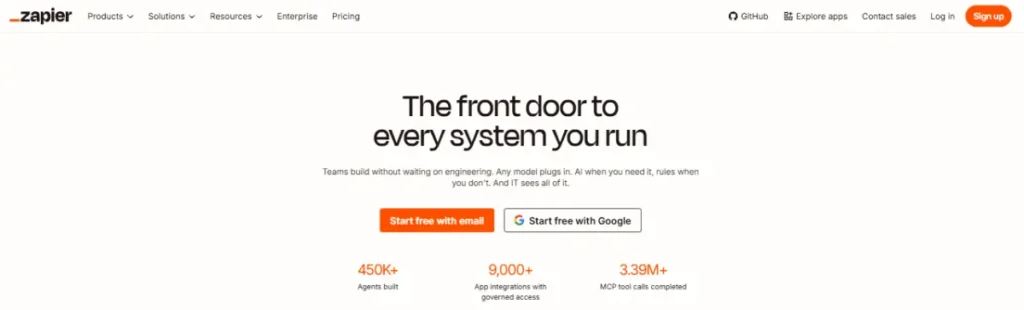
Its free plan runs 100 tasks a month, and most steps in a Zap count as one task each, though Zapier’s own pricing page notes that AI steps, code steps, and certain connector types can use more than one task per action.
The tradeoff is cost at scale: multi-step workflows burn through the task limit faster than Zapier’s marketing suggests, and a marketer running several active workflows will likely need the Professional plan within the first month.
Connecting Zapier to TLinky’s URL shortener can close part of that gap by adding a trackable link to whatever a Zap sends out.
Key features
- More than 9,000 app integrations, the largest library among the four tools compared here
- Multi-step Zap workflows with logic branches on paid plans, versus two-step workflows on Free
- Built-in Tables for storing workflow data without a separate database
- Built-in Forms with conditional logic that can trigger a workflow on submission
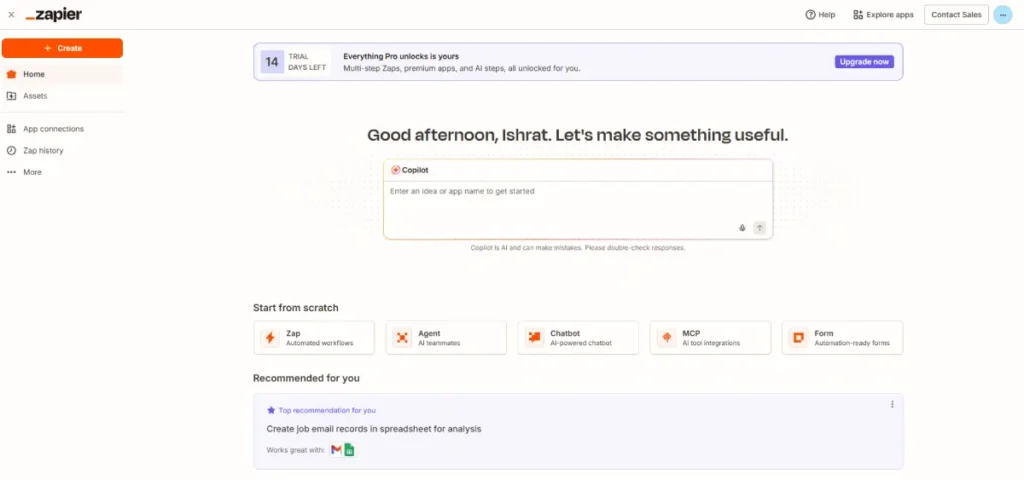
- Zapier Copilot, an AI assistant that helps build a workflow from a plain-language description
- Zapier MCP, which lets connected AI assistants take actions across linked apps
Pros
- Largest app library of the four tools, so most marketing tools already have a native connector
- Free plan includes Zapier Copilot and two-step workflows to test before paying for anything
- Zapier Copilot speeds up building a first workflow for someone with no automation background
Cons
- Task-based pricing on multi-step workflows adds up faster than a flat monthly fee would
- Free plan is capped at two-step workflows, so more complex automations require an immediate upgrade
Pricing
Zapier’s Free plan runs 100 tasks a month at no cost. The Professional plan starts from $19.99 per month, and the Team plan starts from $69 per month for 25 users, according to Zapier’s pricing page.
Not for: A marketer running many high-volume, multi-step workflows on a tight budget, since task costs climb quickly compared to Pabbly Connect’s flat-rate model.
Why we included this: Zapier’s app library and no-code interface make it the fastest way for a non-technical marketer to get a first automation running today.
2. Make
Best for: Marketers building complex, multi-step workflows who want a visual map of the entire process.
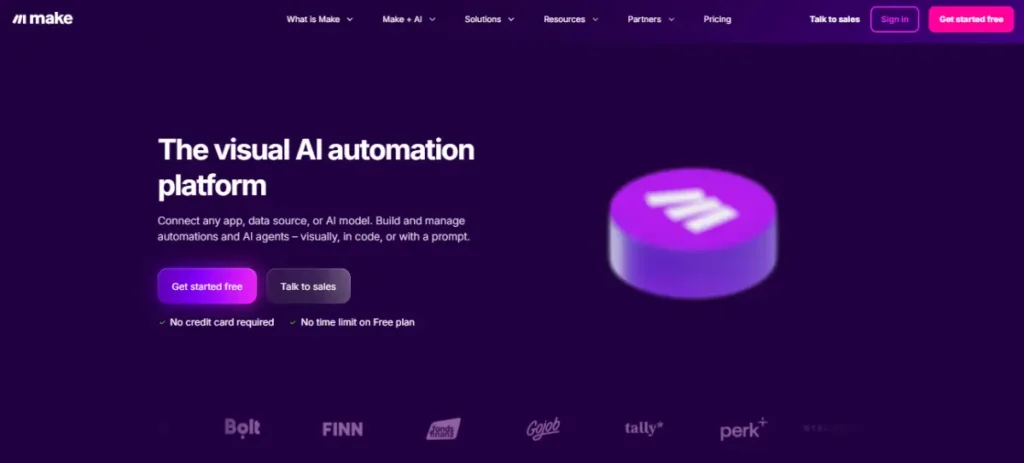
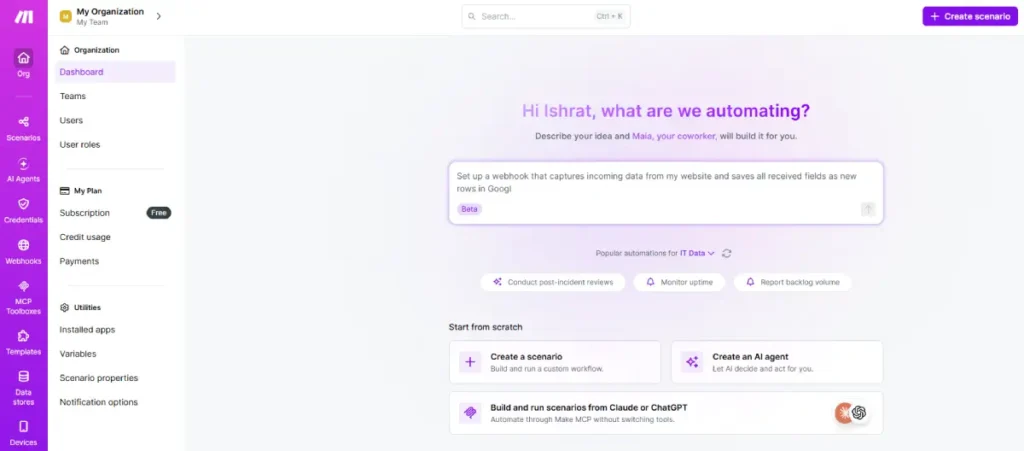
Make displays a workflow as a visual flowchart, called a scenario, so a marketer can see every branch and condition on one canvas instead of a linear list of steps.
Its Free plan includes 1,000 operations a month with no time limit, and routers and filters, which handle branching logic, do not require a separate paid add-on to use.
Where Zapier counts every single step as a task, Make counts each module action as one operation, called a credit. Because Make charges credits per module action, the actual cost of a complex workflow depends on how many modules run and how much data each one processes, not on a fixed per-step rate.
Pairing a Make scenario with TLinky’s UTM builder keeps every link a scenario sends out tagged for later reporting.
Key features
- No-code visual workflow builder with more than 3,000 app integrations
- Router and filter modules for branching logic included on every plan, including Free
- Make Code App for running custom JavaScript or Python inside a scenario
- Scenario templates that can be created once and shared across a team
- Make AI Agents and an AI Toolkit (both in beta) for adding AI-driven decision steps
- Real-time execution monitoring for watching a scenario run and troubleshooting it immediately
Pros
- Visual canvas makes branching logic easier to follow than a linear step list
- Free plan includes routers and filters that some competitors reserve for paid tiers
- Operation-based pricing tends to cost less than Zapier’s task-based pricing for the same multi-step workflow
Cons
- Free plan’s 15-minute minimum interval between scenario runs is too slow for time-sensitive lead routing
- Smaller integration library than Zapier, so a handful of niche marketing tools may lack a native connector
Pricing
Make’s Free plan runs 1,000 operations a month at no cost. The Core plan starts at $9 per month for 10,000 operations, billed annually.
The Pro plan starts at $16 per month and the Teams plan at $29 per month, both at the same 10,000-operation tier billed annually, according to Make’s pricing page.
Not for: A team that needs workflows to run within a minute or two of a trigger firing, since the Free plan’s 15-minute run interval rules out time-sensitive lead alerts.
Why we included this: Make’s visual scenario builder makes it easier to design and audit a complex, branching marketing workflow than a linear step-by-step list.
3. n8n
Best for: A technical marketer or a marketing team with developer support that wants to self-host its automation data.
n8n is built around two very different deployment paths: a free, open-source Community Edition that a team installs and runs on its own server, and a paid Cloud plan that n8n hosts for you.
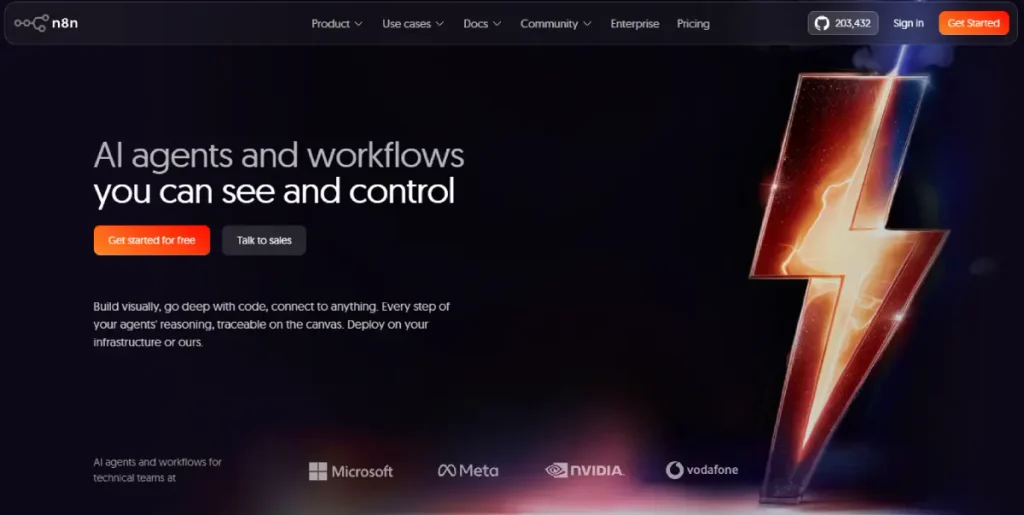
n8n’s own pricing page displays a figure of over 203,000 next to the Community Edition’s GitHub listing, a sign of how widely developers use the open-source project outside of n8n’s own paid customer base.
Because n8n Cloud prices by full workflow execution rather than by step, a ten-step workflow that runs once counts as a single execution. That can make a complex campaign workflow cheaper on n8n than on a per-step platform once volume climbs.
Adding TLinky’s UTM parameter tracking to an n8n workflow keeps attribution intact even when a self-hosted setup sends links across several channels.
Key features
- Free, open-source Community Edition available to self-host, with unlimited workflows and users
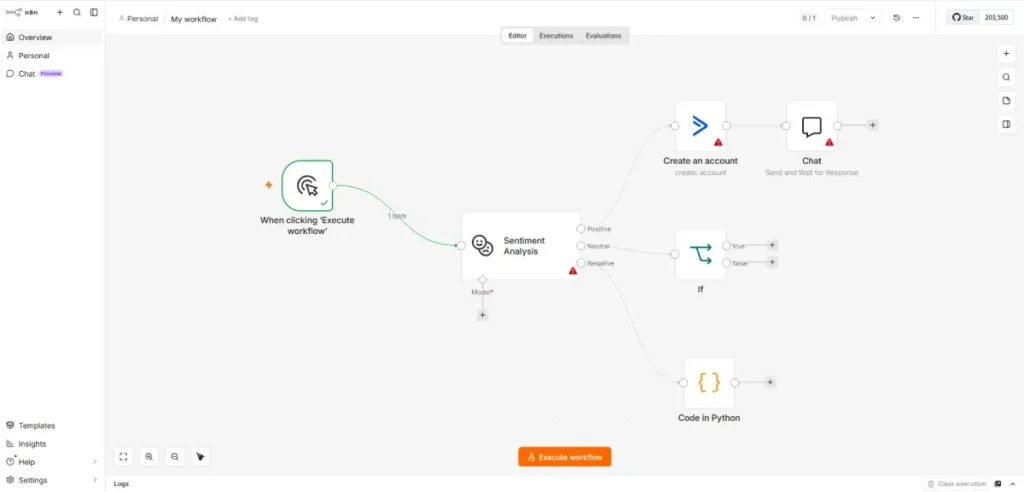
- Visual workflow builder that also supports custom JavaScript or Python code steps
- Execution-based pricing on Cloud plans, where a full multi-step workflow run counts once, not per step
- AI Assistant (preview) and included AI credits on Cloud plans for building agent-style workflows
- Global variables and workflow history for managing and reusing complex workflows
- Self-hosted deployment option starting on the Business plan for teams that must keep data on their own infrastructure
Pros
- Free Community Edition has no task, operation, or execution cap since it runs on infrastructure you control
- Execution-based pricing can be cheaper than per-step pricing for long, multi-step workflows
- Open-source code base means a technical team can inspect or modify how a workflow runs
Cons
- No free cloud plan exists, so a marketer without developer support has no no-code free option to start with
- Self-hosting the Community Edition requires server setup and maintenance that most marketing teams cannot handle without engineering help
Pricing
n8n has no free cloud plan. The Cloud Starter plan starts at $20 per month for 2,500 workflow executions, billed annually.
The Cloud Pro plan starts at $50 per month for 10,000 executions, according to n8n’s pricing page. The Community Edition remains free to self-host indefinitely.
Not for: A marketer with no developer support who wants a free no-code plan to start with today, since n8n’s only free option requires self-hosting.
Why we included this: n8n gives a technical marketing team a genuinely free, unlimited automation option that Zapier, Make, and Pabbly Connect only offer as paid, hosted plans.
4. Pabbly Connect
Best for: A budget-conscious team that wants to run a high volume of workflows without paying per step.
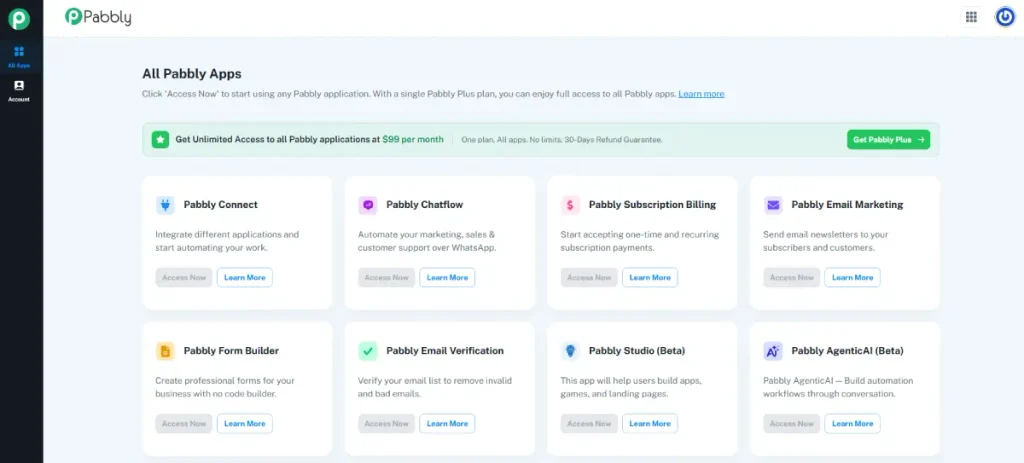
Pabbly Connect’s biggest structural difference from the other three tools is what it does not charge for: triggers and internal steps like filters, routers, formatters, and iterators run for free and never count against the task limit.
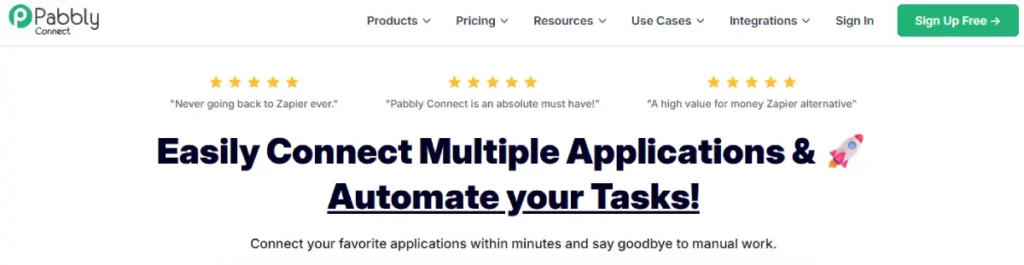
That means a five-step workflow with two formatter steps and a router only consumes two tasks instead of five, which changes the real-world cost of a branching workflow compared to Zapier or Make.
Its Free plan includes 100 tasks a month with unlimited premium app connections, a combination none of the other three free plans on this list offer outright.
Routing a Pabbly Connect workflow’s output through TLinky’s link management tools keeps every automated post or lead alert trackable back to its source.
Key features
- More than 2,000 app integrations with a visual, no-code workflow builder
- Triggers and internal steps, including filters, routers, formatters, and iterators, do not count toward the task limit
- Unlimited multi-step workflows and unlimited premium app connections included on every paid plan
- Built-in AI Assistant for creating and interacting with automation-aware assistants inside a workflow
- Human in Loop step that pauses a workflow for manual approval before the next action runs
- One-time lifetime pricing option, an alternative to a recurring subscription that none of the other three tools offer
- SOC2 Type 2 and ISO 27001:2022 certification, listed on Pabbly Connect’s own site as its security compliance standard
Pros
- Internal steps do not count as tasks, so branching workflows cost less here than on Zapier or Make at the same task tier
- Free plan includes unlimited premium app connections, not just a limited app list
- SOC2 Type 2 and ISO 27001:2022 certification give a compliance-minded marketing team a documented security standard to point to
Cons
- Smaller integration library than Zapier or Make, so a handful of niche marketing tools may be missing
- Brand recognition and community support content are thinner than Zapier’s, so troubleshooting help outside official documentation is harder to find
Pricing
Pabbly Connect’s Free plan runs 100 tasks a month at no cost. The Standard plan is normally $19 per month, currently discounted to $16 per month for 10,000 tasks billed annually.
The Unlimited plan is normally $79 per month, currently discounted to $69 per month for unlimited tasks billed annually, according to Pabbly Connect’s pricing page. Pabbly also offers deeper discounts on 2-year and 3-year prepaid terms, down to $14 per month Standard and $59 per month Unlimited on the 3-year plan.
Not for: A team that specifically needs deep integrations with newer or niche marketing apps, since Pabbly Connect’s app library is smaller than Zapier’s or Make’s.
Why we included this: Pabbly Connect’s decision not to charge for internal workflow steps makes it a strong value option for teams running complex workflows with many filter, router, or formatter steps.
Tool Ratings at a Glance
| Tool | Ease of Use | Integration Library | Free Plan Value | Value for Price |
|---|---|---|---|---|
| Zapier | 5 | 5 | 4 | 3 |
| Make | 4 | 4 | 4 | 4 |
| n8n | 3 | 3 | 3 | 4 |
| Pabbly Connect | 4 | 3 | 5 | 5 |
Scale: 5 = Excellent, 4 = Good, 3 = Fair, 2 = Limited. n8n scores lower on Ease of Use because its most flexible features assume comfort with self-hosting or writing code, unlike the other three tools’ no-code defaults.
Ratings are editorial judgment based on hands-on use and verified pricing, not a separate scored lab test.
How to Connect Your Automation Tool to Trackable Links
An automation tool solves the problem of moving data between apps, but it does not solve a separate problem that shows up right after.
Once a workflow posts a link, sends an email, or drops a message into a channel, nobody can tell which specific automation or channel produced a click or a lead unless that link is tagged before it goes out.
The fix is to add a link-shortening or UTM-tagging step inside the workflow itself, right before the action that sends the link anywhere a person will see it.
In Zapier or Make, this means adding a step that calls a URL shortener’s API or a webhook right after the trigger and before the final send step. The link reaching the reader is then already tagged with the campaign, source, and medium it came from.
In Pabbly Connect, the same result comes from a webhook step. Pabbly does not charge extra tasks for the formatter steps that typically prepare the UTM string beforehand.
A concrete example: a workflow that pulls a new blog post from a CMS and posts it to three social channels should tag each channel’s link differently before posting, the same way a beginner’s guide to UTM parameters recommends.
Doing this lets the team later see that the LinkedIn share drove more signups than the same post shared on X. Skip that step and the automation still runs, but the marketing team loses the one piece of information it needed: where the results came from.
This same tagging habit applies to a workflow built for scheduling content across channels, not just one-off posts.
A marketer already using one of the best social media scheduling tools alongside an automation platform gets more value from that pairing when every scheduled post carries its own tracked link.
This is worth building once, as a reusable step, since every one of the four tools above supports calling an external link-shortening or tagging service from inside a workflow, not just a one-off manual task.
Which Automation Tool Fits Your Situation?
| You are a… | Start with… |
|---|---|
| Solo marketer with no coding background | Zapier, for the largest app library and the fastest setup |
| Small team running complex, branching campaigns | Make, for the visual canvas and lower operation-based cost |
| Technical marketer with developer support | n8n, for free self-hosted control over workflows and data |
| Budget-conscious team running high-volume workflows | Pabbly Connect, for task-free internal steps and flat-rate pricing |
| Agency managing workflows across many client accounts | Make, for shared scenario templates and team roles |
| Team that needs every automated link tracked back to its source | Any of the four, paired with a way to track affiliate links |
A workflow moving leads and content automatically still leaves one question open: which channel is actually converting. Click data from a link shortener answers that without adding a single manual step to the automation itself.
Frequently Asked Questions
These are the questions that come up most often when a marketer compares automation tools against each other, especially now that pricing models differ enough between tools that a straight dollar comparison can be misleading.
Does Zapier, Make, n8n, or Pabbly Connect have a real free plan?
Zapier, Make, and Pabbly Connect all offer a genuine free-forever plan with no credit card required, while n8n’s only free option is its self-hosted Community Edition, not a hosted cloud plan.
Zapier’s free plan includes 100 tasks a month, Make’s includes 1,000 operations a month, and Pabbly Connect’s includes 100 tasks a month with unlimited premium app connections.
n8n Cloud starts at $20 per month with no free tier, so a marketer who wants a free option on n8n needs a server to self-host the Community Edition.
What is the difference between a task, an operation, and an execution?
A task, in Zapier’s and Pabbly Connect’s pricing, is counted per individual workflow step that runs, while an operation on Make (called a credit) is counted per module action inside a scenario.
An execution on n8n Cloud counts an entire workflow run from start to finish as a single unit, regardless of how many steps it contains.
A ten-step n8n workflow that runs once uses one execution, while the same workflow on Zapier could use up to ten tasks.
Which automation tool is cheapest for a high-volume marketing workflow?
Pabbly Connect is typically the cheapest option at high volume, since it does not count triggers or internal steps like filters and formatters toward its task limit.
Its Standard and Unlimited plans are also priced as a flat monthly rate rather than scaling per task tier the way Zapier’s pricing does.
A workflow with several formatter or router steps costs noticeably less on Pabbly Connect than the same workflow built on Zapier, where every one of those steps counts as a separate task.
Can a non-technical marketer actually use n8n?
n8n’s visual builder is usable without writing code, but its most cost-effective option, the free Community Edition, requires self-hosting on a server, which most non-technical marketers cannot set up or maintain alone.
A marketer without developer support who still wants to try n8n would need to use the paid Cloud plan, which starts at $20 per month and removes the self-hosting requirement, but also removes the option of a free plan.
Do these automation tools replace a CRM or an email platform?
No, an automation tool like Zapier, Make, n8n, or Pabbly Connect is a connective layer that moves data between a CRM, an email platform, and other marketing tools rather than replacing any of them.
A marketer still needs a CRM to store contact records and one of the best email marketing tools for small businesses to deliver email.
An automation tool can move a new contact from a form into that CRM, then trigger the sending platform automatically, without anyone touching either tool by hand.
Wrapping Up
The right automation tool depends less on which one has the longest feature list and more on how that tool prices the workflow you actually plan to run.
A task-based tool like Zapier gets expensive fast on branching workflows, while an operation-based tool like Make or a step-free tool like Pabbly Connect can run the same workflow for less.
None of these tools solve attribution on their own. Adding a link-tracking step to whatever a workflow sends out is what turns a working automation into one that also tells the marketing team which channel produced the result.
Start by mapping the one workflow eating the most manual time this week, whether that is lead routing, cross-posting content, or updating a spreadsheet, and build that single workflow first before automating anything else.
Once it is running, tracking social media metrics alongside the automation’s own logs shows whether the extra speed turned into more clicks and signups.
Sources
- Zapier, Business Automation Statistics
- Zapier, Plans and Pricing
- Make, Pricing
- n8n, Pricing
- Pabbly Connect, Automate All Your Integrations and Tasks