
Campaign Monitor’s homepage advertises Essentials at $27.90 a month, and that price is real. What it does not show up front is that the same plan costs $429 a month once your list reaches 25,000 contacts, confirmed directly on the company’s own pricing page.
That 15x jump on Essentials is the actual story behind Campaign Monitor’s pricing, not the entry-level number most reviews lead with.
This Campaign Monitor breakdown covers what each tier costs at different list sizes, what features change between them, and where the pricing curve actually bends.
Sellers building their list through TikTok or Instagram can pair this with our URL shortener for email marketing guide for tracking signups back to the source.
How Much Does Campaign Monitor Cost?
Campaign Monitor’s Essentials plan starts at $27.90 a month for up to 500 contacts, billed annually. That same plan costs $429 a month at 25,000 contacts, since pricing scales with list size, not just features. There is no free-forever plan, only a 30-day trial capped at 500 contacts and 500 sends. Lite and Premier scale at very different rates as contacts grow, with Premier rising far more slowly than Essentials.
Why the Homepage Price Doesn’t Show the Real Cost
Campaign Monitor’s pricing page prices every plan against a contact-count slider, not a flat monthly rate.
Moving that slider from 500 contacts to 25,000 changes the sticker price for every tier, but not by the same multiple across the board.
At 500 contacts billed annually, Lite runs $11.70 a month, Essentials $27.90, and Premier $153.90, confirmed on the live pricing calculator.
At 10,000 contacts under the same annual billing, those figures rise to $105.30 for Lite, $163.80 for Essentials, and $270 for Premier.
At 25,000 contacts, the three tiers reach $241, $429, and $547 a month, respectively.
Lite’s price grows roughly 20 times from 500 to 25,000 contacts, and Essentials grows about 15 times over the same range.
Premier grows only about 3.5 times, since its starting price already covers more of its own cost.
Billed monthly instead of annually, the 500-contact starting prices are $13, $31, and $171, since the annual option carries a 10 percent discount.
Readers comparing Campaign Monitor against the wider email tool market can see how other platforms structure their own pricing tiers in our best email marketing tools for small businesses roundup.
Key Features
Campaign Monitor’s plans differ mainly in send volume, support level, and access to newer AI tools, not in core email-building capability.
Drag-and-Drop Email Builder
Every plan includes a drag-and-drop builder with customizable, mobile-responsive templates, confirmed on Campaign Monitor’s own pricing comparison table.
In our testing, the builder works as a tile system: Text, Image, Spacer, Divider, Button, Video, Social Links, and Countdown blocks drag straight onto the canvas.
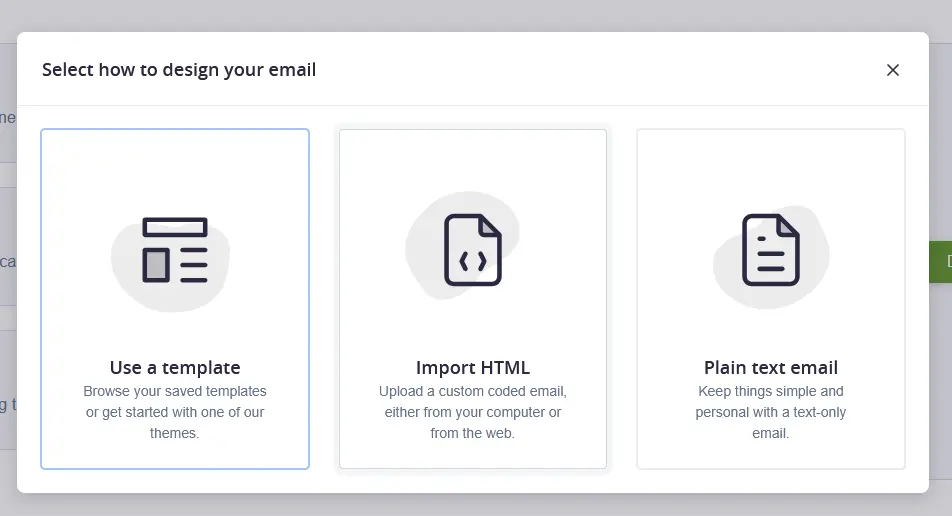
The preview updates live as each tile lands, so the email looks the same while editing as it will in an inbox.
Essentials and Premier add custom-coded templates and branded template libraries that Lite does not include.
Marketing Automation and Prebuilt Journeys
Automated emails and prebuilt customer journeys trigger based on subscriber behavior, such as a signup or an abandoned action.
Five prebuilt journeys were available in our trial account: Welcome Journey, Anniversary Offer, Event Registration, Post Event, and Win-Back Offer, each editable before turning it on.
The Welcome Journey builder we tested lays out steps visually: an email fires when a subscriber joins a list, then a two-day wait follows.
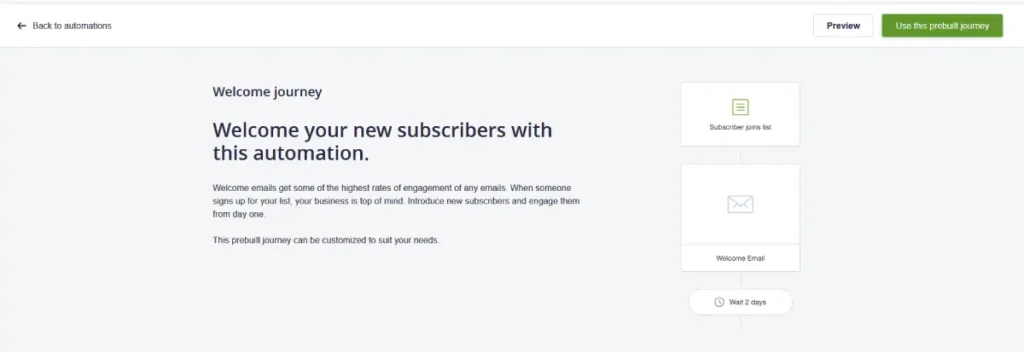
After the wait, the journey branches based on whether that first email was actually opened.
On Lite, automated sends are limited to the plan’s monthly send volume. Essentials and Premier both include unlimited automated emails, per the same comparison table.
AI Writer and Marketing Studio
AI Writer drafts email copy from a prompt, while Marketing Studio generates on-brand emails, images, translations, and social posts from existing brand assets.
Lite includes limited trial access to Marketing Studio’s newer tools, while Essentials and Premier get full access, according to the official feature table.
Segmentation and Personalization
All three paid plans support audience segmentation and dynamic content, letting a single campaign show different content to different subscriber groups.
Premier adds advanced, pre-built engagement segments and send time optimization, which schedules each subscriber’s email around their own open history.
Monthly Send Volume Caps
Lite caps monthly sends at a fixed volume tied to your contact count, for example, 125,000 sends a month at the 25,000-contact tier.
Essentials and Premier both include unlimited monthly sends at every contact tier, a real gap between Lite and the two higher plans.
Integrations and API Access
Campaign Monitor connects to more than 250 tools, including Shopify, WordPress, Salesforce, and Zapier, confirmed on its integrations page.
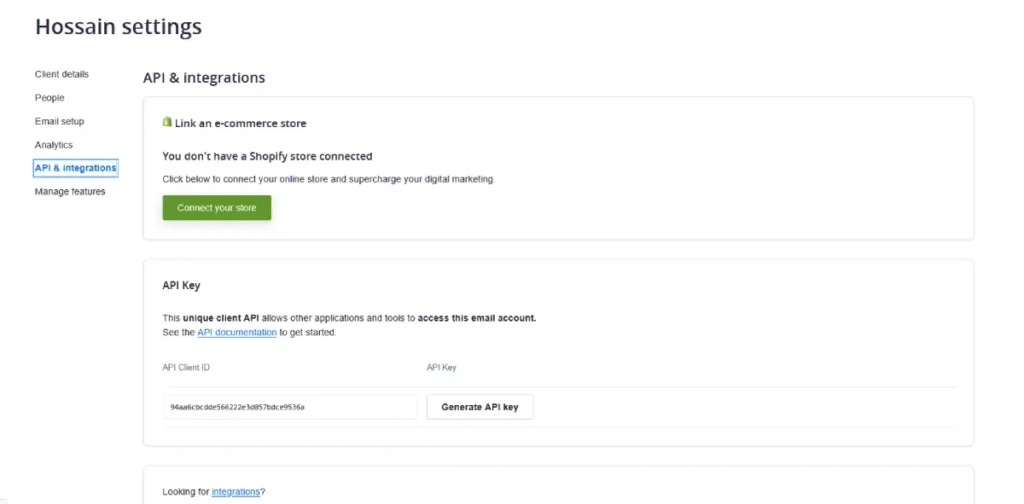
The API & Integrations screen in our trial account offered a one-click Shopify connection alongside a generated API client ID and key for custom integrations, both available without contacting support.
All three paid plans include API access for building custom connections beyond the listed integrations.
Agency and Multi-Client Tools
Premier and Enterprise add agency-specific features: private labeling, markup options on client billing, and shared dashboards across multiple client accounts.
The underlying Agency account structure itself is not limited to those two tiers.
Our trial signup offered Agency as an account type choice alongside Individual and Team, before any paid plan was selected.
That choice organizes campaigns and lists under a named client record from day one.
Deliverability and Sending Reputation
Campaign Monitor states a 99 percent delivery rate on its own deliverability page, a figure the company attributes to internal data approved on February 5, 2026.
That is a self-reported claim, not an independently audited result.
The same page walks through authentication setup (SPF, DKIM, and DMARC), list hygiene practices, and sending-cadence guidance meant to protect a sender’s reputation with major inbox providers.
Our trial account’s default sending domain showed DKIM, DMARC, and SPF as already Verified before a single campaign was sent.
Campaign Monitor still prompts you to set up your own authenticated domain rather than relying on the shared default long-term.
Who Should Use Campaign Monitor
Small businesses and creators who want polished, professionally designed emails without hiring a designer get real value from the drag-and-drop builder and template library.
Agencies can start organizing clients under an Agency account from signup, but private labeling, billing markup, and shared dashboards only unlock on Premier or Enterprise.
Sellers already running TikTok Shop promotions can pair Campaign Monitor’s segmentation with our best social media scheduling tools roundup to keep email and social campaigns aligned.
Store owners still building their template library can pull assets from our best graphic design tools for social media guide before designing a first campaign.
Premier bundles Campaign Monitor’s own website builder at no extra cost, while Lite and Essentials charge $10 a month for the same feature.
Businesses weighing a full website build separately can compare hosted options in our best website builders for small businesses guide.
What Signing Up Actually Looks Like
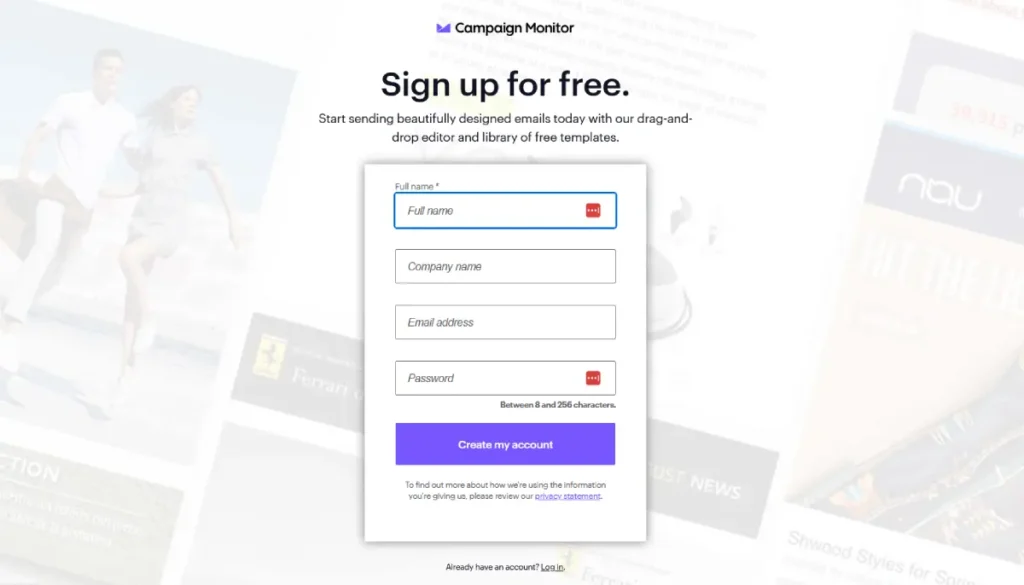
Creating a trial account takes a full name, company name, email, and password, followed by a one-time verification code sent to that email address before the dashboard unlocks.
Campaign Monitor then asks you to pick an account type, Individual, Team, or Agency, which changes how the dashboard is organized from that point forward.
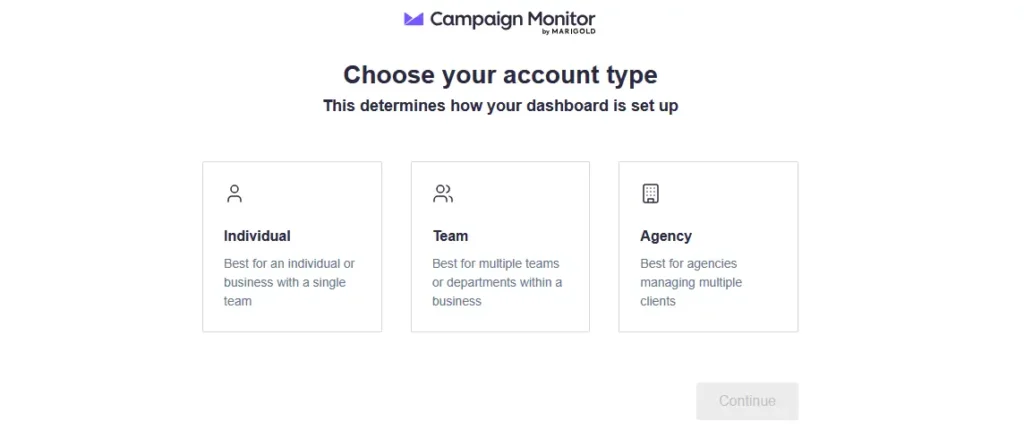
Choosing Agency adds a client-management layer, so campaigns, lists, and settings all sit under a named client record rather than a single flat account.
That structure fits an agency workflow, but it adds a layer solo users likely do not need.
After account setup, Campaign Monitor offers to build a brand kit automatically by pulling colors, logo, and images from a business website URL, an onboarding step most competitors handle manually.
Agency accounts also expose a per-client billing option not listed on the main pricing page: a Pay per campaign plan billed at $6 plus 1.5 cents per recipient.
That option sits separate from the Lite, Essentials, and Premier tiers covered above and is worth asking about directly if you manage client accounts.
Who Should Skip Campaign Monitor
Skip Campaign Monitor if you need a genuine free-forever plan, since the 30-day trial caps out at 500 contacts and 500 sends with no ongoing free tier after that.
Budget-conscious solo sellers with a small list may find the jump from Lite’s limited send volume to Essentials’ unlimited sends comes sooner than expected as a list grows.
Businesses that need AI-driven send-time optimization on every plan, not just Premier, should compare alternatives in our best lead generation tools for small businesses roundup.
Pros
- Essentials and Premier unlock custom-coded templates and a branded template library, on top of the drag-and-drop builder every plan includes.
- Essentials and Premier both include unlimited monthly sends regardless of list size, removing a common email tool bottleneck.
- The default sending domain arrives with DKIM, DMARC, and SPF already verified, so a new account can send without waiting on authentication setup.
Cons
- Pricing scales sharply with contact count, so a list that grows from 500 to 25,000 contacts can push Essentials from $27.90 to $429 a month.
- There is no free-forever plan, only a 30-day trial capped at 500 contacts and 500 total sends.
- Choosing an Agency account during signup adds a client-record layer to every screen, which slows down setup for anyone managing a single list.
Frequently Asked Questions
These are the questions sellers ask most before signing up for Campaign Monitor.
Does Campaign Monitor have a free plan?
No, Campaign Monitor does not offer a free-forever plan, only a 30-day free trial.
The trial caps out at 500 contacts and a 500-email send limit, with limited reporting access during that period.
After the trial ends, every plan requires payment starting at $13 a month for Lite, billed monthly at the smallest contact tier.
How much does Campaign Monitor cost for 10,000 contacts?
At 10,000 contacts billed annually, Lite costs $105.30 a month, Essentials $163.80, and Premier $270, confirmed on the live pricing calculator.
That puts Essentials nearly six times its 500-contact starting price, well before a list even reaches the 25,000-contact tier.
Contact counts fall into fixed brackets rather than a smooth scale, so prices can jump again as soon as a list crosses into the next bracket.
Is Campaign Monitor good for agencies?
Yes, though what an agency gets depends on which part of the product they mean.
The Agency account structure itself, for organizing separate clients under one login, is available from signup on any plan, including the trial.
Private labeling, client billing markup, and shared dashboards are the parts that only unlock on Premier or Enterprise.
Agencies on those tiers also pay the full monthly rate rather than the discounted annual rate available on single-brand plans.
What is the difference between Campaign Monitor’s Lite and Essentials plans?
Lite caps monthly send volume at a fixed amount tied to contact count, while Essentials includes unlimited sends at every list size.
Essentials also unlocks full AI Writer and Marketing Studio access, where Lite only gets limited trial access to those newer tools.
Both plans include the same drag-and-drop email builder and core template library as a starting point.
The Bottom Line
Campaign Monitor’s entry price is accurate but incomplete, since the real cost depends entirely on how large your list grows.
A small list under 500 contacts pays close to the advertised $27.90 rate, but that number stops applying once a list scales past a few thousand subscribers.
Sellers building that list from TikTok or Instagram traffic can route it cleanly with TLinky’s own link in bio and URL shortener tools before it ever reaches an inbox.
Anyone adding QR codes to physical materials as another signup channel can check our QR codes for email marketing guide for that setup.
Sources