
Most marketers know which channel a campaign ran on. Very few know which specific email, ad, or social post actually drove the conversion.
That gap exists because of how attribution breaks down without proper UTM tagging. When a visitor arrives at your website from a campaign without UTM parameters, Google Analytics records the traffic as Direct or Organic.
The channel gets no credit. The specific campaign gets no credit. You have no idea what worked.
The problem is more widespread than most teams admit. Only 44% of marketers consistently use UTM parameters across all campaigns, according to the HubSpot State of Marketing Report.
A separate Improvado study found that companies skip UTM markup in more than 30% of their campaigns, a significant enough gap to distort every channel report they produce.
UTM tracking has also become more important, not less. Safari and Firefox now block third-party cookies by default, eliminating the tracking method most paid ad platforms relied on for cross-site attribution.
UTM parameters are first-party data that travel inside the URL itself, making them the most reliable attribution method available in 2026.
In this article, you will learn:
- Which UTM builder tools go beyond URL generation and include link management or reporting
- Which tools are built for solo marketers versus teams versus agencies
- The real cost of each tool, including limitations on the free tier
- How UTM tracking connects to link shorteners, QR codes, and campaign dashboards
Get Free TikTok Ad Credit Up to $6000 [Limited Time Offer]

Key Takeaways
- Only 44% of marketers consistently apply UTM parameters to all campaigns, according to HubSpot, which means most attribution reports are missing a significant portion of campaign data.
- Google Campaign URL Builder is the only fully free UTM tool on this list with no plan limits, but it offers no link management, no history, and no team collaboration features.
- Cometly solves a problem the other tools cannot: it uses server-side tracking to capture conversions that browser-based UTM tracking misses due to iOS ad blockers and cookie restrictions.
- TLinky’s UTM builder combines URL parameter generation, link shortening, and per-link click analytics in one workflow without requiring a separate tool for each function.
What Is the Best UTM Builder for Marketers?
TLinky’s UTM builder is the best option for marketers who need to generate, shorten, and track campaign links in one workflow. Google Campaign URL Builder is the best free standalone option. UTM.io is best for teams that need shared naming conventions and campaign libraries. Cometly is the right choice for paid ad campaigns where browser-based tracking is being lost to iOS restrictions and ad blockers.
UTM Builder Tools: Quick Comparison
| Tool | Best For | Free Plan | Starting Price |
|---|---|---|---|
| TLinky UTM Builder | All-in-one UTM generation, shortening, and tracking | Yes | $9/month |
| Google Campaign URL Builder | Free UTM generation with native GA4 integration | Free | Free |
| UTM.io | Team UTM libraries and naming convention enforcement | Yes (limited) | $19/month |
| Bitly | Recognized short links with basic UTM support | Yes (limited) | $10/month |
| HubSpot Tracking URL Builder | CRM-integrated attribution tied to contacts | Yes (HubSpot free) | $10/month |
| Rebrandly | Branded domain short links with UTM management | Yes | $8/month |
| Cometly | Server-side attribution for iOS and cookie-blocked traffic | No | $99/month |
| AgencyAnalytics | Client reporting dashboards with UTM data aggregation | No | $25/month |
How We Evaluated Each Tool
Every tool on this list was tested directly using its free plan or trial access. We evaluated on four criteria: how accurately each tool captures campaign traffic, how well it handles the workflow from URL creation to reporting, what the real cost is across tiers, and which specific attribution problem each tool solves best.
The 8 Best UTM Builder and Campaign Tracking Tools in 2026
A UTM builder is only as useful as the workflow it fits into. Some marketers need to generate a single link and move on. Others need a shared library of campaign parameters that the whole team can access. And some are running paid ads where browser-based tracking is being blocked entirely. The right tool depends on which of those problems you are actually solving.
1. TLinky UTM Builder
Best for: Marketers who want to generate UTM-tagged links, shorten them, and track their performance without switching between three separate tools.
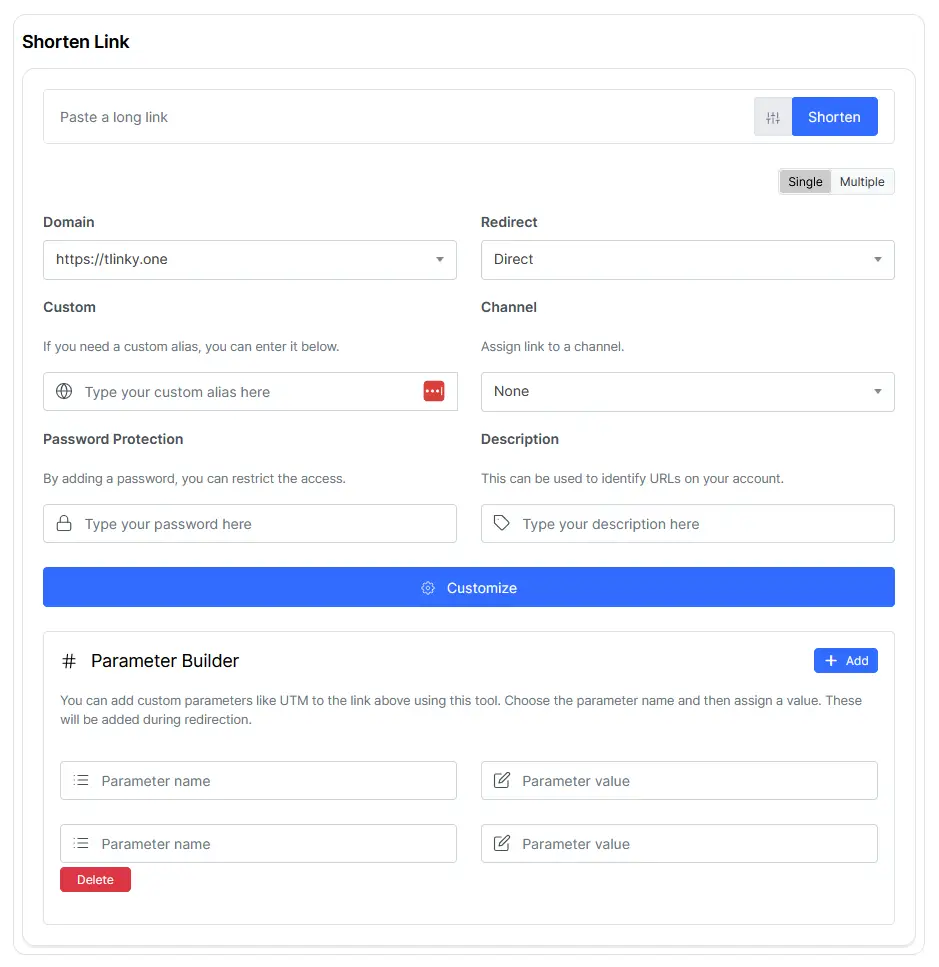
Most UTM workflows require at least two tools: one to build the tagged URL and another to shorten it for use in emails, social posts, or ad copy. TLinky’s combines both steps into a single interface.
You fill in the campaign source, medium, name, and optional term and content fields. The tool generates the full UTM-tagged URL and immediately creates a shortened link with a custom alias.
That short link is trackable, so you can see exactly how many clicks each campaign generated without leaving the platform.
The URL shortener assigns each short link a real-time analytics dashboard. You can compare click volume across multiple campaign links, identify which source drove the most traffic, and see the timeline of clicks without exporting anything to a spreadsheet. If you’re using UTM-tagged links for affiliate campaigns, TLinky’s guide on how to track affiliate links explains how to combine link tracking with affiliate attribution.
For TikTok campaigns specifically, TLinky passes UTM data through to Google Analytics, so your GA4 reports correctly attribute TikTok traffic to the exact campaign that drove it. The TikTok ads metrics guide covers how to connect this to your full campaign measurement setup.
Link management tools like link updating without changing the short URL are useful when a destination page changes mid-campaign. The short link in your bio or ad stays the same; only the destination updates.
Key features:
- UTM parameter fields with live URL preview before generating the link
- Instant URL shortening with custom alias at the point of UTM creation
- Per-campaign click analytics comparing source, medium, and campaign performance
- Branded domain support for short links to increase click-through rate
- QR code generation from UTM-tagged short links for offline campaign tracking
- Link update capability without changing the published short URL
Pros:
- Combines UTM generation, shortening, and click tracking in one workflow without separate tool accounts
- UTM data passes through to Google Analytics, connecting campaign parameters to goal completions
- Free plan is functional for marketers running individual campaigns without team collaboration needs
Cons:
- No shared campaign parameter library for teams needing consistent naming convention enforcement
- Advanced reporting and branded domains require a paid plan
Not for: Large marketing teams that need a centralized UTM naming convention database with approval workflows and campaign history visible to all team members.
Why we included this: TLinky earns the top position because it solves the actual workflow problem, not just the URL generation problem. Creating a UTM-tagged link and a trackable short link in a single step removes the two-tool friction that causes most UTM adoption failures.
Pricing: Free plan available. Paid plans from $9/month.
Note: Looking for a standalone UTM generator? Try the free TLinky UTM Builder, which lets you create UTM-tagged URLs without creating a short link or signing in. If you want to shorten, manage, and track campaign links with analytics, use the integrated UTM Builder inside your TLinky dashboard.
2. Google Campaign URL Builder
Best for: Marketers who want a completely free UTM generator that integrates natively with Google Analytics 4 without any account or plan required
Google’s Campaign URL Builder is the simplest tool on this list and the only one that costs nothing at any level of usage.
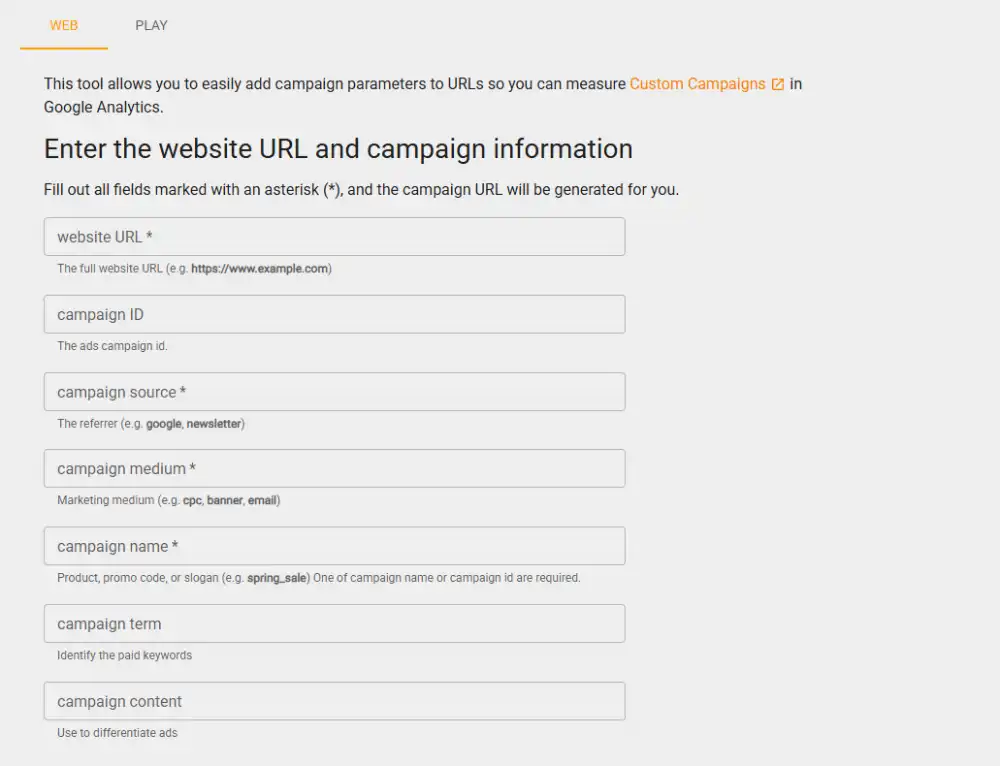
You enter the destination URL, fill in the campaign parameters, and copy the tagged URL. There is no account to create, no plan to choose, and no limits on how many URLs you can generate. For marketers who only need UTM generation and already report inside GA4, it is the most direct path to a tagged link.
The trade-off is that the tool does nothing beyond URL generation. There is no link history, no short URL creation, no team library, and no reporting. Every URL you generate exists only if you save it yourself. If you close the browser tab, the URL is gone.
The beginner’s guide to UTM parameters covers how to use Google’s tool effectively and how to interpret the campaign data it generates inside GA4.
For teams that have standardized their UTM naming conventions and only need occasional URL generation, the Google Campaign URL Builder does exactly that and nothing more.
Key features:
- Completely free with no account, plan, or usage limits
- Native integration with Google Analytics 4 campaign reporting
- Supports all five standard UTM parameters: source, medium, campaign, term, and content
- iOS shortcut and mobile-friendly URL for quick access
- Generates a QR code for the tagged URL on the same page
- Auto-encodes special characters in the URL
Pros:
- No account required, no cost at any usage level, no plan limits
- Natively recognized by GA4 with no additional setup or configuration
- Covers all standard UTM parameters in a clean, minimal interface
Cons:
- No link history, campaign library, or saved URL management of any kind
- No link shortening, branded domains, or click analytics
Not for: Any team that needs to reference past campaign links, share UTM parameters across teammates, or track click performance on the tagged URLs themselves.
Why we included this: Every UTM tool comparison that omits Google’s own builder is missing the baseline every other tool is measured against. It sets the floor: free, functional, and sufficient for solo marketers with no collaboration requirements.
Pricing: Free, no plan required.
3. UTM.io
Best for: Marketing teams that need to standardize UTM naming conventions across campaigns and share a central parameter library
The most common UTM problem in multi-person marketing teams is not building the URLs; it is consistency. When five people generate campaign links independently, the same channel gets tagged as “email,” “Email,” “e-mail,” and “newsletter” across different campaigns. GA4 treats each of those as a separate source, which splits your email data into four separate rows.
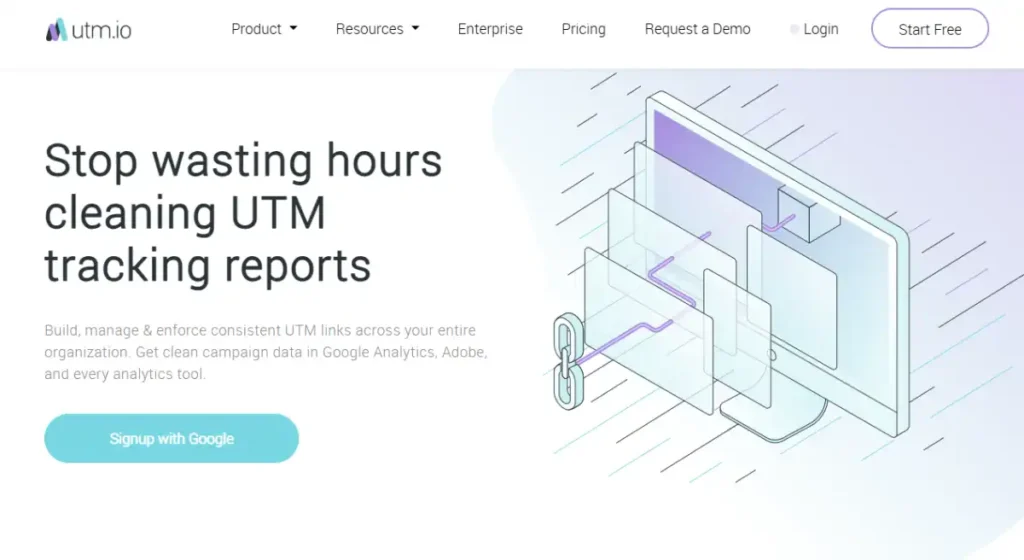
UTM.io solves this by letting teams build a shared parameter library. Approved source, medium, and campaign values are stored in one place. When a team member generates a UTM link, they select from the pre-approved options rather than typing free-form text. Every link the team creates follows the same naming pattern.
The team workspace also stores a history of every UTM URL generated. You can search past campaigns by parameter, date, or owner. For teams running multiple campaigns simultaneously, that history removes the common problem of not knowing what tags a previous campaign used.
The UTM parameters best practices guide covers the specific naming conventions that prevent the fragmentation problem UTM.io is designed to solve.
Key features:
- Shared team parameter library with approved source, medium, and campaign values
- Full campaign URL history searchable by parameter, date, and owner
- Workspace organization with multiple team members on one account
- UTM template builder for repeatable campaign structures
- CSV export of generated URLs for campaign documentation
- Chrome extension for generating UTM links without opening the app
Pros:
- Shared parameter library eliminates inconsistent naming across team members
- Campaign history means team members can reference how previous campaigns were tagged
- Chrome extension speeds up the workflow for marketers generating multiple links daily
Cons:
- Free plan limits workspace history and team member access
- Does not include link shortening or click analytics as native features
Not for: Solo marketers or small teams with no multi-person UTM inconsistency problem, where a simpler free tool does the same job without the additional setup.
Why we included this: UTM.io solves a real operational problem that affects every marketing team above two people: parameter fragmentation. It earns its position here because the naming convention problem it prevents is the one that silently corrupts attribution data month after month.
Pricing: Free plan available (limited history). Pro from $19/month.
4. Bitly
Best for: Marketers who want a widely recognized branded short link with basic UTM parameter support built into the link creation workflow
Bitly is the most recognized URL shortener in the world, which matters in specific contexts. When a Bitly link appears in an email or social post, many recipients recognize it as a legitimate short link rather than a suspicious redirect.
That recognition reduces the hesitation some users feel before clicking an unfamiliar shortened URL.
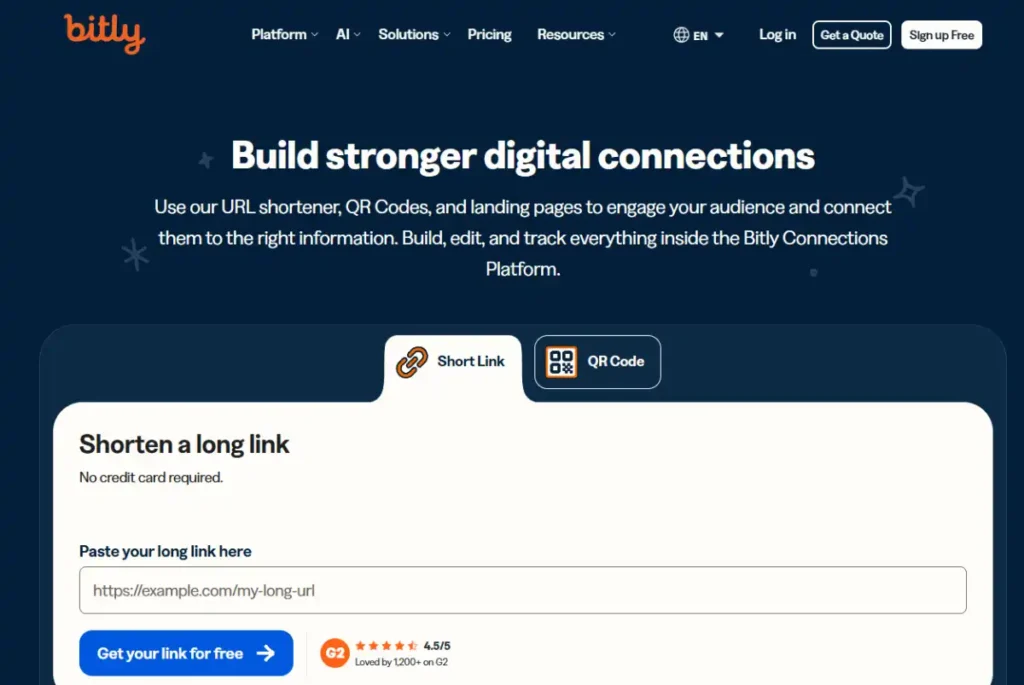
The UTM parameter support in Bitly is functional but secondary to the core shortening feature. You can add UTM parameters when creating a short link, and Bitly’s dashboard shows click data for each link. The reporting covers click volume, geography, and device type, but does not integrate directly with GA4 attribution data.
The free plan now limits you to 10 short links per month, which is a significant reduction from previous tiers. For any marketer running more than a handful of campaigns, the $10/month Starter plan is effectively required.
For a direct feature comparison between the two platforms, the Bitly vs TLinky page covers where Bitly’s brand recognition outweighs TLinky’s deeper analytics, and vice versa.
Key features:
- Branded short links using Bitly’s recognized domain or a custom domain
- UTM parameter fields integrated into the short link creation workflow
- Click analytics covering volume, geography, referrer, and device
- Link-in-bio page builder included on paid plans
- API access for bulk link generation and integration with other platforms
- QR code generation for each shortened link
Pros:
- Bitly’s domain recognition reduces user hesitation on shortened links in email campaigns
- Clean link analytics dashboard with geography and device data included
- API access enables bulk UTM link generation for large campaign volumes
Cons:
- Free plan limited to 10 short links per month, which is insufficient for most active campaigns
- $35/month Starter plan is significantly more expensive than alternatives with equivalent features
Not for: Budget-conscious marketers who need more than 10 short links per month, or teams that need UTM analytics to integrate directly with GA4 campaign attribution reports.
Why we included this: Bitly belongs on this list because link recognition is a real signal in email marketing click-through rates. For campaigns where the recipient audience might hesitate before clicking an unknown short URL, Bitly’s familiarity provides a measurable trust advantage.
Pricing: Free plan (10 links/month). Starter from $10/month.
5. HubSpot Tracking URL Builder
Best for: Marketing teams already using HubSpot CRM who want campaign attribution tied to individual contacts rather than aggregate traffic
HubSpot’s Tracking URL Builder creates UTM-tagged URLs that connect directly to HubSpot’s CRM contact records.
When a known contact clicks a campaign link and converts, HubSpot attributes that conversion to the specific campaign in their contact timeline.

This contact-level attribution is the key differentiator. Standard UTM tracking in GA4 shows you that 200 people clicked your campaign email. HubSpot shows you which 200 people, what they did after clicking, and how many of them became customers. For teams doing account-based marketing or lead nurturing, that individual-level view is qualitatively different from aggregate traffic data.
The tracking URL builder is available on HubSpot’s free plan, which makes it accessible without a paid Marketing Hub subscription. The free plan does limit the total number of marketing contacts and the depth of reporting available, but the core UTM generation and link tracking features are present.
For TikTok-sourced leads specifically, connecting HubSpot’s CRM attribution to your link in bio destination pages lets you track which TikTok campaigns produce actual CRM contacts, not just website visits.
Key features:
- UTM tracking URLs that tie campaign clicks to individual HubSpot contact records
- Campaign attribution visible in each contact’s timeline
- Integration with HubSpot email, ads, and social tools for closed-loop reporting
- Source reports showing which campaigns drive the most contacts and customers
- Available on the free HubSpot plan without a paid subscription
- Revenue attribution reports on paid Marketing Hub tiers
Pros:
- Contact-level attribution connects campaign clicks to real people in the CRM
- Free plan access means HubSpot users get tracking URLs without additional cost
- Closed-loop reporting ties campaigns directly to revenue when connected to HubSpot Sales
Cons:
- Only useful if your team already uses HubSpot, with no standalone value outside the platform
- Full revenue attribution and multi-touch attribution require paid Marketing Hub tiers
Not for: Marketers not using HubSpot CRM, where the contact-level attribution advantage disappears, and a simpler free tool generates the same UTM parameters.
Why we included this: HubSpot’s tracking URL builder changes what UTM attribution means. Moving from “this campaign drove 200 clicks” to “this campaign drove 200 clicks from these specific contacts, 40 of whom became customers” is the kind of reporting that justifies campaign spend decisions.
Pricing: Free with HubSpot free account. Advanced attribution on Marketing Hub Starter from $10/month.
6. Rebrandly
Best for: Marketers and brands who want every campaign link to use their own domain name rather than a third-party shortener domain
Rebrandly is built specifically for branded short links. Instead of a link.tlinky.com or bit.ly short domain, every link you create through Rebrandly uses your own domain: yourbrand.io/campaign-name, for example.
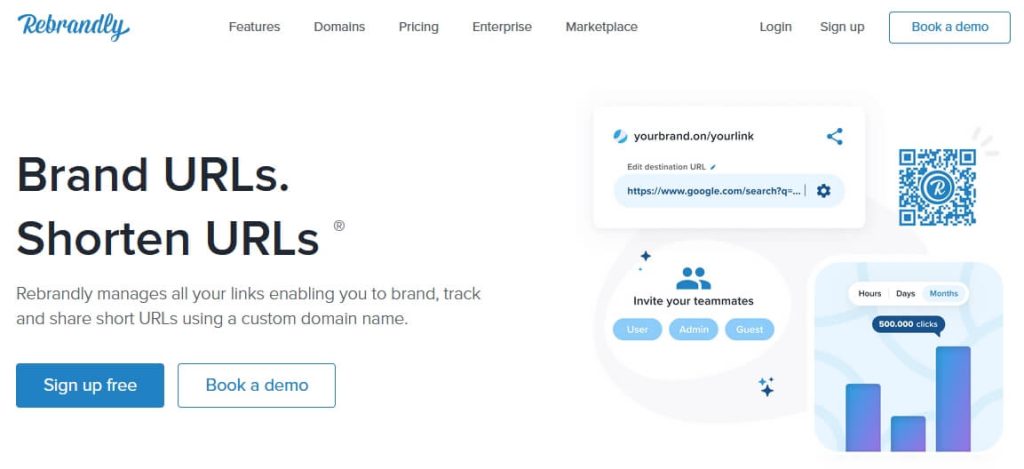
The branded domain advantage is measurable. Research cited in the Rebrandly platform documentation shows that branded short links generate 39% more click-throughs than generic short domains.
The reason is the same as with email addresses: a recognizable domain signals legitimacy before the user decides whether to click.
UTM parameter management in Rebrandly is handled through a campaign workspace. You can set default UTM parameters for a campaign, apply them to multiple links in batch, and view click data per link from the dashboard. The parameter management is more organized than Bitly but less collaborative than UTM.io.
The link management tools guide covers how branded domain short links fit into a broader campaign URL strategy, including when the investment is justified.
Key features:
- Branded short links using your own custom domain, not a Rebrandly subdomain
- Campaign workspace for organizing multiple UTM-tagged links under one project
- Bulk link creation for campaigns with high link volume
- Click analytics per link covering traffic source, geography, and device
- UTM parameter templates for applying consistent parameters across a campaign
- Team access with role-based permissions on paid plans
Pros:
- Every link shows your own brand domain, not a third-party shortener URL
- Campaign workspace keeps UTM-tagged links organized by project rather than a flat list
- Branded links outperform generic short links on click-through rate based on Rebrandly’s published data
Cons:
- Custom domain setup requires DNS configuration, which adds initial technical setup time
- Free plan limits the number of branded links per month
Not for: Marketers who do not have their own domain or who run campaign volumes low enough that a generic short link domain does not create a trust barrier.
Why we included this: Rebrandly is the clearest choice for brands where every external link is a brand touchpoint. When a campaign link lands in someone’s inbox or social feed, the domain it shows is part of the brand impression, not just a technical detail.
Pricing: Free plan available (limited links). Starter from $8/month.
7. Cometly
Best for: Performance marketers running paid ads on Meta or TikTok where iOS 14 restrictions and browser cookie blocking have made pixel-based attribution unreliable
Cometly does something none of the other tools on this list can do: it captures conversions that happen after the user’s browser blocks the tracking cookie.
When a user clicks a Meta or TikTok ad on an iPhone, Apple’s App Tracking Transparency framework often blocks the ad platform’s pixel from recording the conversion.
The ad platform sees the click but misses the sale. Your ROAS (return on ad spend) looks worse than it actually is, which leads to pausing campaigns that are actually performing well.
Cometly uses server-side tracking to record conversions before they reach the browser, bypassing the iOS and cookie restrictions entirely. The attribution data travels server-to-server rather than through a pixel embedded in the user’s browser.
For TikTok ad campaigns specifically, the how to measure ROI on TikTok ad campaigns guide explains the gap between what TikTok’s Ads Manager reports and what server-side attribution tools like Cometly can capture.
Cometly is not a UTM builder in the traditional sense. It generates tracking links, but the real product is the server-side attribution infrastructure. The $99/month starting price reflects that this is an enterprise attribution tool, not a URL generator.
Key features:
- Server-side conversion tracking that bypasses iOS ATT restrictions and cookie blockers
- Multi-touch attribution models showing which ads contributed to each conversion
- Direct integration with Meta Ads and TikTok Ads Manager
- Real-time ROAS reporting by campaign, ad set, and individual ad
- Profit and revenue tracking connected to ad spend data
- Automatic UTM parameter generation for campaign links
Pros:
- Captures conversions that browser-based tracking misses due to iOS 14+ restrictions
- Multi-touch attribution shows contribution across the full ad funnel, not just last-click
- Fills the specific gap created by cookie blocking that makes platform ROAS numbers unreliable
Cons:
- Starting at $99/month, significantly more expensive than every other tool on this list
- No free plan or trial; the investment only makes sense for teams spending meaningfully on paid ads
Not for: Organic marketers, email-only teams, or anyone spending less than a few thousand dollars per month on paid ads, where the attribution gap Cometly solves is not large enough to justify the cost.
Why we included this: Cometly is the right answer to a real problem that did not exist three years ago. iOS 14 and third-party cookie blocking have created a specific attribution failure in paid advertising that UTM parameters alone cannot fix. For teams experiencing this problem, Cometly is not expensive; it is the cost of accurate data.
Pricing: No free plan. From $99/month.
8. AgencyAnalytics
Best for: Digital marketing agencies that manage UTM tracking and campaign reporting for multiple clients and need to deliver branded dashboards without manual data exports
AgencyAnalytics is not a UTM builder in the traditional sense. It is a client reporting platform that aggregates UTM campaign data from GA4, paid ad platforms, and social channels into a single dashboard that agencies can brand and share with clients.
For agencies managing multiple clients, the alternative to AgencyAnalytics is exporting UTM campaign data from GA4, combining it with ad platform reports in a spreadsheet, and building a PDF or slide deck report each month. AgencyAnalytics automates that entire workflow into a live dashboard the client can access at any time.
The social media metrics breakdown covers the specific UTM-connected metrics that matter most in agency reporting, including how to present source and medium data to clients who are not familiar with GA4.
Client dashboards can be white-labeled with the agency’s own branding. Clients see the agency name, not AgencyAnalytics. For agencies where reporting quality is part of the service offering, that presentation layer matters.
Key features:
- Aggregated reporting from GA4, Meta Ads, Google Ads, TikTok Ads, and 80+ other platforms
- White-labeled client dashboards with custom agency branding
- Automated monthly report generation and email delivery to clients
- Campaign-level UTM data pulled directly from GA4 without manual export
- SEO, PPC, and social data combined in a single client view
- Drag-and-drop dashboard builder with pre-built metric widgets
Pros:
- Eliminates manual monthly report building for agency teams managing multiple clients
- White-label branding lets agencies present data under their own name
- 80+ platform integrations mean most client channel combinations are covered out of the box
Cons:
- No free plan; the $12/month entry tier is per client, so agency costs scale with client count
- Primarily a reporting aggregator, not a UTM generator; agencies still need a separate tool to create the campaign links
Not for: Solo marketers or in-house teams managing a single brand, where the multi-client reporting infrastructure is more overhead than the reporting volume justifies.
Why we included this: Agencies spend a disproportionate amount of time turning UTM data into client reports. AgencyAnalytics sits at the output end of the UTM workflow, where the data becomes the deliverable, and the time it saves in report production is measurable within the first month.
Pricing: No free plan. From $25/month per client.
Tool Ratings at a Glance
After testing all 8 tools, here is how they compare across the criteria that matter most for campaign tracking.
Scale: 5 = Excellent, 4 = Good, 3 = Fair, 2 = Limited.
| Tool | Ease of Setup | Attribution Accuracy | Team Features | Value for Price |
|---|---|---|---|---|
| TLinky UTM Builder | 5 | 4 | 3 | 5 |
| Google Campaign URL Builder | 5 | 3 | 1 | 5 |
| UTM.io | 4 | 3 | 5 | 4 |
| Bitly | 5 | 3 | 3 | 2 |
| HubSpot Tracking URL | 3 | 5 | 4 | 4 |
| Rebrandly | 3 | 3 | 4 | 4 |
| Cometly | 2 | 5 | 3 | 3 |
| AgencyAnalytics | 3 | 4 | 4 | 4 |
Ease of Setup: How quickly a new user gets a working campaign link. Attribution Accuracy: Whether the tool captures the full conversion path reliably. Team Features: Shared libraries, roles, and collaborative workflows. Value for Price: Capability relative to monthly cost.
Which UTM Tool Fits Your Situation?
| You are a… | Start with… |
|---|---|
| Solo marketer tracking individual campaigns | TLinky UTM Builder or Google Campaign URL Builder |
| Team with UTM naming inconsistency across campaigns | UTM.io |
| Brand where every campaign link shows your domain | Rebrandly |
| HubSpot user needing contact-level attribution | HubSpot Tracking URL Builder |
| Performance marketer running paid ads on iOS devices | Cometly |
| Agency reporting UTM data to multiple clients | AgencyAnalytics |
| TikTok creator tracking bio link campaign traffic | TLinky UTM Builder |
For a deeper look at how UTM parameters work before choosing a tool, the UTM parameters best practices guide covers the naming conventions, parameter hierarchies, and common tagging mistakes that affect every tool on this list.
For TikTok-specific campaign tracking, the TikTok analytics guide covers the gap between what TikTok’s native dashboard reports and what UTM-tracked GA4 data adds.
For a broader view of the marketing tools that can support campaign research, SEO, and competitive analysis alongside UTM tracking, see our Semrush review.
FAQs
UTM tracking raises similar questions across most marketing teams, particularly around what the tools actually do versus what GA4 does with the data they generate.
What is a UTM builder and what does it do?
A UTM builder is a tool that adds UTM parameters to a destination URL, creating a tagged link that Google Analytics uses to identify where a visitor came from. You specify the campaign source (the platform), medium (the channel type), and campaign name. When someone clicks the tagged link, those parameters are passed to GA4, which records them against the session. The builder itself just formats the URL correctly; GA4 does the actual attribution.
Why do I need a UTM builder if Google Analytics tracks traffic automatically?
GA4 tracks traffic from known sources automatically, but it cannot distinguish between two campaigns on the same platform without UTM tags. If you send two different email campaigns in the same week, GA4 reports both as Email traffic with no way to separate them. UTM parameters are the layer that tells GA4 which specific campaign, ad, or piece of content drove each visit. Without them, channel-level data is visible but campaign-level data is missing.
Are UTM parameters still reliable in 2026 with cookie restrictions?
UTM parameters are more reliable than ever because they travel inside the URL rather than through a third-party cookie. When a user clicks a UTM-tagged link, the parameters are captured by GA4 at the moment of the first page load, before any cookie consent decision or browser restriction applies. The attribution gap in 2026 is not with UTM parameters. It is with pixel-based tracking on paid ad platforms like Meta and TikTok, which is a separate problem that server-side tools like Cometly address.
What is the difference between a UTM builder and a link shortener?
A UTM builder creates a long URL with tracking parameters appended. A link shortener creates a short URL that redirects to a destination. They solve different problems. The reason to use both together is that a UTM-tagged URL is typically 200 or more characters long, which is too long for social posts, email copy, or TikTok bios. Shortening the UTM-tagged URL gives you a clean short link that still passes all the tracking parameters when clicked. TLinky handles both steps in one workflow.
How do I stop my team from using inconsistent UTM parameter names?
The root cause is free-text entry: when team members type UTM values manually, spelling and capitalization inconsistencies are inevitable. The fix is to replace free-text fields with a shared dropdown library of approved values. UTM.io is built specifically for this. Alternatively, a simple spreadsheet locked to approved values, shared with your team, prevents the most common inconsistencies without requiring a paid tool.
Wrapping Up
UTM tracking is not a technical detail. It is the layer of data that tells you which campaigns are actually driving revenue versus which ones are just driving traffic.
The right tool depends on where your tracking is breaking down. Most solo marketers need nothing more than TLinky or Google’s free builder.
Teams need the naming consistency that UTM.io provides. Performance marketers running paid ads on iOS need server-side tracking that browser-based UTM parameters alone cannot deliver.
Every dollar of campaign budget deserves an accurate attribution record. Start with the simplest tool that covers your specific gap, and upgrade only when the gap that tool cannot fill is costing you more than the upgrade does.
Sources