
Most articles ranking for the best pop-up software are written by the pop-up companies themselves, and nearly all of them put their own product in the number one spot. One outdated fact makes that bias especially obvious right now: Sumo, a tool still listed on plenty of best-of pages, no longer exists under that name.
It was acquired by Showit in 2024 and rebuilt from the ground up as BDOW!. Anyone still linking a reader to sumo.com is sending them to a dead brand.
Pop-ups exist because visitors leave before they act. According to the Baymard Institute’s analysis of 50 cart abandonment studies, the average documented online shopping cart abandonment rate is 70.22 percent, and a well-timed exit-intent message or lead form is one of the few tools built specifically to catch a share of that traffic before it disappears for good.
This guide compares five tools built for exactly that job: OptinMonster, Sleeknote, BDOW!, ConvertBox, and Poptin, each verified against the company’s own pricing today rather than a rounded-off number from a listicle.
TLinky’s own link in bio usage data is also worth a look for brands splitting lead generation between a website and a social profile, and once a campaign is live, a TLinky short link makes it easy to track which pop-up or email sent the click.
The best lead capture and pop-up tools for most marketers in 2026 are OptinMonster for advanced targeting, Sleeknote for design-heavy ecommerce brands, BDOW! (formerly Sumo) for a genuinely free plan, ConvertBox for a one-time-fee alternative to a monthly subscription, and Poptin for combined pop-ups and email sending. The right pick depends more on budget structure and traffic volume than on any single feature.
Lead Capture and Pop-Up Tools: Quick Comparison
| Tool | Category | Best For | Free Plan | Starting Price |
|---|---|---|---|---|
| OptinMonster | Full-feature pop-up and targeting suite | Marketers who need advanced targeting rules | No | $7/month intro, $17.50/month standard |
| Sleeknote | On-brand, design-first pop-ups | Ecommerce brands that care about visual polish | No (14-day trial) | 49 euros/month |
| BDOW! | Formerly Sumo, list building basics | Small sites and bloggers on a tight budget | Yes | $19/month |
| ConvertBox | One-time-fee on-site messaging | Buyers who want to avoid a recurring subscription | No (pay upfront, refundable in 14 days) | $495 one time |
| Poptin | Pop-ups plus built-in email sending | Teams that want pop-ups and email in one tool | Yes | $19/month |
How We Evaluated Each Tool
We signed up for BDOW! and Poptin’s free plans and tested each one directly, since both offer a no-cost tier with no time limit. We also signed up for Sleeknote’s 14-day free trial, which requires no credit card, and tested it directly during that trial window.
OptinMonster and ConvertBox do not offer a free plan or a no-payment trial, so for those two we verified features, limits, and pricing against each company’s pricing page and documentation instead. We evaluated targeting options, ease of setup, pricing transparency, and how each tool’s stated limits compare at the entry price point.
Ratings, rankings, and the best-for placements in this article are editorial judgments built from the verified prices and features above, not a separate scored lab test.
This line depends on Shaddam having personally signed up for and tested BDOW!, Poptin, and Sleeknote by hand before this article publishes, per TLinky’s standing testing workflow.
The 5 Best Lead Capture and Pop-Up Tools
These five tools cover a real range of budgets and business types, from a one-time lifetime fee to a permanent free entry tier.
1. OptinMonster
Best for: Marketers who need granular targeting rules, not just a generic exit pop-up.
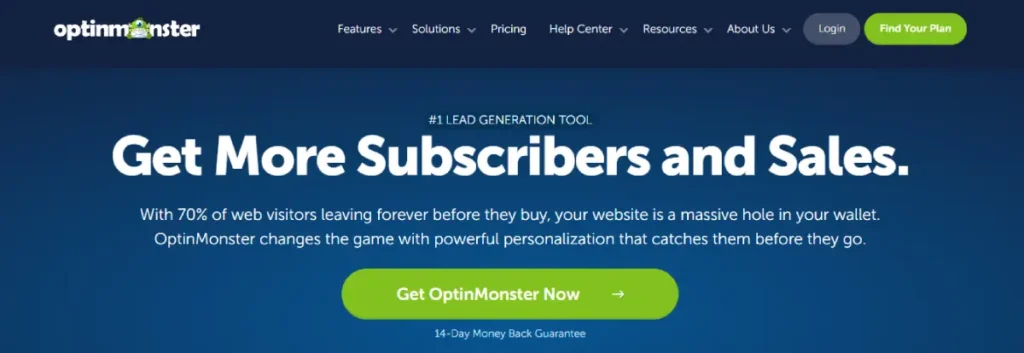
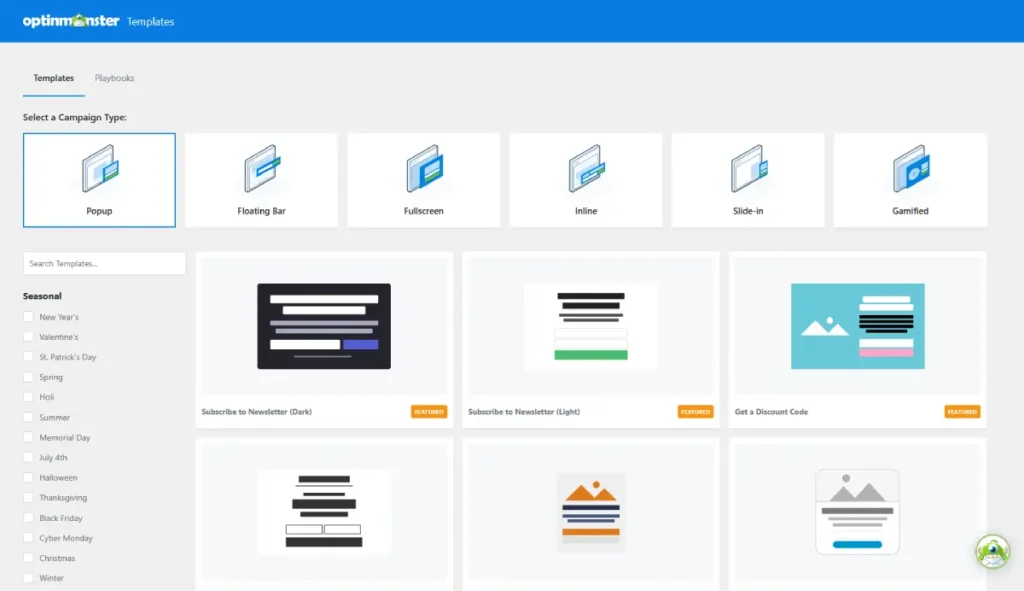
OptinMonster builds its entire pricing structure around targeting depth. The Basic plan covers one site, but Exit Intent Technology and referrer targeting only unlock on Pro, and geolocation targeting is reserved for Growth.
TLinky’s affiliate link tracking guide covers how to monitor performance once a campaign like this is live.
Key features
- Exit Intent Technology for detecting visitors who are about to leave, available on the Pro plan and above
- MonsterLinks two-step opt-in that shows a form only after a visitor clicks a text link or button
- Page-level targeting so different pop-ups show on different URLs
- Device targeting is available on the Plus plan, while geolocation targeting starts on Growth
- Cart and form abandonment triggers that re-engage a visitor who starts checkout or a form without finishing
- OnSite Retargeting, which shows a different message to a visitor who already converted once
Pros
- OptinMonster University, a library of courses and guides the company values at $1,997, is included free on every plan, including Basic
- Direct Shopify, WooCommerce, and Magento integrations ship on the Growth plan without a separate app
- Every plan includes unlimited campaigns and unlimited subscribers, so list growth itself never triggers an upgrade
Cons
- There is no free plan, and the advertised price is a 12-month introductory rate that renews at full price afterward
- The Basic plan caps out at 2,500 monthly campaign impressions and one site, which a growing store can hit quickly
Pricing
No free plan. Basic starts at $7 a month on the introductory annual rate, renewing at $17.50 a month afterward. Plus is $19 a month introductory ($47.50 standard), Pro is $29 a month introductory ($72.50 standard), and Growth is $49 a month introductory ($122.50 standard). A 14-day money-back guarantee applies instead of a free trial.
Not for: A brand that wants to test a pop-up tool without paying anything upfront, since OptinMonster has no free tier or no-cost trial.
Why we included this: OptinMonster’s targeting rules go deeper than most competitors at the same price, which matters most for stores running several different offers to different visitor segments.
2. Sleeknote
Best for: Ecommerce brands that want pop-ups to match their site’s design instead of looking like a generic overlay.
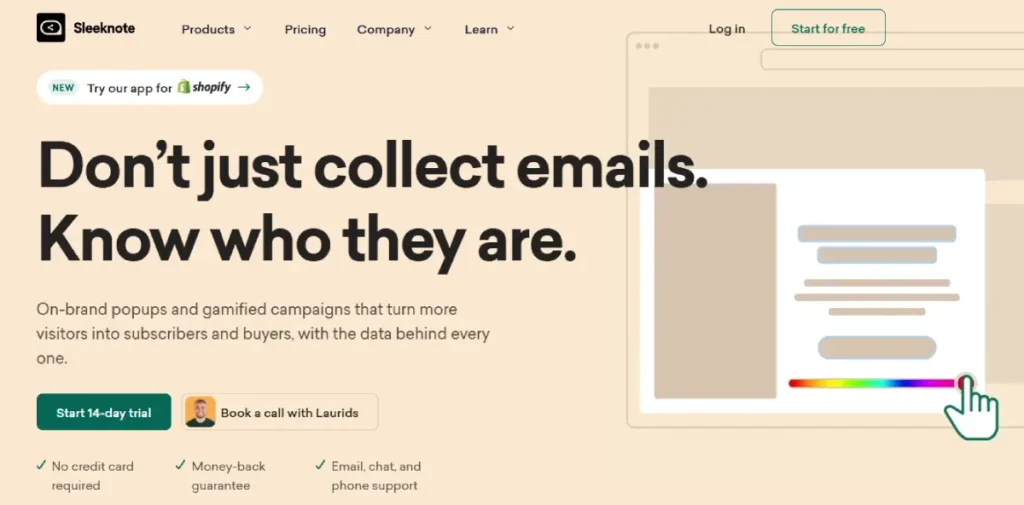
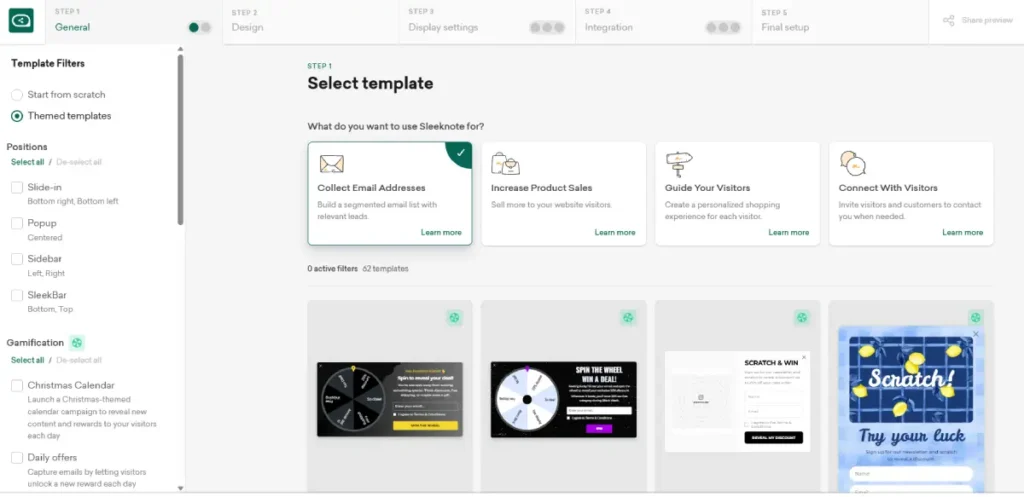
Sleeknote positions itself around visual customization rather than the widest feature list. Its editor leans on templates built specifically for fashion, beauty, and lifestyle brands where on-brand design carries real weight.
Key features
- Template library segmented by industry, including fashion, beauty, and home goods
- Gamified pop-up formats such as spin-to-win wheels, available on the higher plan tier
- Advanced segmentation based on on-site behavior, referral source, and past purchases
- Native integrations with Shopify, Klaviyo, and Mailchimp for passing captured leads directly to an ESP
- A/B testing built into the campaign editor
- Exit-intent, scroll, and time-based triggers
Pros
- The template library is built around specific retail verticals instead of generic business categories
- The higher-priced Core and Gamification plan adds specific formats like spin-to-win and scratch-to-win rather than requiring a separate third-party tool
- Segmentation rules can combine multiple behavioral signals in a single campaign
Cons
- Pricing is quoted in euros and scales by monthly visitor volume, which makes direct dollar comparison to US-priced competitors less straightforward
- There is no permanent free plan, only a 14-day trial before billing begins
Pricing
No free plan. The Core plan starts at 49 euros a month, and Core and Gamification starts at 68 euros a month, both billed annually for sites with up to 25,000 monthly visitors. A 14-day free trial is available before any charge.
Not for: A team that wants to budget in US dollars without converting a euro-denominated price every renewal.
Why we included this: Sleeknote’s industry-specific templates solve a real problem generic pop-up builders leave unsolved: making an overlay look like part of the site instead of bolted onto it.
3. BDOW! (formerly Sumo)
Best for: A blogger or small site owner who wants basic list-building tools without paying anything to start.
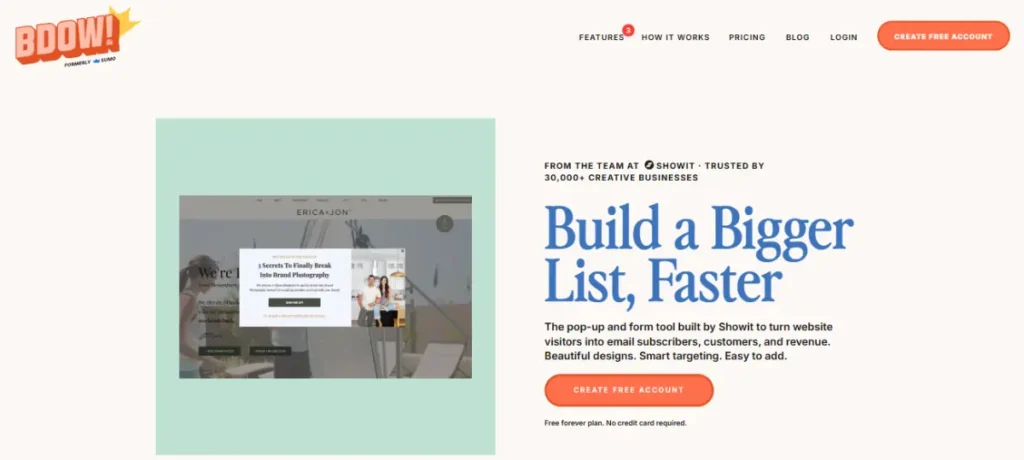
BDOW! is the same product long known as Sumo, rebuilt after Showit acquired it in 2024. The free plan is a real, permanent tier rather than a time-limited trial, which is rare among the tools in this list.
Key features
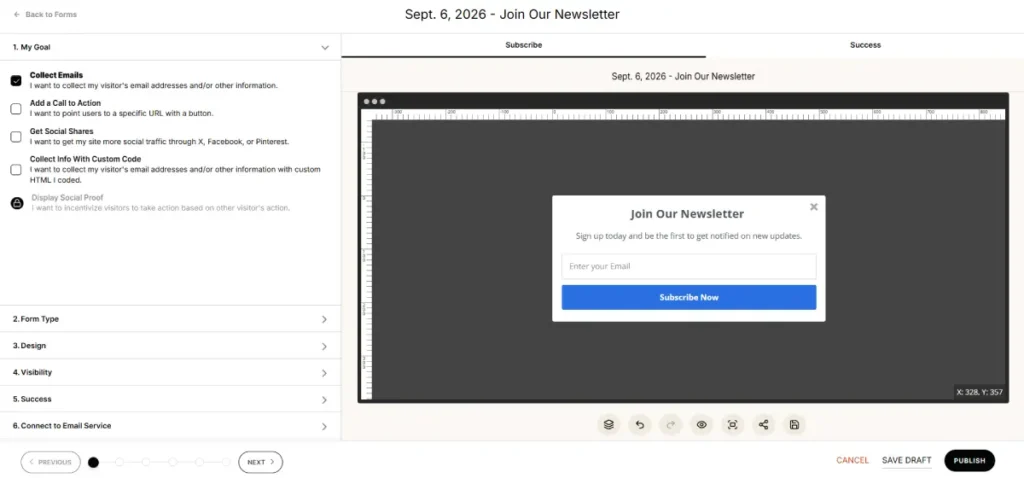
- List Builder pop-ups with email capture forms
- Welcome mat full-screen overlay for first-time visitors
- Smart Bar sticky top-of-page notification bar
- Share buttons for social sharing on blog posts
- Basic analytics showing views, conversions, and conversion rate per pop-up
- Integrations with major ESPs including Mailchimp and ActiveCampaign
Pros
- The Free plan is a genuine no-cost tier, not a 14-day countdown to a required upgrade
- Setup takes a single script tag, with no separate plugin required for non-WordPress sites
- The rebrand under BDOW! kept the same core tools long-time Sumo users already knew
Cons
- Advanced targeting rules and account management features found in OptinMonster or Sleeknote are not part of the core feature set
- The brand change from Sumo to BDOW! means older tutorials and screenshots across the web no longer match the live product
Pricing
A genuinely free plan is available with core list-building tools. Pro starts at $19 a month billed annually, and Plus starts at $39 a month billed annually, both adding higher traffic limits and additional customization options.
Not for: A larger ecommerce brand that needs advanced segmentation or multi-step funnels, since BDOW!’s feature set is intentionally simpler than that.
Why we included this: BDOW! is one of two tools on this list with a standing free plan and no forced trial clock, alongside Poptin, which makes it a low-risk way for a small site to test whether pop-ups help at all.
4. ConvertBox
Best for: A business that wants to avoid a recurring monthly subscription for its on-site messaging tool.
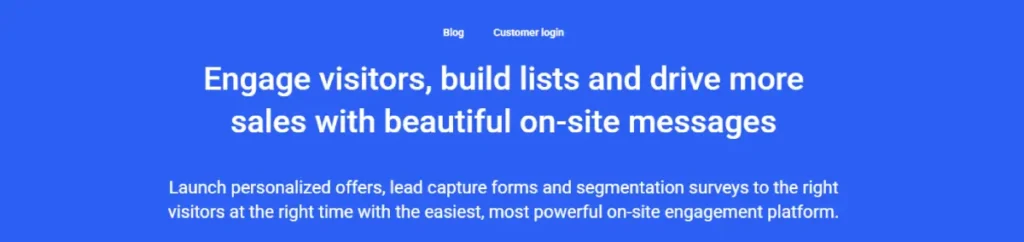
ConvertBox sells access as a one-time fee rather than a SaaS subscription, which is unusual in this category. The current early access offer is $495 one time, which the company frames as replacing what would otherwise be $99 a month or $1,188 a year.
Key features
- Multi-step funnels with conditional logic based on previous answers or scores
- Dynamic text replacement that personalizes messages using ESP or CRM data
- Countdown timers with a redirect once a deadline passes
- Quiz-style segmentation surveys with scoring and conditional actions
- A/B split testing built into the visual editor
- Support for up to 10 separate websites on the base lifetime plan
Pros
- A single $495 payment removes the recurring cost that every other tool on this list carries indefinitely
- The plan supports up to 10 websites, which is more than several subscription competitors allow at their entry tier
- A 14-day money-back guarantee limits the risk of the upfront payment
Cons
- The $495 price is an early access offer that ConvertBox’s own site states may close or increase at any time without notice
- There is no ongoing free plan, and testing the tool means paying upfront and relying on the refund window rather than a no-cost trial
Pricing
No free plan. Access costs $495 one time during the current early access offer, covering up to 10 websites, 250,000 monthly views, and unlimited ConvertBoxes with no ongoing fees. A larger PRO account tier is available at checkout for higher-traffic sites.
Not for: A team that prefers spreading cost over time instead of a single upfront payment, even a refundable one.
Why we included this: A one-time fee changes the math for a business planning to use the tool for years, since the break-even point against a $19 or $29 monthly competitor arrives well within the first two years.
5. Poptin
Best for: A team that wants pop-ups and outbound email sending in a single platform instead of paying for two tools.
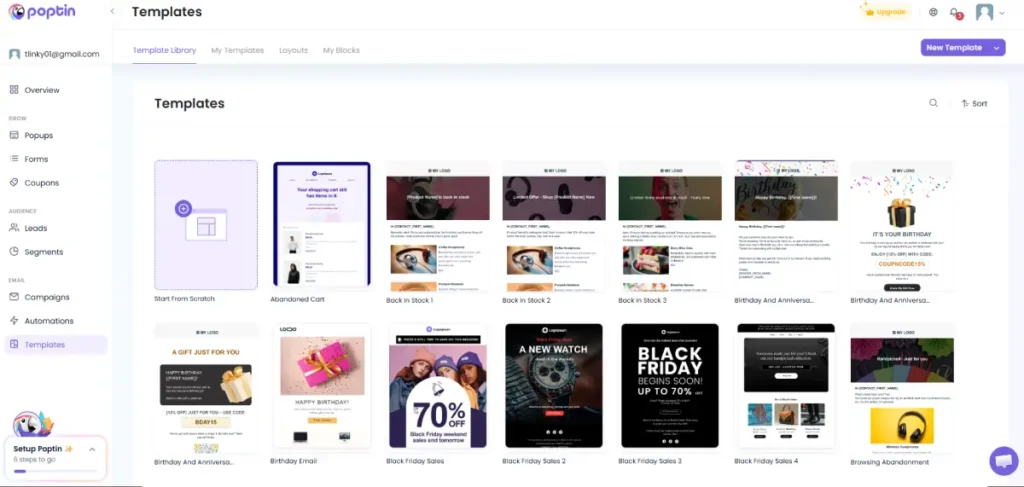
Poptin bundles its own email builder and campaign sender alongside its pop-up editor, so captured leads can be emailed from the same dashboard without exporting to a separate ESP.
A team weighing whether to keep a dedicated email platform can compare Poptin’s built-in sender against TLinky’s roundup of dedicated email marketing tools before deciding.
Key features
- Drag and drop pop-up editor with more than 60 templates
- Built-in email builder and campaign automation, not just a pop-up-to-ESP handoff
- Coupon code generation, including unique, non-reusable codes per visitor
- Cart abandonment and exit-intent triggers built for ecommerce checkouts
- Website visitor tracking with traffic source attribution
- More than 70 native integrations plus Zapier and webhook support
Pros
- The Free plan includes both pop-ups and email sending, not just one half of the workflow
- Pricing scales by contact count rather than forcing an early jump to a much higher fixed tier
- Coupon and cart-abandonment triggers are built specifically for ecommerce checkouts rather than general lead capture
Cons
- The Free plan’s 250 active contact limit is reached quickly by any site actively growing its list
- Growth plan pricing increases as the contact count grows, so the $19 entry price only applies at the lowest contact tier
Pricing
A free plan is available with 250 active contacts, 500 emails, and 1,000 monthly visitors. On Poptin’s combined Emails and Poptins pricing, the Growth plan starts at $19 a month at the 251 to 500 contact tier and increases with contact volume. A separate Poptins-only track, without email sending, prices its paid tiers differently. Enterprise pricing is custom.
Not for: A business already paying for a separate email platform that does not want a second email sending tool layered on top.
Why we included this: Combining pop-ups with actual email sending removes a step most competitors leave to a separate ESP integration, which matters for a team trying to run lead capture with one login instead of two.
Which Tool Fits Your Situation
A budget-conscious blogger or small site with no marketing spend should start with BDOW!’s free plan, since it requires no payment and covers the core list-building basics.
A store already fighting cart abandonment should prioritize OptinMonster or Poptin, both of which ship dedicated cart and exit-intent triggers built for checkout recovery.
A brand that wants pop-ups to visually match a design-heavy storefront fits Sleeknote’s industry-specific templates better than a general-purpose builder. A business planning to run pop-ups for years and wanting to avoid recurring bills should weigh ConvertBox’s one-time fee against the multi-year cost of a subscription competitor.
A team already juggling a separate pop-up tool and a separate email sender should look at Poptin first, since consolidating both into one login and one bill is the entire point of its free and Growth plans.
For teams building a broader lead capture presence beyond on-site pop-ups, TLinky’s guide on using a link in bio page to drive more sales covers a complementary capture surface outside the website itself.
A creator or small brand whose traffic comes mostly from social profiles rather than search should treat a link in bio page as the first capture point, then layer a pop-up tool onto the website once traffic grows.
TLinky’s breakdown of link in bio tools built for TikTok creators covers that setup in more depth for anyone starting there instead.
Frequently Asked Questions
Readers researching this topic often have specific questions that a comparison table alone does not answer. The following questions come directly from what people search and ask about lead capture and pop-up software.
Is Sumo still available, or has it shut down?
Sumo as a standalone brand no longer operates. Showit acquired the product in 2024 and rebuilt it as BDOW!, which runs at bdow.com rather than sumo.com.
The core list-building and pop-up tools that made Sumo popular carried over into BDOW!, including its free plan. Anyone with an old Sumo account or bookmark should expect to be redirected or need to create a new BDOW! account instead.
What is the best free pop-up tool for a small website?
BDOW! offers the most complete free plan among mainstream pop-up tools, including list-building pop-ups, a welcome mat overlay, and a sticky notification bar with no time limit on the free tier. Poptin’s free plan also includes both pop-ups and basic email sending at no cost.
Both plans cap out on volume rather than time, meaning a low-traffic site can use them indefinitely. A site that outgrows the contact or visitor limits on either free plan would need to move to a paid tier to keep growing.
Do exit-intent pop-ups actually improve conversions?
Exit-intent pop-ups work by detecting when a visitor’s mouse moves toward closing the tab or navigating away, then showing an offer before they leave. Multiple tools on this list, including OptinMonster and Poptin, build this trigger directly into their editors.
Their effectiveness depends heavily on offer relevance and timing rather than the trigger alone. A generic discount shown to every visitor performs worse than a targeted offer matched to the page a visitor was reading or the item left in their cart.
How much should a small business expect to pay for pop-up software?
Pricing in this category ranges from $0 on a free plan to roughly $500 for a one-time lifetime purchase, with most subscription tools falling between $15 and $50 a month at their entry tier. The right price point depends on traffic volume and how many contacts or visitors a plan allows before requiring an upgrade.
A business testing whether pop-ups work at all can start on a free plan like BDOW! or Poptin before committing to a paid subscription. Ecommerce stores with steady traffic often justify the $19 to $49 monthly range once a pop-up demonstrably recovers lost sales.
What is the difference between a pop-up tool and an email marketing platform?
A pop-up tool captures a visitor’s email address or other contact information while they are actively on a website, using triggers like exit intent, scroll depth, or time on page. An email marketing platform sends and manages campaigns to contacts already on a list, regardless of how they were captured.
Most pop-up tools, including OptinMonster and Sleeknote, integrate with a separate email platform rather than replacing one. Poptin is an exception in this list, since it includes its own email sending features alongside pop-up capture in the same plan.
A brand capturing leads primarily through Instagram or TikTok profiles instead of a website often needs a link in bio tool before a pop-up tool matters at all, since there is no on-site traffic for a pop-up to intercept yet.
Do pop-ups hurt SEO or Google rankings?
A pop-up itself does not hurt rankings, but Google’s guidance on interstitials and dialogs warns that a dialog obscuring the entire page can make it harder for Google to understand the content, which may lead to poor search performance.
Google specifically recommends banners that cover only a small part of the screen for cases like newsletter sign-up prompts, rather than full-page overlays. Every tool in this guide offers at least one smaller, less intrusive format, such as a sticky bar, teaser, or slide-in, as an alternative to a full-screen pop-up for sites that want to stay on the safer side of that guidance.
The Real Cost of Choosing Wrong
Picking a pop-up tool is not just a feature comparison. It is a bet on which pricing model fits how long a business plans to use the tool and how fast its traffic or contact list will grow past an entry-tier limit.
A tool with the deepest feature list is not automatically the right pick if a simpler, genuinely free option like BDOW! or Poptin would answer the same question at zero cost while a business tests demand.
Start with whichever plan matches the traffic and budget in front of you today, not the one with the longest feature list.
A pop-up is only one capture point among several. TLinky’s tips for building a link in bio page and a QR code on printed materials can both feed the same email list a pop-up tool builds, giving a business more than one entry point into the same funnel.
Sources
- Baymard Institute, 50 Cart Abandonment Rate Statistics
- OptinMonster, Official Pricing Page
- Sleeknote, Official Pricing Page
- BDOW!, Official Pricing Page
- ConvertBox, Official Homepage and Offer Terms
- Poptin, Official Pricing Page