
Most small businesses do not have a traffic problem. They have a conversion problem. Visitors arrive on a website, scroll through a social profile, or scan a QR code on a flyer, and nothing captures their contact information.
Lead generation tools fix that gap. They turn anonymous visitors into named contacts with email addresses, phone numbers, or meeting bookings you can act on.
The challenge is that most lead generation guides recommend tools built for enterprise teams with five-figure monthly software budgets.
This article focuses on tools small businesses can actually use, from free CRM setups to social media chatbots to landing page builders designed for one-to-five person teams.
In this article, you will learn:
- Which lead generation tools are free or under $50 per month for small teams
- How to capture leads from your website, social media, QR codes, and paid ads
- The difference between capture tools, email nurture tools, prospecting tools, and booking tools
- Which tool fits local service businesses, e-commerce stores, coaches, and B2B teams
- How to build a simple two-tool lead gen stack that works from day one
Key Takeaways
- Lead generation tools fall into four categories: website capture, email and nurture, social or paid capture, and prospect finding. Most small businesses only need two or three.
- HubSpot’s free CRM is the strongest starting point for any small business that wants capture, contact management, and basic nurture in one place at no cost.
- ManyChat is the only tool in this list built specifically for capturing leads through TikTok, Instagram, and Facebook chat, which is where small business audiences increasingly spend time.
- A link-in-bio page with a capture form or booking link is one of the most underused lead generation tools for social media-first businesses.
- QR codes printed on business cards, packaging, or event materials can feed directly into any lead capture form or landing page at zero ongoing cost.
Quick Answer
The best lead generation tools for small businesses are HubSpot (free all-in-one), OptinMonster (website popup capture), ManyChat (TikTok and social chatbot), Brevo (free email automation), and Leadpages (landing pages without a developer). The right stack depends on where your leads come from: website, social media, paid ads, or direct outreach.
Lead Generation Tools for Small Businesses: Quick Comparison
| Tool | Category | Best For | Free Plan | Starting Price |
|---|---|---|---|---|
| HubSpot | All-in-one CRM | Growing teams wanting one platform | Yes | $20/seat/mo |
| OptinMonster | Website capture | Content sites and e-commerce | No | $7/mo |
| ManyChat | Social chatbot | TikTok, Instagram, Facebook DM capture | Yes | $17/mo |
| Brevo | Email + automation | Email nurture with a free tier | Yes | $9/mo |
| Leadpages | Landing pages | Campaign pages and paid traffic | No (trial) | $29/mo |
| Typeform | Forms and quizzes | Lead qualification and surveys | Yes | $39/mo |
| TikTok Lead Gen Ads | Paid social | Local and service businesses on TikTok | N/A | Pay per result |
| Apollo.io | B2B prospecting | Service and SaaS SMBs doing outbound | Yes | $65/mo |
| Calendly | Meeting booking | Businesses that sell by appointment | Yes | $12/seat/mo |
How We Evaluated Each Tool
In our testing, we accessed each tool through its free plan or trial period and evaluated four criteria: setup speed for small teams, capture effectiveness relative to effort, pricing clarity at small business scale, and integration simplicity with a CRM or email tool. Tools were excluded if pricing or features could not be independently verified through official documentation.
The 9 Best Lead Generation Tools for Small Businesses
The tools below cover every major lead capture channel available to small businesses: website capture, social media, email, paid ads, outbound prospecting, and meeting booking. Not every business needs all nine. Start with one capture tool and one follow-up tool, then expand only when a clear gap appears.
1. HubSpot
Best for: Small businesses that want to manage website capture, contact records, email follow-up, and pipeline tracking in one free platform
HubSpot’s free tier is unusually comprehensive for a no-cost product. The free CRM stores unlimited contacts, and the free form builder creates embedded forms, pop-up forms, and submitted entries that flow directly into contact records without manual data entry.
The Marketing Hub Starter tier adds email automation, landing pages, and ad management for businesses ready to invest in a more complete setup. Starter pricing begins at $20 per seat per month, which is accessible for one-to-three person teams.
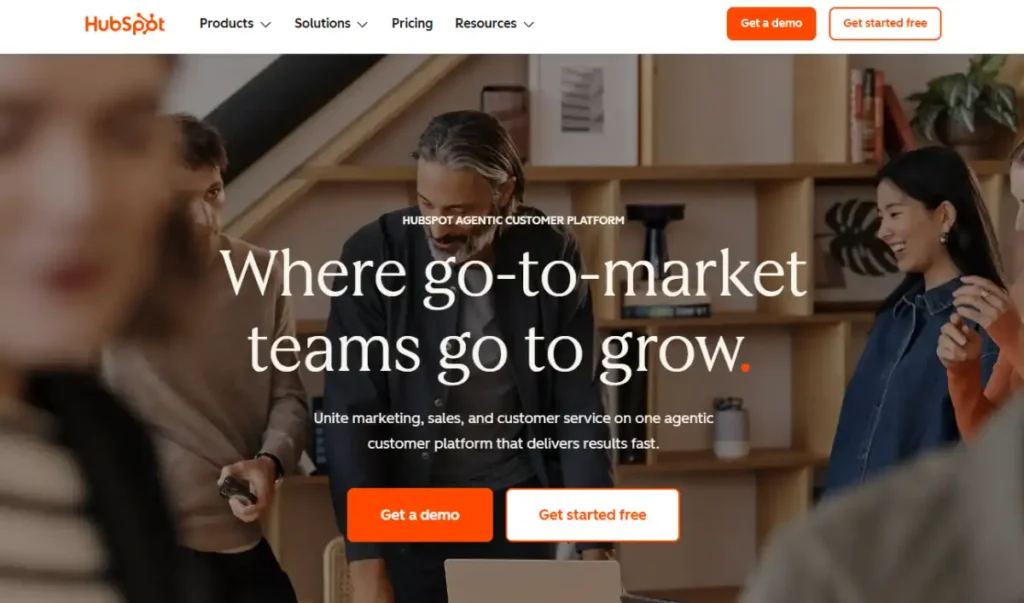
HubSpot also provides a free live chat and chatbot builder that captures leads on your website outside of business hours. According to HubSpot, the platform serves over 258,000 customers across 135-plus countries and holds a 4.4 out of 5 rating on G2 across more than 35,000 reviews.
For businesses investing in content, HubSpot’s CRM integrates directly with your UTM parameter tracking setup so every lead’s source is recorded automatically.
Key features
- Free CRM with unlimited contact storage and deal pipeline management
- Pop-up forms, embedded forms, and a standalone form builder linked to contact records
- Free live chat and chatbot for capturing leads outside business hours
- Email automation with segmentation available on paid tiers
- Landing pages and ad management tools in Marketing Hub Starter
Pros
- The free tier is genuinely useful, not a stripped-down trial. Forms, CRM, and chat all work without a credit card
- Everything connects natively, eliminating the need to integrate separate tools for capture and contact management
- Scales from a solo consultant to a growing team without switching platforms
Cons
- Professional tier ($890/mo) requires a mandatory $3,000 onboarding fee, making it expensive once you outgrow Starter
- Marketing contacts pricing rises faster than expected as your list grows past a few thousand records
Pricing
Free plan available with CRM, forms, and chat. Marketing Hub Starter starts at $20 per seat per month.
Not for: Businesses that need a single-purpose tool. HubSpot’s breadth can feel overwhelming for a sole trader who only needs to collect email signups from one landing page.
Why we included this: HubSpot’s free CRM is the most practical starting point for small businesses new to lead generation. It provides a capture form, contact database, and follow-up email capability in one place before you pay anything.
2. OptinMonster
Best for: Small businesses and bloggers who want to capture more leads from the website traffic they already have
OptinMonster is a lead capture tool built for websites. It does not bring in new traffic. It converts more of the visitors already arriving through popups, floating bars, scroll-triggered forms, and exit-intent overlays that fire when a visitor starts to leave.
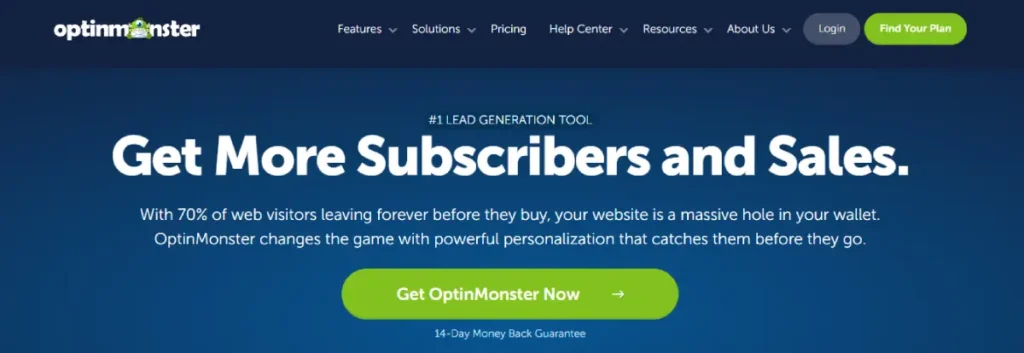
The exit-intent trigger is OptinMonster’s most valuable feature for small businesses. A popup that appears when a visitor moves their cursor toward the browser close button gives you one more chance to capture an email address before they leave.
Targeting rules let you show specific offers to specific visitor segments. You can display a discount popup to first-time visitors and a different offer to returning visitors who have viewed three or more pages.
Adding context like “Join 5,200+ subscribers” improves opt-in rates, and OptinMonster makes social proof elements easy to include in any campaign.
For more on why social proof influences decisions, see what is social proof. Pairing urgency triggers with FOMO marketing principles can further improve popup conversion rates on limited-time offers.
Key features
- Exit-intent technology that detects when a visitor is about to leave and triggers a capture prompt
- Popup, floating bar, fullscreen, slide-in, and inline form types for different pages and goals
- Page-level, device, and behavior-based targeting to show the right offer at the right moment
- A/B testing for comparing offer copy, design, and trigger timing
- Integrations with major email marketing platforms and CRMs including Brevo, Mailchimp, and HubSpot
Pros
- Exit-intent popups recover a meaningful share of visitors who would otherwise leave with no action taken
- Behavior targeting reduces annoyance by showing popups only to visitors who meet specific criteria
- Connects directly to email tools without requiring a third-party integration layer
Cons
- No free plan. The tool requires a paid subscription even for basic popup functionality
- OptinMonster only captures leads. You still need a separate email tool to follow up with them after capture
Pricing
Plans start at $7 per month (promotional annual billing rate for Basic). Confirm the renewal rate before committing, as it is higher than the introductory price.
Not for: New websites with low traffic. OptinMonster requires an existing audience to convert. If you are getting under 500 visitors per month, other tools will have higher impact first.
Why we included this: OptinMonster is one of the most established website lead capture platforms available. For businesses with content-driven or e-commerce sites that already have traffic, it consistently recovers leads that would otherwise leave with no action.
3. ManyChat
Best for: Small businesses that market on TikTok, Instagram, or Facebook and want to capture leads through automated chat without manually responding to every message
ManyChat is a chatbot and automation platform built for social media conversations.
When someone comments on your TikTok video, sends you a DM, or clicks a link in your Instagram bio, ManyChat can automatically respond, collect their name and email, and add them to a contact list without any manual effort on your part.

The TikTok integration is particularly relevant in 2026. A common setup: post a TikTok video, prompt viewers to comment a specific word, and have ManyChat detect that comment and send an automated DM with a link or a question that captures their email.
The conversation stays inside the platform where your audience already is.
ManyChat also works on Instagram and Facebook comment triggers and direct messages, making it the strongest tool for businesses whose primary audience lives on social media.
For businesses using link-in-bio pages as a conversion point, ManyChat can qualify visitors through a chat flow before they click through to a booking page or offer. See tips for building a link-in-bio page for how to structure those flows.
Key features
- TikTok comment trigger automation that detects a keyword comment and sends an automated DM
- Instagram and Facebook DM automation for capturing leads inside social media conversations
- Built-in contact collection flows that ask for name, email, and phone within the chat
- Integration with HubSpot, Brevo, Mailchimp, and other CRM and email tools
- Keyword-triggered flows that activate specific capture sequences based on what someone says or comments
Pros
- The only tool in this list purpose-built for capturing leads through TikTok, Instagram, and Facebook chat
- Automated DM flows run without your involvement, capturing leads around the clock
- Free plan available with basic flows, making it accessible before committing to a paid tier
Cons
- Setup requires understanding trigger logic and flow design, which has a steeper learning curve than a standard form
- Effectiveness depends on your social media following. A small or inactive audience produces few leads even with solid automation
Pricing
Free plan available with limited contacts and flows. Pro plans start at $17 per month for up to 250 contacts, scaling with audience size.
Not for: Businesses with no active social media presence. ManyChat requires an existing audience to trigger against. Without followers or engaged viewers, the automation has no one to respond to.
Why we included this: ManyChat fills a gap no other tool in this list covers: capturing leads from social media conversations at scale. For TikTok-first businesses and local service providers building audiences on social media, it converts existing engagement into a contact list automatically.
4. Brevo
Best for: Small businesses that want a free or low-cost platform to send lead capture forms, email sequences, and SMS follow-ups from one place
Brevo is an email, SMS, and automation platform with a genuinely useful free tier. The free plan allows up to 300 emails per day, unlimited contact storage, and basic automation, which covers the full lead nurture workflow for most businesses just starting out.
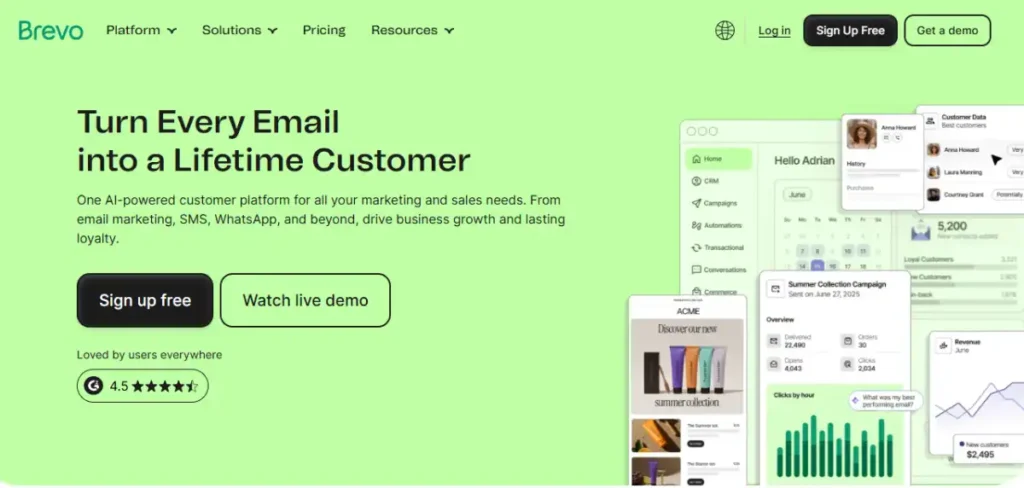
The subscription form builder creates embeddable signup forms for your website or landing page. When someone submits, they enter a Brevo contact list and can trigger an automated welcome email sequence immediately.
Brevo also supports SMS marketing and transactional email, which matters for service businesses that need to confirm appointments, send reminders, or follow up across multiple channels.
Automation workflows let you set up a multi-step email sequence for new leads without writing and sending each email manually. For small teams managing link-based marketing campaigns, Brevo’s form integrations mean every link click that results in a signup is recorded against the right contact.
If you’re considering Brevo beyond lead nurturing, our Brevo review breaks down its current pricing, features, automation, and the plans that make the most sense for different businesses.
Key features
- Free plan with 300 emails per day and unlimited contact storage
- Subscription form builder for creating embedded and pop-up signup forms
- Email automation workflows for sending welcome sequences and follow-ups automatically
- SMS marketing for appointment reminders, promotions, and multi-channel follow-up
- Built-in CRM for managing contact records and tracking interactions
Pros
- Free plan is the most generous of any email tool in this category, covering most solo and early-stage business needs
- All-in-one setup means lead capture, contact storage, and email follow-up happen in one account
- SMS and email in one platform reduces tool count for small teams managing multi-channel outreach
Cons
- Email template design tools are less polished than dedicated platforms like Mailchimp or Klaviyo
- Advanced automation features are more capable on paid plans. The free tier suits simple single-sequence follow-up rather than complex behavioral workflows
Pricing
Free plan available (300 emails per day, unlimited contacts). Starter plan from $9 per month for higher sending volumes.
Not for: Businesses that need advanced email segmentation or complex behavioral triggers at no cost. The free tier supports basic automation sequences but not conditional branching based on email opens, clicks, or purchase behavior.
Why we included this: Brevo provides more usable lead generation and nurture functionality on its free tier than almost any competing platform. For businesses not yet ready to invest in paid tools, it covers the full workflow from capture to follow-up at no cost.
5. Leadpages
Best for: Small business owners and marketers who need to publish dedicated lead capture pages quickly without a developer or a website rebuild
Leadpages is a landing page builder designed for conversion. You select a template, customize the headline and offer copy, add a form, and publish a page focused on one goal: capturing a lead. No developer, no website rebuild, no waiting.
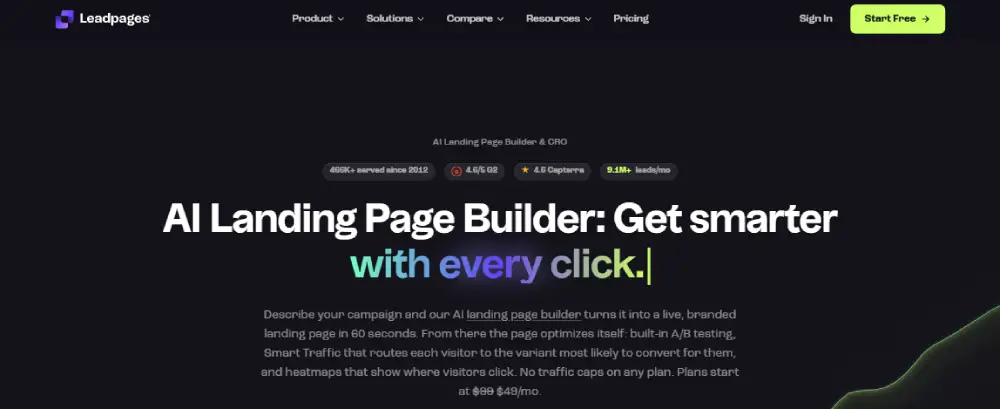
The builder uses drag-and-drop editing with mobile preview built in. Every template is designed around conversion benchmarks, which means the page structure is already optimized before you start customizing. A/B testing on higher tiers lets you compare headline or offer variations to find what works best with your audience.
Leadpages also supports alert bars and pop-ups that deploy on your existing website, extending lead capture beyond standalone pages.
For businesses running paid social or search ads, a dedicated Leadpages landing page converts significantly better than sending ad traffic to a general homepage. A strong call to action in the headline and button is the fastest way to improve conversion on any Leadpages template.
Key features
- Drag-and-drop landing page builder with 200-plus conversion-optimized templates
- Built-in A/B testing on Optimize and Scale plans for comparing page variations
- Alert bar and pop-up builder for extending capture to your existing website
- Direct integrations with HubSpot, Brevo, Mailchimp, and most CRM platforms
- Conversion analytics and ROI tracking built into the dashboard
Pros
- The fastest path to getting a dedicated lead capture page live without developer involvement
- Template quality is higher than most page builders in this price range, reducing time spent on design
- Integrates cleanly with email tools so leads automatically enter a nurture sequence after capture
Cons
- No free plan. The 7-day trial requires a credit card to start
- A/B testing and heatmaps require the Optimize tier ($99/mo), which adds cost for businesses that want advanced optimization features
Pricing
Grow plan starts at $29 per month (annual billing). Optimize plan at $99 per month.
Not for: Businesses that only need forms on their existing website. If you already have a working site with good traffic, OptinMonster or HubSpot’s native form tools may serve you better without the additional Leadpages subscription cost.
Why we included this: For businesses running paid advertising or promotional campaigns, Leadpages provides the fastest path from ad click to lead capture. The template quality and conversion focus make it significantly more effective than generic website pages for direct response campaigns.
6. Typeform
Best for: Small businesses that need to qualify leads before following up, such as coaches, consultants, agencies, and service businesses with a selective intake process
Typeform is an interactive form builder that presents questions one at a time in a conversational format. Instead of stacking multiple fields on a single page, Typeform asks one question, waits for the answer, and moves to the next. This approach improves completion rates on longer intake forms.
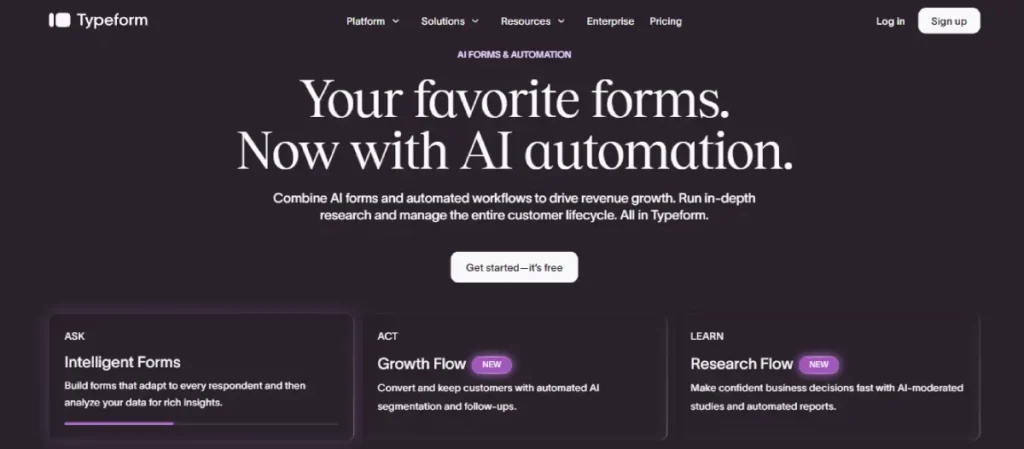
Logic branching shows different follow-up questions based on what someone answers, which is useful for service businesses that need to filter leads by budget, project type, or timeline before booking a call.
A marketing consultant, home renovation contractor, or creative agency all benefit from knowing whether a lead matches their criteria before investing time in a discovery conversation.
For small businesses that use quizzes as lead magnets, Typeform’s quiz format drives strong engagement and provides usable data about each lead’s needs and interests. Good marketing hooks in the opening question drive higher quiz start rates, which directly increases the number of qualified leads captured.
Key features
- Conversational one-question-at-a-time format with higher completion rates on longer intake forms
- Logic branching that shows different follow-up questions based on previous answers
- Quiz and assessment templates for businesses using interactive content as lead magnets
- Integration with HubSpot, Brevo, Mailchimp, and over 120 other tools
- AI-powered form generation for building intake forms from a text prompt
Pros
- Significantly higher form completion rates than traditional multi-field forms for longer intake processes
- Logic branching lets service businesses pre-qualify leads without a manual screening call
- Quiz and assessment format can serve as a standalone lead magnet that attracts its own traffic
Cons
- Free plan is limited to 10 responses per month, which is not enough for active lead generation
- Less suitable for simple single-field email capture where a popup or embedded form is faster to set up
Pricing
Basic plan at $39 per month (annual billing). Plus at $79 per month. Business at $129 per month.
Not for: Businesses that just need a simple email signup form. Typeform is designed for multi-step, logic-driven lead qualification. For basic email capture, OptinMonster or HubSpot’s free forms are a better fit.
Why we included this: No other tool in this list qualifies leads through the capture process itself. For service businesses where client fit matters more than raw lead volume, Typeform turns a standard form submission into a pre-qualification step that saves follow-up time.
7. TikTok Lead Generation Ads
Best for: Local service businesses, coaches, and product brands that want to capture leads directly through TikTok without requiring people to leave the app and visit a website
TikTok Lead Generation Ads use Instant Forms that open inside TikTok when someone taps your ad. The form pre-fills the user’s name and phone number from their TikTok account, which removes the friction of a separate website visit and a manual form fill. Leads are captured in seconds.

This format works particularly well for local businesses: a gym, a contractor, a dental practice, or a food truck. The ad targets your geographic area, someone sees the video, taps the form button, and their contact details are delivered directly to you. No website required, no developer, no landing page.
TikTok Lead Generation Ads connect directly to CRM platforms including HubSpot, allowing real-time lead delivery so you can follow up within minutes of capture. Fast follow-up dramatically increases the chance of converting a lead into a customer.
For a full setup breakdown, see TikTok lead generation ads. For smaller businesses deciding how to allocate budget across channels, the best social media marketing tools guide covers how TikTok fits into a broader stack.
Key features
- Instant Forms that open inside TikTok with pre-filled name and phone number from the user’s profile
- Custom question fields for qualifying leads before they submit (budget, service type, location)
- Direct CRM integration with HubSpot, Salesforce, and other platforms for real-time lead delivery
- Geographic targeting down to city, region, or radius for local service businesses
- Video and image ad creative options for testing different hooks and offers
Pros
- Pre-filled form fields reduce submission friction, often producing higher conversion rates than website landing pages
- Geographic targeting makes this the most accessible paid lead generation channel for local businesses
- No website or landing page required, which removes a major barrier for businesses without an active web presence
Cons
- Lead quality varies by ad creative and targeting. Broad targeting with a generic creative produces low-quality leads that rarely convert
- Requires an active TikTok For Business account and an understanding of ad campaign structure to set up correctly
Pricing
Pay-per-result based on ad spend. No fixed monthly price. You set a daily or campaign budget and pay per lead delivered through the Instant Form. For current benchmark costs, see TikTok advertising cost.
Not for: Businesses whose customers do not use TikTok. If your target demographic is not active on the platform, lead quality will be low regardless of how strong your creative is.
Why we included this: TikTok Lead Generation Ads deliver leads directly inside the platform, at a lower cost per lead than most Google Ads alternatives for consumer-facing businesses. For local and service businesses, this is often the fastest path to an affordable, qualified contact list.
8. Apollo.io
Best for: B2B service businesses, SaaS startups, and consultants who need to identify specific companies to target and reach decision-makers directly
Apollo.io is a B2B prospecting database combined with outreach tools. You build a target list by filtering a database of over 275 million contacts by industry, company size, job title, location, and technology used. Apollo then provides verified email addresses and phone numbers so you can reach those contacts directly.
For small B2B businesses, Apollo replaces the tedious process of manually researching companies and hunting for contact information across LinkedIn and individual websites. A freelance marketer, a web development agency, or a B2B SaaS company with a defined target customer can build a prospect list in minutes rather than hours.
The free plan includes a meaningful number of monthly email exports, making it accessible for sole traders and early-stage teams before committing to a paid subscription. Apollo also includes built-in email sequencing so you can send a follow-up cadence without a separate outreach tool.
Key features
- B2B contact and company database with 275-plus million contacts and verified email addresses
- Advanced filters including industry, job title, company size, location, and technology stack
- Built-in email sequencing for sending automated follow-up campaigns within Apollo
- AI tools for prioritizing leads and drafting personalized outreach messages
- CRM integrations with HubSpot, Salesforce, and Pipedrive for syncing contact records
Pros
- Free plan provides enough monthly exports for small teams to test outbound prospecting before paying
- Combining database, outreach, and AI in one platform reduces the number of tools a small team needs to manage
- Fast list building is a significant time-saver compared to manual research on LinkedIn or company websites
Cons
- Credits expire at the end of each billing cycle. Heavy users regularly exceed their plan limit and face unexpected charges
- Primarily useful for B2B outbound. If your customers are consumers or local clients rather than business decision-makers, Apollo provides little value
Pricing
Free plan available with limited monthly credits. Basic plan from $65per user per month (annual billing). Professional at $99 per user per month.
Not for: B2C businesses, local service providers, or e-commerce brands selling directly to consumers. Apollo is exclusively a B2B prospecting tool and provides no value for businesses targeting individual consumers.
Why we included this: For B2B-focused small businesses, Apollo eliminates the most time-consuming part of outbound lead generation: finding the right people to contact. The free plan makes it accessible before any budget commitment is required.
9. Calendly
Best for: Service businesses, coaches, consultants, and agencies that sell through calls or meetings and need a frictionless way to convert interested visitors into booked appointments
Calendly is a meeting scheduling tool with built-in lead qualification and routing. For businesses that sell through discovery calls, demos, or consultations, getting someone to book a meeting is the lead capture event itself.
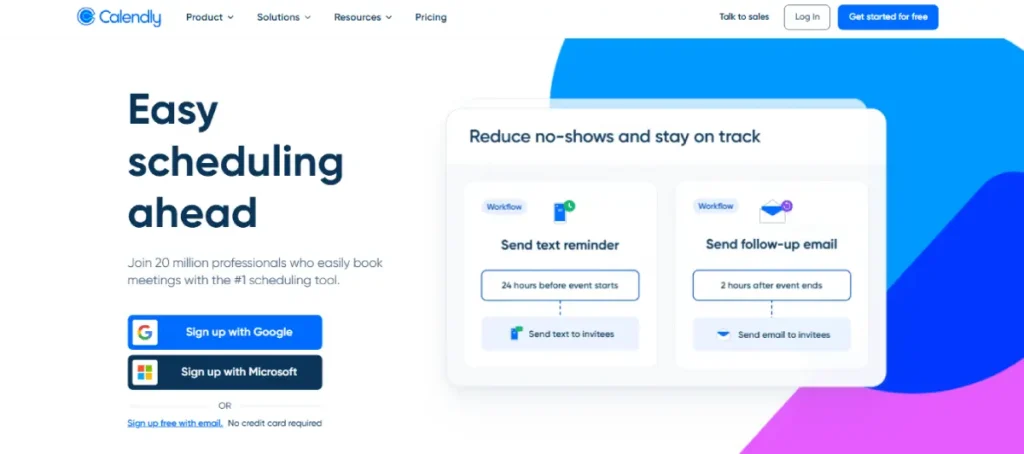
Calendly’s Routing Forms let you ask qualification questions before showing a booking calendar.
A visitor answers two or three questions (budget, project type, timeline), and Calendly routes them to the right team member’s calendar or displays a custom message if they do not match your criteria. This prevents unqualified leads from consuming available calendar slots.
Embedding Calendly on your website, link-in-bio page, or landing page turns any page into a lead capture mechanism without a traditional form.
For businesses that use a link-in-bio page as their primary conversion point, adding a Calendly booking link is one of the simplest ways to convert social media followers into real leads. See best link-in-bio tools for TikTok creators for platforms that integrate most cleanly with booking tools.
Key features
- Routing Forms that qualify leads and route them to the right team member based on their answers
- Calendar embedding for websites, landing pages, and link-in-bio pages
- Integrations with HubSpot, Salesforce, and Zapier for syncing booked meetings with your CRM
- Group scheduling, round-robin distribution, and collective meetings for team-based booking
- Confirmation emails and reminder sequences that reduce no-show rates after booking
Pros
- Routing Forms prevent unqualified leads from booking discovery calls and wasting your time
- Embedding on any page is fast and requires no developer involvement
- Connects to CRM platforms so every booked meeting creates a contact record automatically
Cons
- Calendly is not a lead generation tool in the traditional sense. It captures people already interested enough to book. You still need another tool to generate the initial interest
- Advanced routing features require Teams or Enterprise plans, which adds cost for businesses with multiple team members
Pricing
Free plan available for basic single-calendar use. Standard plan at $12 per seat per month (annual billing). Teams at $20 per seat per month.
Not for: Businesses that do not sell through calls or meetings. If your sales process happens entirely through a checkout page or an automated funnel, Calendly does not solve your lead generation problem.
Why we included this: For appointment-based businesses, Calendly turns a website visit, a TikTok bio link, or a QR code on a business card into a direct meeting booking. It is the most frictionless lead capture tool for service businesses that sell by phone or video.
Tool Ratings at a Glance
After testing all 9 tools, here is how they compare across the four criteria used in our evaluation.
| Tool | Ease of Use | Capture Effectiveness | Pricing for SMBs | Integration Ease |
|---|---|---|---|---|
| HubSpot | 4 | 4 | 5 | 5 |
| OptinMonster | 5 | 5 | 4 | 4 |
| ManyChat | 3 | 5 | 5 | 4 |
| Brevo | 5 | 4 | 5 | 4 |
| Leadpages | 5 | 5 | 3 | 4 |
| Typeform | 4 | 4 | 3 | 4 |
| TikTok Lead Gen Ads | 3 | 5 | 4 | 3 |
| Apollo.io | 3 | 4 | 4 | 4 |
| Calendly | 5 | 4 | 5 | 5 |
5 = Excellent, 4 = Good, 3 = Fair. Capture Effectiveness reflects lead volume and quality relative to setup effort. Pricing for SMBs reflects value at small business scale, not enterprise.
Using QR Codes and Link-in-Bio Pages as Lead Generation Channels
Two of the most overlooked lead generation channels for small businesses require no monthly subscription: QR codes and link-in-bio pages.
A QR code printed on a business card, event flyer, product packaging, or physical signage links directly to any lead capture form, Leadpages landing page, or Calendly booking page. The scan converts an offline interaction into a digital lead capture instantly.
QR codes for event marketing are particularly effective at trade shows, local markets, and community events where sharing a URL is impractical. For the broader business case, see benefits of QR codes for business.
A link-in-bio page functions as a focused conversion hub in your social media profile. Instead of sending followers to your homepage, a link-in-bio page presents a focused menu: book a call, join the email list, download a lead magnet, or request a quote.
For platforms that support capture forms directly inside the link-in-bio page, see linktree alternatives for options with more customization for branded capture flows.
Which Tool Stack Fits Your Situation?
| You are a… | Start with… |
|---|---|
| Local service business (gym, contractor, clinic) | TikTok Lead Gen Ads for capture + Calendly for booking |
| E-commerce brand with existing website traffic | OptinMonster for popup capture + Brevo for email follow-up |
| Coach, consultant, or agency | Typeform for qualification + Calendly for booking |
| B2B service business or SaaS startup | Apollo.io for prospecting + HubSpot free CRM for contact management |
| Social media-first brand on TikTok or Instagram | ManyChat for chat capture + Brevo for email nurture |
| Business new to lead generation with no budget | HubSpot free CRM + Brevo free plan covers capture and nurture at zero cost |
| Any business with an active offline presence | QR codes on physical materials linking to a Leadpages or HubSpot form |
For measuring how well your lead generation investment converts to revenue, tracking return on investment by comparing lead acquisition cost against average customer value gives you a clear signal on which channel to scale.
For businesses that also rely on organic search to generate leads, our Semrush review looks at its SEO, keyword research, competitor analysis, and broader marketing capabilities.
FAQs
Lead generation tools vary more than most software categories because capturing a lead looks different depending on where your audience is. These are the questions small business owners ask most often when comparing options.
What is the best free lead generation tool for small businesses?
HubSpot’s free CRM combined with Brevo’s free email plan covers the full lead generation workflow at no cost. HubSpot provides forms and contact management. Brevo handles automated follow-up emails. ManyChat also has a free plan that covers basic social chat automation for businesses primarily active on TikTok or Instagram.
Free plans are enough to validate whether a lead generation strategy works before investing in paid tools.
How many lead generation tools does a small business actually need?
Most small businesses need two to three tools, not a complex stack. A typical practical setup combines one capture tool (a form, popup, or social chatbot) with one follow-up tool (email or booking software). Adding a prospecting tool makes sense only for B2B businesses doing outbound outreach.
Buying five tools at launch is a common and expensive mistake. Start with one capture tool and one follow-up tool, then add based on a clear gap.
Do lead generation tools work for local businesses?
Yes, but the right tool depends on the business type. TikTok Lead Generation Ads with geographic targeting work well for local service businesses with a visual product or service.
Calendly embedded on a website or link-in-bio page converts local clients for appointment-based businesses. QR codes on physical materials link offline customers directly to a booking page or form.
The combination that works best for most local businesses is a TikTok Lead Gen Ad campaign with a Calendly booking page for follow-up, requiring no website.
Can I generate leads from TikTok without a website?
Yes. TikTok Lead Generation Ads capture contact information directly inside the TikTok app without requiring a website visit. ManyChat automates DM responses to comments and captures email addresses inside the conversation, also without a website.
Both methods work for businesses with no web presence. Using both together gives you coverage across paid and organic TikTok traffic with a complete capture workflow.
What is the difference between a lead capture tool and a CRM?
A lead capture tool collects contact information from a form, popup, chatbot, or ad. A CRM stores those contacts, tracks interactions, and helps manage follow-up. You need both for a complete lead generation workflow.
HubSpot is the clearest example of a platform that covers both in one tool. Most other tools in this list focus on capture and integrate with a separate CRM for contact management and follow-up tracking.
Wrapping Up
Lead generation for small businesses works best when the tool matches where your audience already is. If your customers scroll TikTok, capture them there with Lead Gen Ads or ManyChat.
If they arrive on your website, convert them with OptinMonster or HubSpot forms. If they are businesses you need to reach by email, Apollo.io finds them.
The two-tool minimum rule applies here: one tool to capture, one tool to follow up. Brevo on its free tier plus HubSpot’s free CRM builds the full workflow at zero cost, which is the right starting point before adding any paid tools.
For growing businesses ready to invest, adding Leadpages for campaign-specific capture and Calendly for appointment booking gives you a complete system covering website traffic, paid ads, social media, and offline referrals in one manageable stack.