
The TikTok LIVE sessions that sell have three things in common: one clear offer, a host who demos and pins each product while talking about it, and ads that run long enough for TikTok to find buyers. For Shop sellers, TikTok’s LIVE GMV Max best practices add a number for the stream itself: sessions of three hours or more generally grow single-session sales faster.
The ad tool behind your LIVE depends on your setup. Since July 2025, TikTok Shop sellers promote streams with LIVE GMV Max instead of LIVE Shopping Ads, per TikTok’s GMV Max migration page, while accounts without a Shop can still run LIVE Shopping Ads with a TikTok identity or pay to promote a stream from the app with Promote. The selling habits below work with all three; the ad settings section is for LIVE GMV Max.
New to TikTok Ads? Get Up to $6,000 in Matching Ad Credit

Key Takeaways
- Plan each LIVE around one offer and a short product list, and write a run of show before you go live.
- Welcome new viewers and call out the promotion again and again, since TikTok’s creative best practices point out that new people keep arriving in the LIVE room.
- Feed Video-to-LIVE with fresh videos: TikTok’s LIVE GMV Max best practices suggest 50 to 70 videos per round of testing or 5 to 10 new ones a day.
- Use only real stock counts and real deadlines when you create urgency.
Before the LIVE: Plan a Session Worth Watching
A LIVE that sells is planned like a short TV show: you know the offer, the order of products and who does what before anyone taps Go LIVE.
Pick One Offer and a Short Product List
Choose one reason to buy now, such as a LIVE-only price, a bundle or a gift with early orders, and build the whole session around it. Keep the product list short enough that each item gets a proper demo. Products that already sell well in your videos are the safest picks, because TikTok’s creative best practices say videos that perform well organically and match what’s in the LIVE room tend to convert better.
Write a Run of Show
A run of show is a simple timeline: when you welcome people, which product comes when, when you repeat the offer and when the deal closes. It keeps the host on track and makes handoffs between products smooth. A one-hour plan might look like this:
- Opening minutes: welcome viewers, state the offer, show the first product.
- Middle: one product at a time, each with a demo, the price, a pin and a clear call to buy.
- Last minutes: recap the products, restate when the offer ends, answer the questions you saved.
If you run LIVE GMV Max, plan longer sessions than this; the ad settings section below explains why.
Set Up the Host, Moderator and Gear
Give the host one job: talk, demo and sell. A moderator handles comments, pins products and passes good questions to the host. TikTok’s creative best practices call a good host key to performance and suggest testing different hosts to see who keeps viewers engaged. Before you start, test your light, microphone and internet with a short private run.
If no one on your team wants to host, a creator who already sells on LIVE can co-host or take over your account for a session. TikTok influencers explains how to find and vet creator partners.
Tell People It’s Coming
Post short videos in the days before the stream that show the product and the LIVE-only offer, and ask followers to come back at the set time. Those videos do double duty, since you can later run them as Video-to-LIVE ads. The first seconds decide whether anyone watches, and these TikTok ad hook ideas give you openers to adapt.
During the LIVE: Habits That Turn Viewers Into Buyers
Most viewers join partway through, so the host’s job is to make every new arrival understand the offer within seconds.
Welcome New Viewers and Restate the Offer
TikTok’s creative best practices advise you to always welcome new viewers, keep the content lively so people stay longer, and call out promotions constantly because new people keep entering the LIVE room. Say the offer, the price and when it ends every few minutes, in plain words.
Demo, Pin, Repeat
Pin products as you demo them. The pinned product card should always match what the host is holding, so a viewer who taps it lands on the right item. Show the product doing its job: apply the cream, wear the jacket, plug in the gadget. Then repeat the call to buy and move on.
Answer Questions Out Loud
Read real questions aloud and answer them on camera: sizing, ingredients, shipping, how to use it. Each answer helps the person who asked and everyone who wondered the same thing. The moderator can answer simple questions in the chat and send the best ones to the host.
Keep Urgency Honest
A countdown to the end of a LIVE-only price works because it’s true. Fake stock counts, or a deal that “ends now” every ten minutes, wear down trust, and buyers who feel tricked don’t come back for the next stream. Quote only stock numbers you can see and end times you will keep. Honest urgency is the useful side of FOMO marketing.
LIVE GMV Max Settings TikTok Recommends
If you sell through TikTok Shop, your LIVE ads run on LIVE GMV Max. Setup, costs, reporting and U.S. availability are covered in TikTok LIVE Shopping Ads: What Replaced Them and How to Run LIVE GMV Max. Here is the short version of TikTok’s LIVE GMV Max best practices as it affects your streams:
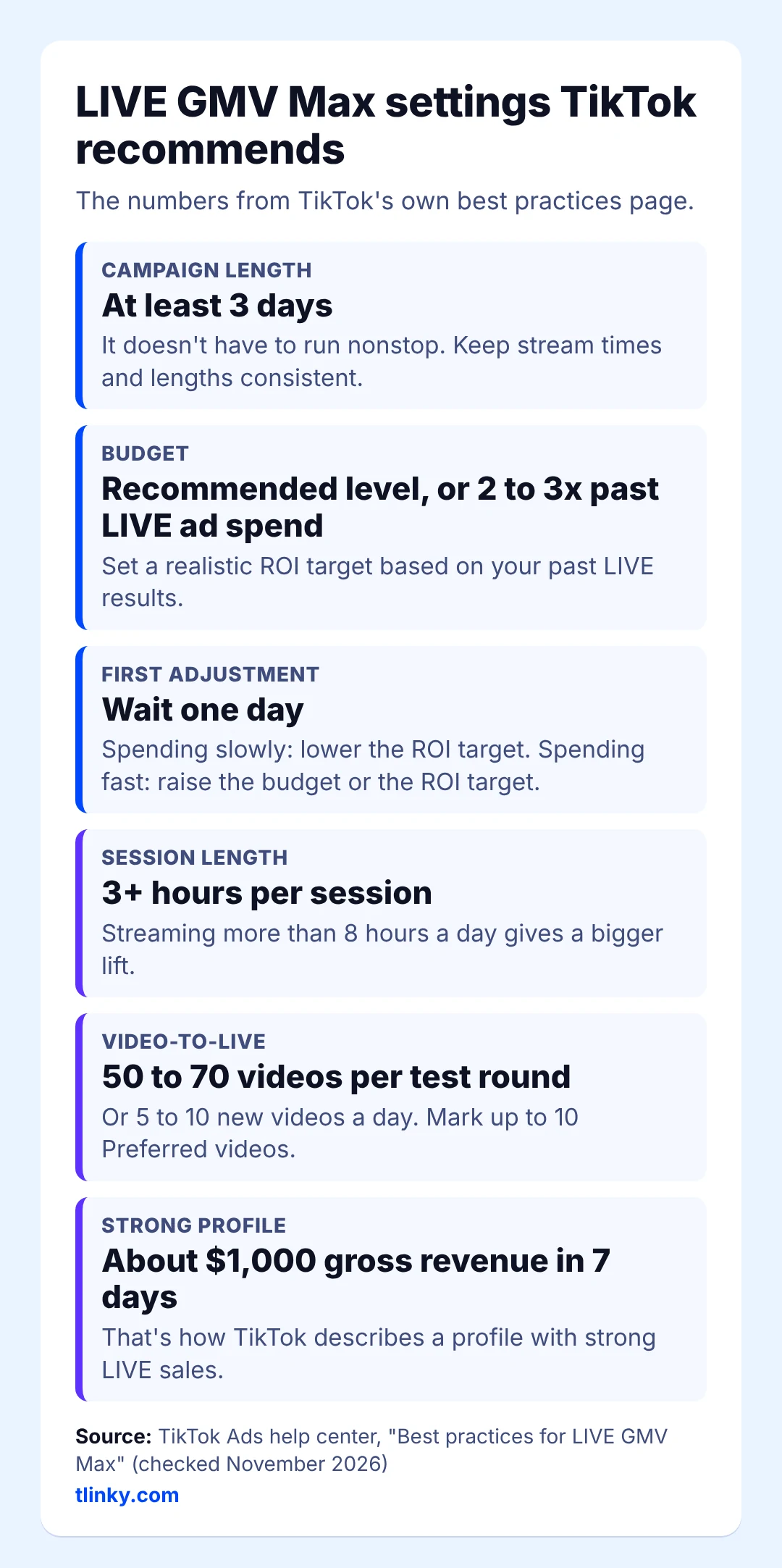
- Run the campaign for at least three days, with the same stream times and lengths each day. Sessions of three hours or more generally grow single-session sales faster, and streaming more than eight hours a day gives a bigger lift, which suits brands with hosts working in shifts.
- Start the budget at TikTok’s recommended level or two to three times what your past LIVE ads spent, and run the campaign on a profile with strong LIVE sales, about $1,000 in gross revenue over the last seven days.
- Give it a day before you change the ROI target.
Keep Videos Coming for Video-to-LIVE
Video-to-LIVE uses your account’s videos to pull viewers into the stream, so it needs a steady supply. TikTok’s guidance is 50 to 70 videos for each round of testing, or 5 to 10 new videos a day, with clear calls to action, short runtimes and the LIVE offer or hero product up front. You can mark up to 10 Preferred videos that fit the coming stream, and update that pick before each LIVE.
If you can’t film that much, TikTok’s Auto Remix can help: it pulls the best moments from your streams, or builds new videos from your existing ones and product details, generating each short creative in around 25 seconds. Those videos run as ads only, without showing on your public profile.
If You Don’t Have a TikTok Shop
Creators and businesses without a Shop can’t use LIVE GMV Max, but they still have two paid options.
LIVE Shopping Ads with a TikTok identity are still available in Ads Manager. TikTok’s audience best practices for LIVE Shopping Ads still make sense here: keep age targeting at 18+, keep the audience broad, and if you use audiences based on past activity, add a separate broader ad group, since those audiences can be too narrow for a short stream. Schedule the ad to match your LIVE so it runs while you’re on air.
If you’d rather pay from your phone, Promote has a Boost LIVE goal that sends more viewers to a stream while it runs.
After the LIVE: Turn the Session Into Next Week’s Ads
After the LIVE ends, its best moments can keep selling as next week’s ads.
- Clip the moments that sold: a clear demo, a good answer to a common question, the offer explained well. Post them as regular videos so they feed Video-to-LIVE next time, and push the strongest ones further with TikTok Spark Ads.
- Check the results in Seller Center against your ROI target, and note which products, hosts and time slots brought the most sales.
- Ship orders quickly, so buyers from this LIVE come back for the next one.
- Book the next session in the same time slot, so regular viewers know when to return.
Mistakes That Waste LIVE Ad Spend
- Going live with no plan. A stream with no offer and no run of show gives the ads nothing to sell.
- Bad audio or a weak connection. Viewers leave a LIVE they can’t hear or that keeps freezing.
- Ignoring the chat. An unanswered question is often a lost sale.
Checklist: Before, During and After Your LIVE
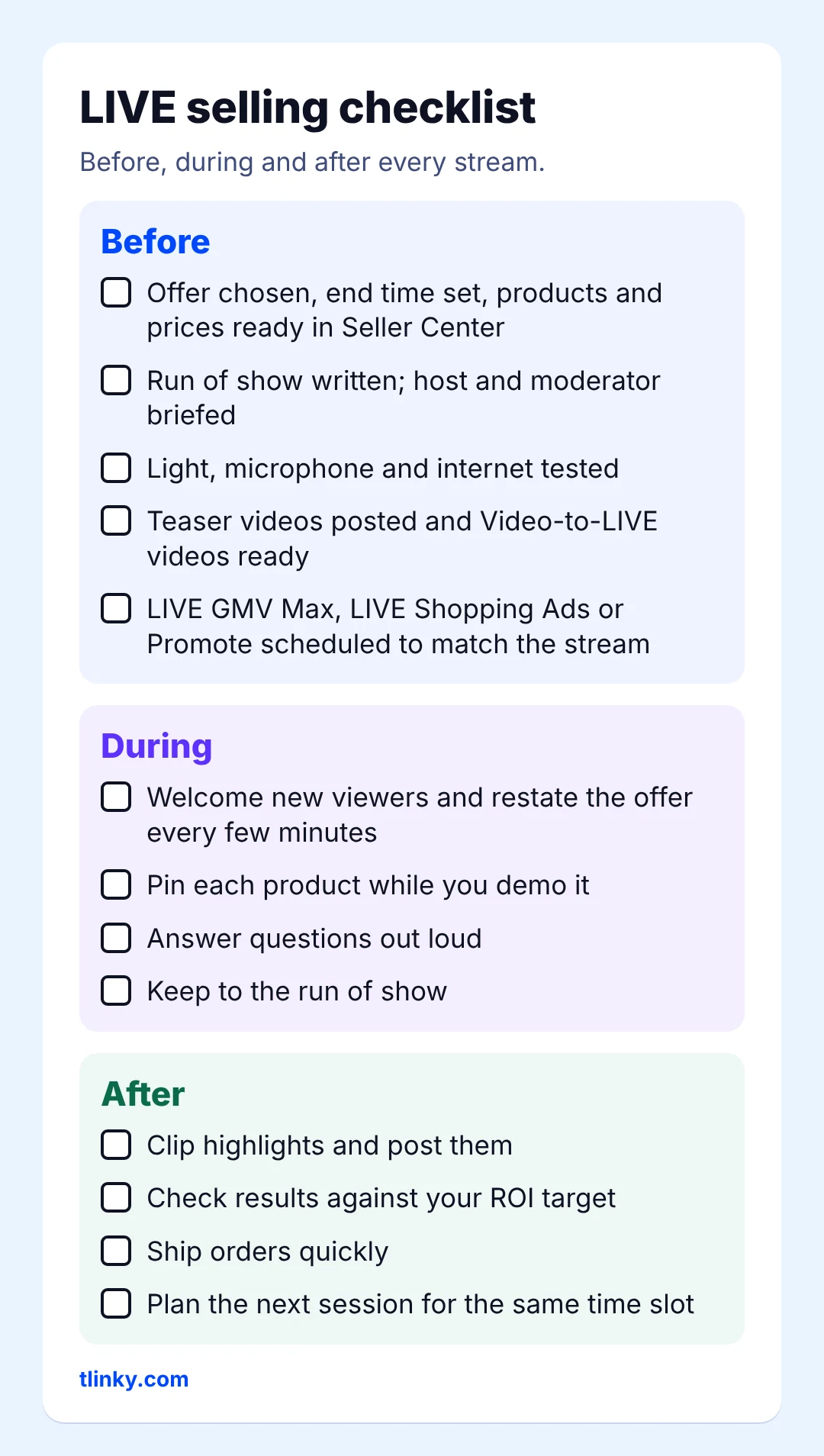
Before
- Offer chosen, end time set, products and prices ready in Seller Center
- Run of show written; host and moderator briefed
- Light, microphone and internet tested
- Teaser videos posted and Video-to-LIVE videos ready
- LIVE GMV Max, LIVE Shopping Ads or Promote scheduled to match the stream
During
- Welcome new viewers and restate the offer every few minutes
- Pin each product while you demo it
- Answer questions out loud
- Keep to the run of show
After
- Clip highlights and post them
- Check results against your ROI target
- Ship orders quickly
- Plan the next session for the same time slot
Related guides:
TikTok Ad Credit: How to Claim Up to $6,000 Free
How to Go Live on TikTok: Setup Guide and Tips
How to Optimize TikTok Shop Ads: 9 Tips to Boost Sales
Frequently Asked Questions (FAQ)
How long should a TikTok LIVE shopping session be?
There is no single rule, but for LIVE GMV Max, TikTok’s best practices say sessions of three hours or more generally grow single-session sales faster. Shorter streams can still sell when the offer is clear; keep your times consistent so viewers know when to come back.
How many products should I pin during a LIVE?
Pin the product you are showing right now, so the card always matches what’s on screen. TikTok doesn’t publish a set number, and a short list where each item gets a full demo is easier to sell than a long one.
Do I need a moderator for TikTok LIVE selling?
A moderator isn’t required, but one helps a lot once comments pick up. The moderator answers simple questions, pins products and passes the best questions to the host, so the host can keep selling.