
QuillBot started as a paraphrasing tool, but its 2026 pitch is closer to a full AI writing assistant.
The paraphraser, grammar checker, summarizer, and AI Detector all now live under one QuillBot account, with fuller limits on Premium.
The part worth checking before you rely on it is the AI Detector itself.
QuillBot reports a 99 percent detection rate based on independent evaluations from the RAID benchmark, and it does flag specific sentences rather than only scoring the whole document.
The real limit is false positives on formulaic or heavily paraphrased writing, which QuillBot’s own documentation acknowledges directly.
This breakdown covers what QuillBot Premium actually costs, what each tool does, and exactly where the AI Detector’s real limits show up in practice.
Creators publishing AI-assisted scripts or captions can pair this with our best AI writing tools for content creators roundup.
That roundup shows how QuillBot stacks up against the rest of the category.
Is QuillBot’s AI Detector Reliable?
Mostly. QuillBot’s AI Detector sorts text into three categories, not a single score: AI-generated, Human-written and AI-refined, and Human-written. It also flags specific sentences rather than just an overall percentage. QuillBot reports a 99 percent detection rate per the RAID benchmark. The real risk is false positives on formulaic or heavily paraphrased writing, which QuillBot’s own documentation acknowledges. Premium costs $4.17 a month billed annually and bundles the paraphraser, grammar checker, summarizer, and 6 other tools. A genuine free plan exists with reduced limits.
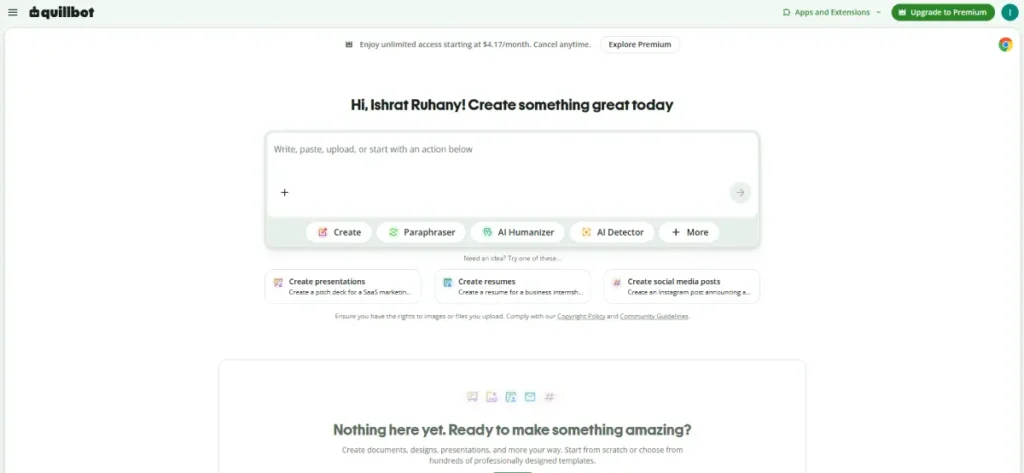
QuillBot Pricing: What Premium Actually Includes
QuillBot’s Free plan costs nothing and stays free indefinitely, not a time-limited trial, confirmed directly on QuillBot’s own pricing page.
Free gives you 125 words per paraphrase in 2 modes, plus basic grammar fixes and summaries up to 1,200 words.
The Humanizer on Free caps at 125 words and 6 uses a day.
The AI Detector on Free allows up to 6 scans a day at 1,200 words per scan, with only 1 free explainer card per scan.
Premium costs $4.17 a month when billed annually, the only rate QuillBot’s pricing page displays by default.
Premium unlocks unlimited paraphrasing across 9 modes plus unlimited custom modes, along with full AI Detector and Humanizer access.
On the AI Detector specifically, Premium removes the word limit and daily scan cap and unlocks unlimited explainer cards across the full text, rather than just one per scan.
Premium also raises summaries to 6,000 words and adds plagiarism checking up to 25,000 words a month.
A separate Team plan adds usage metrics, a user management dashboard, and centralized billing, with a volume discount available starting at 5 members.
Agencies managing multiple client accounts can compare that setup against our best website builders for small businesses roundup for tracking client sites alongside content production.
Payment runs through a credit or debit card, or PayPal, and a Premium subscription can be paused rather than canceled during a break, according to QuillBot’s own FAQ.
Key Features
QuillBot’s own sidebar now lists ten tools: Paraphraser, Grammar Checker, AI Detector, Plagiarism Checker, and AI Humanizer.
The rest are AI Chat, AI Image Generator, Translate, a citation generator, and a Docs workspace.
The paraphraser and AI Detector still do most of the heavy lifting for content creators. QuillBot has clearly expanded past a paraphrasing tool.
Paraphraser
The paraphraser rewrites a sentence or paragraph across 9 built-in modes on Premium: Standard, Fluency, Humanize, Formal, Academic, Simple, Creative, Expand, and Shorten. A separate Custom tab sits alongside them.
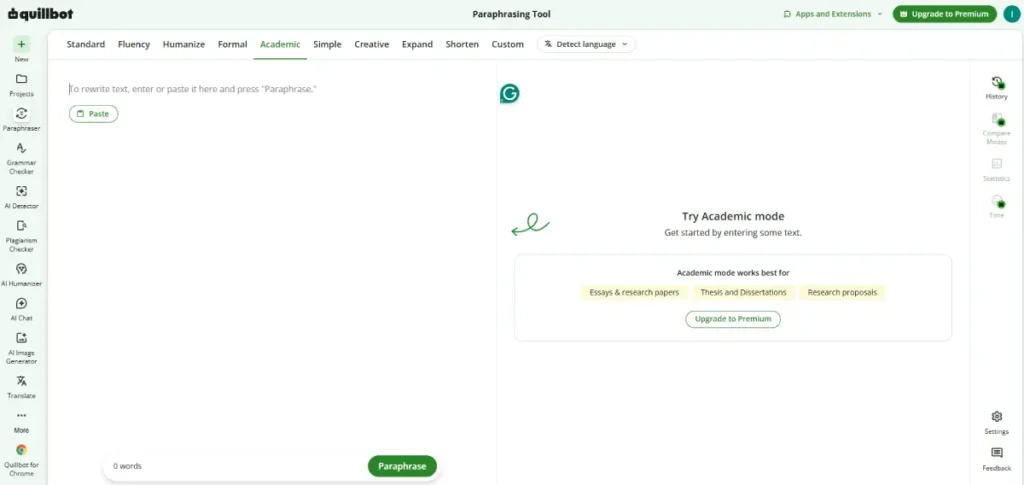
Free is limited to 2 of those modes (Standard and Fluency). Premium also allows unlimited custom modes and full paraphraser history, letting you compare earlier rewrites side by side.
AI Detector
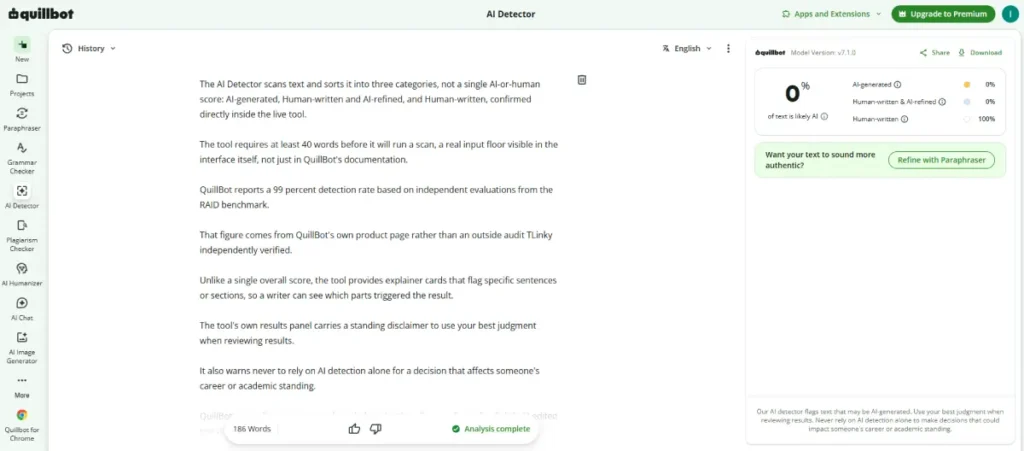
The AI Detector scans text and sorts it into three categories, not a single AI-or-human score: AI-generated, Human-written and AI-refined, and Human-written, confirmed directly inside the live tool.
The tool requires at least 40 words before it will run a scan, a real input floor visible in the interface itself, not just in QuillBot’s documentation.
QuillBot reports a 99 percent detection rate based on independent evaluations from the RAID benchmark.
That figure comes from QuillBot’s own product page rather than an outside audit TLinky independently verified.
Unlike a single overall score, the tool provides explainer cards that flag specific sentences or sections, so a writer can see which parts triggered the result.
The tool’s own results panel carries a standing disclaimer to use your best judgment when reviewing results.
It also warns never to rely on AI detection alone for a decision that affects someone’s career or academic standing.
QuillBot’s own documentation acknowledges that heavily paraphrased or lightly AI-edited text is harder for any detector to catch.
It also notes that formulaic human writing, such as legal copy or academic definitions, can score higher than expected.
AI Humanizer
The Humanizer rewrites AI-generated text to read more naturally, across 4 tone options confirmed in the tool: Standard, Academic, Professional, and Casual.
Free caps the tool at 125 words and 6 uses a day, with full access and usage history on Premium.
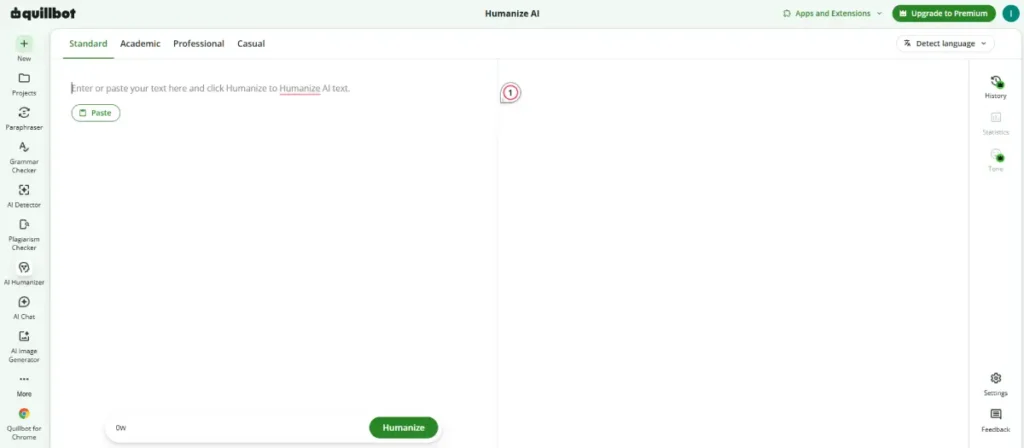
This tool works on the input text itself, not on the AI Detector’s own scoring.
Running text through the Humanizer does not tell you how the Detector would score the result afterward.
AI Image Generator
QuillBot added a free AI image generator that turns a text prompt into an image, with Style and Aspect Ratio dropdowns both set to Auto by default.
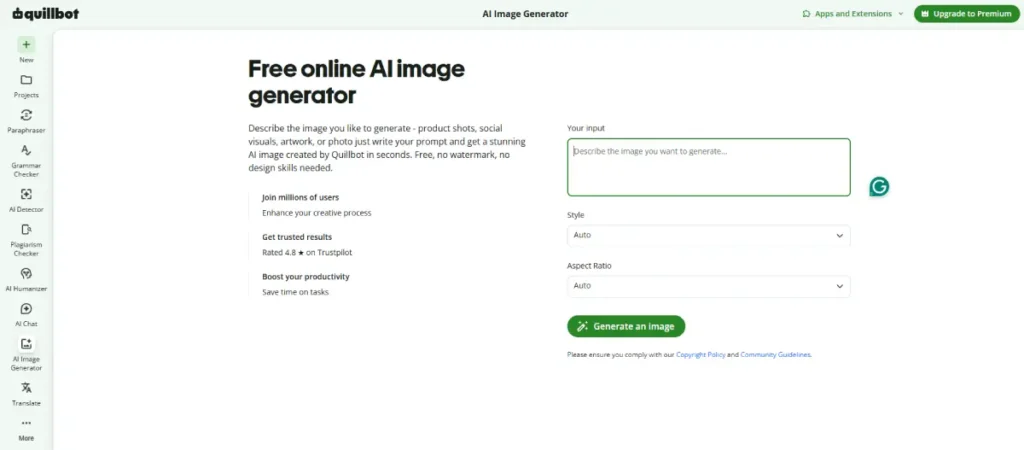
The tool’s own description promises no watermark and no design skills needed, and generation is available without a Premium subscription.
AI Chat and Docs Workspace
A newer AI Chat tool and a full Docs-style workspace sit alongside the writing tools, both confirmed live in the account sidebar.
The Docs workspace includes a Suggest Outline and First Draft option, plus a side panel for Research, Sources, Notes, AI Review, and the Plagiarism Checker.
That combination positions QuillBot closer to a full writing workspace than a single paraphrasing tool.
Grammar Checker
The grammar checker fixes basic errors on every plan, with Premium adding advanced writing suggestions, tone insights, and grammar correction across 6 languages.
Plagiarism Checker
Premium includes plagiarism checking up to 25,000 words a month, confirmed on the plan comparison table, with no plagiarism checking included on the Free plan.
Summarizer and Translation
The summarizer condenses text up to 1,200 words on Free and up to 6,000 words on Premium.
Premium also unlocks translation into more than 40 languages, compared to a more limited translation option on Free.
Creators summarizing long-form content for a bio page can check our tips for building a link in bio page guide for where a shortened summary fits best.
Citation Generator and Integrations
A built-in citation generator creates references in common academic formats.
QuillBot also ships browser extensions plus a Word add-in, a macOS app, and Android and iOS keyboard apps for Premium users.
Who Should Use QuillBot
Students and content creators who need fast paraphrasing, grammar checking, and citation generation in one subscription get real value from bundling those tools instead of paying for three separate ones.
Creators tracking affiliate links inside rewritten content can pair QuillBot with our URL shortener for affiliate marketing guide to see which version of a post drives more clicks.
Creators who want a first-pass AI check before publishing can use the AI Detector’s sentence-level explainer cards to see exactly which passages need a rewrite.
Treat a clean result as a strong signal, not an absolute guarantee, since QuillBot’s own documentation says no detector reaches 100 percent accuracy.
Anyone repurposing scripts across platforms can pair QuillBot’s paraphraser with our best social media scheduling tools roundup to plan where the rewritten content gets posted next.
Creators who also need on-brand visuals or a longer draft workspace get real added value here too.
The free AI Image Generator and the Docs workspace both come with the same account.
Who Should Skip QuillBot
Skip using QuillBot’s AI Detector as your only check before a strict academic or editorial decision, per the tool’s own results-panel disclaimer.
Writers submitting formulaic content, such as legal boilerplate, academic definitions, or structured templates, should expect a higher false-positive risk on those specific passages, per QuillBot’s own accuracy documentation.
Teams already running a dedicated plagiarism or AI-detection tool may find QuillBot’s bundled versions redundant rather than an upgrade.
Creators building a bio page to house AI-assisted content links can check our best link in bio tools for TikTok creators roundup for where to route that traffic.
Sellers building out a content calendar around AI-assisted drafts can check our best email marketing tools for small businesses roundup.
That roundup shows how detection and review fits into a larger publishing workflow.
Pros
- The Free plan is genuinely free indefinitely, not a time-limited trial, so testing the paraphraser and grammar checker costs nothing.
- Premium bundles ten writing tools into one $4.17-a-month subscription instead of paying for separate paraphrasing, grammar, and plagiarism tools.
- The AI Detector sorts text into three categories and flags specific sentences through explainer cards, instead of returning only a single overall score.
Cons
- Free-plan explainer cards are capped at 1 per scan, so a flagged document needs Premium to see every suspect passage explained.
- Formulaic or heavily paraphrased writing carries a higher false-positive risk, by QuillBot’s own admission, which matters most for academic and legal content.
Frequently Asked Questions
These are the questions writers ask most before relying on QuillBot.
How accurate is QuillBot’s AI Detector?
QuillBot reports a 99 percent detection rate based on independent evaluations from the RAID benchmark, according to its own AI Detector documentation.
That figure is QuillBot’s own reported number, sourced to a named third-party benchmark, not a result TLinky independently reproduced.
QuillBot’s own documentation also states that no AI detector reaches 100 percent accuracy, and that heavily paraphrased or lightly AI-edited text is harder for any checker to catch.
Treat a clean scan as a strong signal rather than a final verdict.
Does QuillBot’s AI Detector flag human writing by mistake?
Yes, false positives can happen, and QuillBot’s own three-way output makes the risk visible: text can land as AI-generated, Human-written and AI-refined, or Human-written, not just a flat AI-or-human call.
Formulaic human writing, such as academic definitions, legal copy, and structured templates, can score higher than expected for AI likelihood, according to QuillBot’s accuracy notes.
QuillBot says its model is designed to lean toward classifying unclear text as human-written specifically to reduce false positives.
The risk is not zero, which is why the company’s own tool advises against relying on any single detector score for academic or employment decisions.
Does QuillBot have a genuinely free plan?
Yes, QuillBot’s Free plan costs $0 a month indefinitely, not a time-limited trial, confirmed directly on QuillBot’s own pricing page.
Free access comes with real limits: 125 words per paraphrase, 2 paraphrasing modes, and a capped AI Detector, Humanizer, and summarizer.
Premium removes those word and mode caps and adds full plagiarism checking, translation, and detector access for $4.17 a month billed annually.
Can QuillBot’s Humanizer help text pass its own AI Detector?
QuillBot does not publish a claim connecting the two tools together, and no independent test confirms that Humanized text reliably scores lower on the AI Detector.
The Humanizer rewrites AI-generated phrasing to sound more natural, but that is a separate function from how the Detector scores a finished piece of text.
Treat the two tools as independent rather than assuming one guarantees a result on the other.
Creators repurposing content across Instagram and TikTok can check our link in bio for Instagram guide for routing rewritten posts to the right landing page.
What does QuillBot Premium cost per month?
QuillBot Premium costs $4.17 a month when billed annually, the rate shown by default on QuillBot’s own pricing page.
That single annual rate is the only figure confirmed directly on the page.
Monthly and semi-annual billing options exist but should be checked at signup, since third-party sites list different figures for those terms.
The Bottom Line
QuillBot has grown from a paraphraser into a 10-tool writing account, and the $4.17-a-month Premium bundle covers all of it, with a genuinely free plan to test first.
The AI Detector is the tool to understand before you lean on it.
It sorts text into three categories rather than a single AI-or-human verdict: AI-generated, Human-written and AI-refined, and Human-written.
QuillBot reports strong accuracy against its own RAID benchmark and does flag specific sentences within that three-way result.
Creators who need a final word for a client or an editor should treat a clean QuillBot scan as a strong signal, not an absolute guarantee.
Verify anything borderline, especially formulaic or heavily edited passages, with a second review before publishing.
Anyone building a broader content workflow around AI-assisted drafts can check our best lead generation tools for small businesses roundup.
That roundup covers tracking which pieces still need a human review pass before they go into a campaign.
Writers publishing rewritten scripts across platforms can route traffic back to the source with TLinky’s own URL shortener to compare click-through by version.
Sources