
A QR code on product packaging sends a shopper’s phone to a page about that product, such as instructions, ingredients, a reorder page or warranty registration. To make it work, link to a page built for phones, print the code with a white border, and check whether your retailers also want a GS1 2D barcode, because GS1 US is moving retail checkout from UPC barcodes to 2D codes under Sunrise 2027.
Unlock the Power of QR Codes! with 14+ different types of QR codes!
Elevate your marketing game with TLinky’s QR Code Generator. Create dynamic, eye-catching QR codes in seconds.

What a QR code on packaging can link to
A packaging QR code works best when it opens one useful page that the box has no room for. What that page is depends on the product:
- Food and drinks: recipes, the full ingredient and allergen list, or serving ideas. Our test code pointed to a how-to page for a cold brew kit.
- Cosmetics and personal care: how to apply the product and the complete ingredient list.
- Electronics and small appliances: the manual, a setup video and warranty registration.
- Clothing and shoes: care instructions and the size guide.
- Anything people buy again: a reorder or subscription page.
Put a short line next to the code that says what the scan opens, such as “Scan for the setup video”. Place the codes where they are easily accessible to consumers, like the back or side panel next to the instructions, not under a flap or on a seam.
One limit to know before you promise it: a plain QR code can be copied like any other printed image. It can send people to a product registration page, but it does not prove the item in their hands is genuine.
Shorten, Track and Share Your Links in One Place
TLinky gives you a URL shortener, QR code generator, Link in Bio pages and click analytics in one account. Free to start.
Marketing QR code or GS1 2D barcode: which one your pack needs
A marketing QR code and a GS1 2D barcode do different jobs. A marketing code only opens your page. A GS1 code also carries the product number that a store’s register reads at checkout.
GS1 US describes Sunrise 2027 as the retail move from 1D UPC barcodes to 2D barcodes like QR codes, so point-of-sale systems can read them. The same GS1 US page says brands do not have to use every 2D feature by that date, and it asks brands to update existing QR codes to GS1 Digital Link with their GTIN. GS1 US also notes that the UPC isn’t going away, and shoppers might see both a 2D barcode and a UPC on one package during the transition. The shift matters most to consumer packaged goods brands that sell through retail checkouts.
GS1 Digital Link is the standard that joins the two jobs. As GS1 Sweden explains, it encodes GS1 identifiers such as the GTIN into a web address, so a QR code with GS1 Digital Link gives anyone a URL to scan while still carrying the product number.
What this means for a small brand:
- You sell direct, online or at markets: a marketing QR code on the pack is enough.
- You sell through retailers: ask each retailer which barcode they need, and talk to GS1 US before you design a code that replaces anything on the pack.
How to make a QR code for your packaging for free
You can make a print-ready packaging QR code in the TLinky free QR code generator with the Text tab and your brand color. The first five steps are what we did in our test.
- Open the free QR code generator and stay on the Text tab.
- Paste the full address of your product page.
- Open Customize QR and set the Pattern Color to a dark brand color. We used navy (#1f3a5f) on a white background.
- Click Generate QR code, then Download.
- Choose SVG for the printer. The PNG and JPG files are 256 x 256 px, which is fine for a proof but small for print.
- Add a white margin around the code before it goes into the artwork, because the downloaded file has none.
- Scan the printed proof, not just the screen.
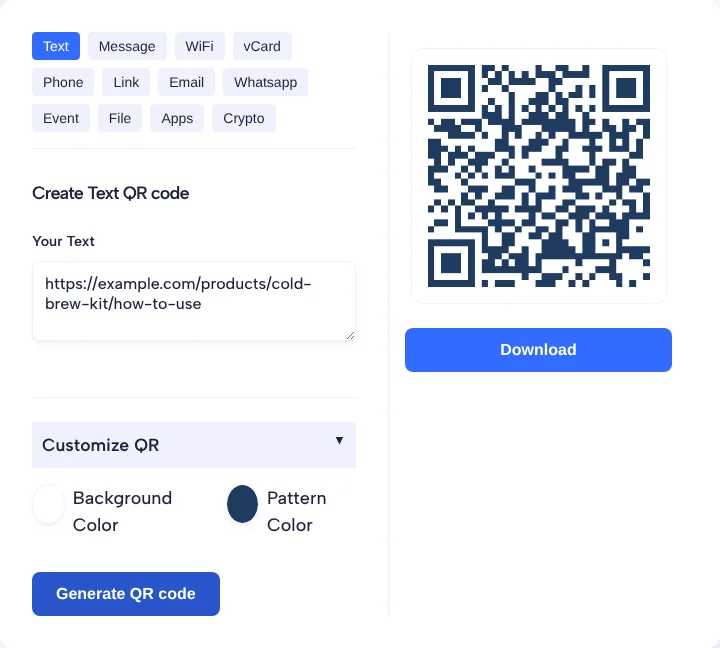
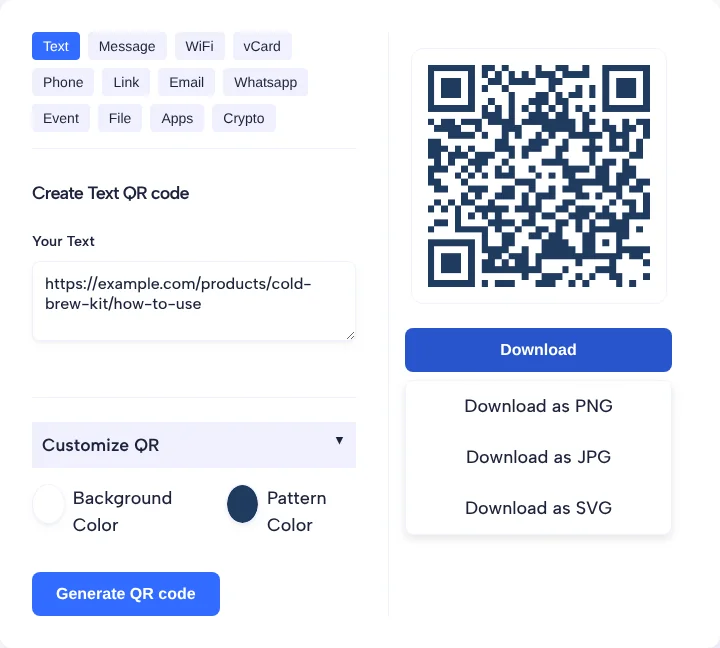
In our test with an image decoder on Nov 4, 2026, the navy code (contrast about 11.5:1 against white) did not decode as downloaded. With a white margin added, it decoded back to the exact link at 256, 128 and 76 px. The free page has no logo upload; a logo or an editable link needs the TLinky app.
Unlock the Power of QR Codes! with 14+ different types of QR codes!
Elevate your marketing game with TLinky’s QR Code Generator. Create dynamic, eye-catching QR codes in seconds.
Size, contrast and placement rules for printed packs
The code needs a blank margin, enough size for its data, and a dark pattern on a light background. Most of these rules come from Denso Wave, which released the QR code in 1994.
- Margin: Denso Wave’s guide to QR code size and margin says a QR code needs a quiet zone four modules wide on every side, where nothing is printed. Keep text, panel edges and graphics out of it.
- Size: in Denso Wave’s worked example, 50 alphanumeric characters at error correction level M need Version 3 (29 modules); at 400 dpi with 4 dots per module the code is 7.366 mm, or 9.398 mm with its margin. Fewer characters need fewer modules, so a short link lets you print smaller.
- Data: Denso Wave’s versions page explains that codes run from Version 1 (21 x 21 modules) to Version 40 (177 x 177 modules), and more data means more modules. A short product URL keeps the code simple.
- Dirt and wear: Denso Wave says on its error correction page that Level Q or H may be selected where codes get dirty. Our free generator has no setting for this, so on packs that get wet or scuffed, keep the link short and place the code on a protected panel.
- Contrast: use a dark pattern on a light background, like our navy on white.
- Placement: put the code on a flat area. Curves, folds and seams bend the modules.
Static or dynamic QR code for packaging
A static code is fixed once printed; a dynamic code lets you change where it points. On packaging that choice matters, because a print run can sit on shelves for a long time.
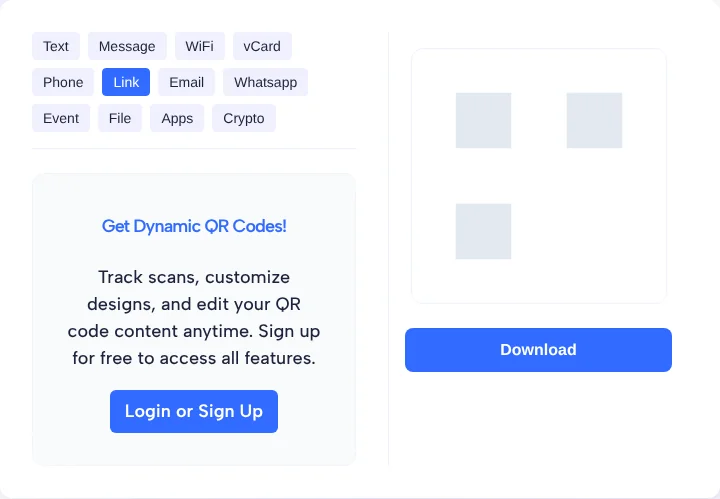
A static code from the free generator holds your link itself. If you later move or delete that page, every printed box points to a dead link. A dynamic QR code holds a short link that you can edit. In the TLinky generator, the Link tab opens a Get Dynamic QR Codes panel that offers to “track scans, customize designs, and edit your QR code content anytime” and asks you to sign up. The TLinky Free plan covers 5 QR codes and the Starter plan covers 50, as listed on the pricing page.
If you stay with a static code, you can still measure visits. Google Analytics Help says to always use utm_source, utm_medium and utm_campaign when you add campaign parameters to a URL, and its Campaign URL Builder adds them for you. Tag the product link with them before you make the code, and the visits show up as packaging traffic in your reports.
Unlock the Power of QR Codes! with 14+ different types of QR codes!
Elevate your marketing game with TLinky’s QR Code Generator. Create dynamic, eye-catching QR codes in seconds.
Frequently asked questions
Can a QR code replace the barcode on my packaging?
Not on its own, if you sell through retailers. A plain marketing QR code does not carry your GTIN for the register. GS1 US is moving retail toward 2D barcodes, and a QR code built with GS1 Digital Link can carry the GTIN, but ask your retailers what they accept before you drop the UPC.
What size should a QR code be on a package?
There is no single size, because it depends on how much the code holds and how it is printed. Use Denso Wave’s method: modules times module size, plus a four-module blank margin. A short product link keeps the module count low, then print a proof at the planned size and scan it.
Should a packaging QR code be static or dynamic?
Use a dynamic code if the page behind it might move or change while the packs are still on shelves, because you can edit where it points after printing. A static code is fine when the link will stay live for the whole life of the product, such as a permanent manual page.
What should a product packaging QR code link to?
Link to one page that helps after purchase and does not fit on the box: instructions, a setup video, the full ingredient list, a size guide, warranty registration or a reorder page. Make sure the page loads well on a phone and say next to the code what the scan opens.
Does a QR code on packaging prove a product is genuine?
No. A plain QR code can be copied like any printed image, so a scan only shows that someone printed that code. It can send buyers to a registration or support page, but it should not be presented as proof that the product in their hands is authentic.