
Pippit AI used to market itself almost entirely as a TikTok Shop and eCommerce video tool built by the CapCut team.
That framing has quietly changed.
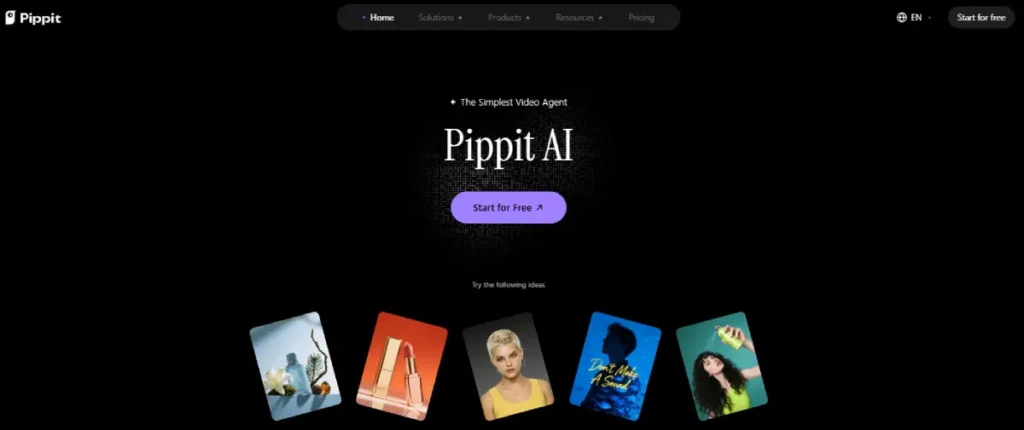
The live product today calls itself a general creative agent, built around a Video Agent, an Image Agent, and Digital Avatars.
Those tools run on models like Seedance 2.5, Veo 3.1, and Nano Banana Pro.
eCommerce and TikTok Shop integrations still exist, but they now sit as one use case among several, not the headline.
This review covers what Pippit actually does today, the real credit math behind each paid tier, and where the free plan runs out fast.
Pippit bundles video generation, image generation, avatars, and direct publishing in one subscription, where tools like Runway and Pika focus mainly on video generation alone.
The best AI video generator tools roundup covers that wider comparison in full.
Is Pippit AI Worth It?
Pippit AI is worth it if you need fast AI video, image, or avatar generation and can work within its credit system. The Starter plan costs $120 a year, discounted from $200, and includes 2,100 credits a month. A short AI video can use several hundred credits, so heavy video users often outgrow Starter within a few projects a month.
What Pippit AI Actually Is Now
Pippit AI launched as CapCut Commerce Pro before ByteDance officially rebranded it as Pippit on August 26, 2025.
It carries over the same editing engine that powers CapCut itself.
The eCommerce framing from that earlier product still shows up in older reviews and in some of Pippit’s own marketing copy.
The current homepage leads with three tools instead: a Video Agent, an Image Agent, and Digital Avatars, covered in detail in the Key Features section below.
Anyone researching Pippit AI for a TikTok Shop workflow specifically should know the product itself no longer positions that as its main use case, even though the feature still exists.
Key Features
Pippit groups its tools into six areas: video generation, image generation, avatars, model access, publishing, and licensed assets. Each one covers a distinct part of the content workflow.
Video Agent
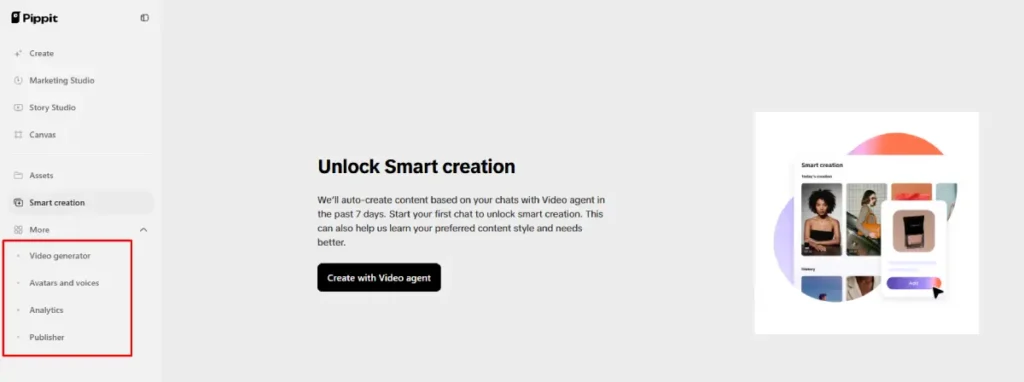
The Video Agent accepts a text prompt, a product link, an uploaded image, or an existing video clip, then generates a new video built around it.
You can set the aspect ratio and duration before generating.
A Reference Video option lets you point at a trending clip’s structure and pacing without copying its actual footage, then apply that structure to your own content.
Feeding it a strong opening script matters here.
Pairing this with one of the best AI writing tools for content creators can sharpen the prompt before Pippit turns it into video.
Image Agent
The Image Agent generates product photos, social posts, and marketing images from a text prompt or an uploaded reference image.
It supports batch editing, background removal, and multiple output styles in one pass.
This is the part of Pippit closest to its original eCommerce pitch: turning one product photo into several ready-to-post variations.
That saves a separate trip to a tool from the best graphic design tools for social media list for basic product image work.
Digital Avatars
Pippit offers a library of prebuilt AI avatars with synced voice, plus a custom avatar option built from your own photo or short video.
The free plan includes three photo avatars that support voice generation in over 30 languages, confirmed on Pippit’s own pricing page.
Paid tiers unlock a set number of customizable video avatars per year, ranging from one on Starter to ten on Pro.
Multi-Model Access
Paid plans unlock access to a stack of underlying AI models, including Seedance 2.5, Seedream, Veo 3.1, and Nano Banana Pro.
That means you are not locked into one house model for every generation inside a single subscription.
Which model a given output actually uses depends on the tool and settings selected. More advanced models generally cost more credits per generation.
Publishing and Analytics
Pippit includes scheduling and direct publishing to TikTok, Facebook, and Instagram, along with a post-performance overview once accounts are connected.
That means a finished video can go from generation to a live post without exporting the file and uploading it manually to each platform.
Anyone who only needs the scheduling calendar, not the video generation, can compare dedicated options in our best social media scheduling tools roundup.
Commercial Asset Library
Paid tiers include access to templates and creative assets cleared for commercial use, plus some free assets available on every tier.
For sellers who need production-ready marketing material fast, this removes one licensing question that generic stock libraries do not answer clearly.
Pippit AI Pricing, Verified
Pippit’s pricing runs on a subscription-plus-credits model, confirmed directly on its official pricing page.
All four tiers are billed annually below at the current promotional rate. A monthly billing option also exists on every paid tier at a higher effective rate.
| Free | Starter | Plus | Pro | |
|---|---|---|---|---|
| Annual Price | $0 | $120/year (from $200) | $360/year (from $600) | $1,800/year (from $3,000) |
| Effective Monthly | $0 | $10 | $30 | $150 |
| Credits per Month | Daily free credits | 2,100 | 6,700 | 35,500 |
| Video Avatars | 0 customizable (3 free photo avatars) | 1 customizable | 3 customizable | 10 customizable |
| Storage | Not listed | 500 GB | 500 GB | Unlimited |
| Watermark Removal | No | Yes | Yes | Yes |
| 4K Upscaling | No | Yes | Yes | Yes |
The Free plan requires no credit card and includes daily free credits, Video Agent and Image Agent access, and three free photo avatars.
Some individual features consume credits even on the Free tier, since avatar video generation and certain export options are not fully unlimited.
Pro is the only tier that adds early access to new features in beta, on top of unlimited storage.
Check the live pricing page for the current monthly billing figure before subscribing, since Pippit adjusts its promotional annual discounts periodically.
The Real Credit Math
A single short AI-generated video using an advanced model can cost several hundred credits, which matters more than the total credits your plan includes.
Higher-resolution or longer clips cost more credits than short, simple ones.
At 2,100 credits a month, Starter effectively covers a handful of finished videos, not dozens.
Sellers planning to batch-produce daily TikTok Shop content should model this against Plus or Pro before committing to the cheaper tier.
Credits do not roll over indefinitely under Pippit’s stated terms. Unused credits in a light month do not necessarily bank against a heavier one later.
Confirm current rollover terms on the pricing page’s FAQ section before relying on saved credits.
Pros
- Multi-model access lets you choose between Seedance, Veo 3.1, and other models inside one subscription instead of paying for each separately.
- The Video Agent handles prompt writing, editing, and voice generation in one pass, which cuts real production time for short-form content.
- Built-in scheduling and direct publishing to TikTok, Facebook, and Instagram remove a manual export-and-upload step.
Cons
- Credit consumption for video generation is not published as a fixed rate per output, so actual monthly capacity is harder to estimate than a flat generation-count plan.
- The product’s own positioning has shifted from eCommerce-first to general creative agent, so buyers coming from older reviews may expect a narrower, more TikTok Shop-specific tool than what ships today.
Who Pippit AI Is For
Pippit AI fits content creators and small marketing teams who need fast AI video and image output across TikTok, Instagram, and Facebook.
It replaces separate tools for script writing, voiceovers, and scheduling with one connected workflow.
It also still works for TikTok Shop sellers who want product videos generated from a link.
It pairs naturally with the other platforms covered in our dropshipping tools for TikTok Shop guide, even though video generation is no longer Pippit’s primary pitch.
Creators publishing directly to TikTok also benefit from pairing Pippit’s output with the best hashtags for TikTok to give each generated video a real shot at discovery.
Who Should Skip Pippit AI
Skip Pippit AI if your main need is a single, predictable monthly cost for a fixed number of videos.
Its credit-based model makes planning around a hard number of outputs harder than a flat per-video pricing tool would.
Teams already committed to a single AI video model elsewhere may not see enough added value in Pippit’s multi-model access to justify switching.
Frequently Asked Questions
These are the questions people ask most often before subscribing to Pippit AI.
Is Pippit AI actually free?
Yes, Pippit AI has a genuine free plan with no credit card required. It includes daily free credits, basic Video Agent and Image Agent access, and three free photo avatars.
Some features consume credits even on the free tier, so heavy use can exhaust the daily allowance quickly.
Paid plans exist specifically to raise that credit ceiling and unlock features like watermark removal and 4K upscaling that the free plan does not include.
How many credits does a video actually use?
Pippit does not publish a single fixed credit cost per video, since the amount depends on the model, resolution, and length selected.
Advanced models like Veo 3.1 generally use more credits per generation than simpler options.
Budget conservatively and check your account’s credit balance after a few test generations before committing to a specific monthly plan.
Is Pippit AI still built for TikTok Shop sellers?
Yes, TikTok Shop and product-link video generation still work, but it is no longer Pippit’s primary pitch.
Pippit AI began as CapCut Commerce Pro, an eCommerce-focused tool, before its official rebrand on August 26, 2025.
TikTok Shop sellers can still generate product videos from a link, but should expect a broader creative tool than a narrowly eCommerce-focused platform.
What is the difference between Starter, Plus, and Pro?
The three paid tiers scale primarily on monthly credits and the number of customizable video avatars included.
Starter includes 2,100 credits and one avatar, Plus includes 6,700 credits and three avatars, and Pro includes 35,500 credits and ten avatars.
Pro also adds unlimited storage and early access to new features, versus 500 GB of storage on Starter and Plus.
Pricing scales from $120 a year on Starter to $1,800 a year on Pro, all currently shown at a discount from list price on the official pricing page.
The Bottom Line
Pippit AI is a capable multi-model video, image, and avatar generator.
Its real cost depends on how many finished videos your workflow actually needs each month, not just which tier looks cheapest.
Test the free plan first to see how quickly your typical output burns through daily credits before choosing a paid tier.
Once you have a video ready to publish, TLinky’s link in bio and URL shortener tools help route that traffic to the right destination without extra manual work.
Creators who need a landing spot for multiple generated videos at once should also look at our link in bio tools for TikTok creators roundup.
Our best AI ad creative tools for TikTok roundup is worth checking too if you are building paid campaigns around whatever Pippit generates.
Sources
- Pippit AI, Official Pricing Page
- Pippit AI, Official Homepage
- Pippit, CapCut Commerce Pro Rebrands to Pippit (Official Newsroom)