
Getting a website up for your small business takes less time than it used to. But picking the wrong builder costs you more than money.
Some platforms look affordable at signup and then charge twice as much once you add the features a real business actually needs. Others are designed for agencies, not owners.
According to Forbes Advisor, 72% of businesses now have a website, and the gap between businesses with and without a web presence keeps widening across every key metric from customer discovery to sales.
You need a site. But more importantly, you need the right one for your specific situation.
We tested 11 of the most widely used website builders by building real sites, exploring free plans and trials, and reviewing paid plan features directly from each platform. Here is what you will learn:
- Which platforms are genuinely beginner-friendly and which just market themselves that way
- The real cost of each builder once you add the features a small business actually needs
- Which tools work best for ecommerce, service businesses, portfolios, and local shops
- Which free plans are worth using and which are too limited to be practical
- How each builder handles SEO, payments, and growing your site over time
Use this guide to skip the trial-and-error phase and pick the tool that fits your budget, skills, and goals from day one.
Key Takeaways
- Wix and GoDaddy have the shortest learning curve for non-technical owners who need to go live quickly.
- Shopify is the best choice for product-based businesses, especially those selling on TikTok Shop or managing multi-channel inventory.
- WooCommerce has no monthly platform fee, making it the most cost-efficient choice for WordPress users who want a full store.
- Webflow delivers the most design control of any builder on this list, but it takes longer to learn than any other option here.
- Square Online, Wix, and WordPress.com all offer real free plans where you can publish and test your site without a credit card.
Quick Answer: Best Website Builders for Small Businesses
The best website builder for small businesses depends on what you sell and how much technical setup you want to manage. Wix fits most service-based businesses and beginners with its free plan and drag-and-drop editor. Shopify is the top choice for product-heavy stores. Webflow suits businesses that need a fully custom design. WooCommerce is the most flexible long-term option with no monthly platform fee if you are already on WordPress.
11 Best Website Builders for Small Businesses: Quick Comparison
| Tool | Category | Best For | Free Plan | Starting Price |
|---|---|---|---|---|
| Hostinger | AI-powered builder | Budget-friendly sites | No | $2.99/mo |
| Wix | Drag-and-drop builder | Service businesses | Yes | $17/mo |
| Squarespace | Design-focused builder | Portfolios and creatives | No | $12/mo |
| Shopify | Ecommerce platform | Product stores | Yes (staging only) | $19/mo |
| Webflow | Visual development tool | Custom design | Yes (staging only) | $15/mo |
| WordPress.com | Hosted CMS | Content-led businesses | Yes | $4/mo |
| GoDaddy | Beginner website builder | Local businesses | No (trial) | $9.99/mo |
| BigCommerce | Enterprise ecommerce | Scaling online stores | No | $29/mo |
| UENI | Done-for-you builder | No-DIY small businesses | No | $18.74/mo |
| Square Online | POS-integrated builder | Square payment users | Yes | $49/mo (paid) |
| WooCommerce | WordPress plugin | Full-control ecommerce | Free plugin | $2.99/mo hosting |
How We Evaluated Each Tool
We tested every platform on this list using free plans and trial accounts to get a hands-on picture of the real experience from signup to a published page. We evaluated each builder across four criteria: ease of setup, ecommerce depth, design flexibility, and value for price. All tools were assessed at their respective paid tiers relevant to small business use. No platform paid to be included on this list.
The 11 Best Website Builders for Small Businesses
Not every builder works for every business. The tools below were selected because each one solves a specific problem particularly well, whether that is speed of setup, ecommerce capability, design control, or price. Here is what each platform does best and who should use it.
1. Hostinger
Best for: Small business owners who want a fast, professional-looking site at the lowest possible monthly cost.
Hostinger offers one of the lowest entry prices among website builders on this list, starting at $2.99 per month on a 48-month plan. For budget-conscious businesses, that price point is hard to ignore without sacrificing a meaningful feature set.

The platform includes an AI website builder that generates a full site layout, copy, and images from a short questionnaire about your business. In our testing, the generated site needed minor edits but was usable from the first preview.
Hostinger’s editor is tile-based rather than fully freeform, which makes it faster to learn but slightly limiting if you want pixel-level control over placement and spacing.
The platform covers the essentials well: free SSL, a free domain on paid plans, basic ecommerce for digital and physical products, and an AI text generator to help fill in your page content. It also integrates cleanly with print marketing, which is worth pairing with a QR code generator if you want to connect offline materials like flyers and packaging to your website.
For a local business or first-time site owner getting online for the first time, Hostinger delivers strong value at a price that removes the financial risk of starting.
Key features
- AI website builder that creates a layout, text, and visuals from a short brief
- Free custom domain name on all paid plans
- Built-in ecommerce for digital and physical products
- AI writer for generating page copy
- Mobile-optimized templates and responsive design
Pros
- Lowest starting price on this list at $2.99/mo
- AI builder reduces initial setup time significantly
- Free domain included even on the entry-level plan
Cons
- No free plan, only a 14-day money-back guarantee to test the platform
- Less design flexibility compared to Wix or Webflow for custom layouts
Pricing
No free plan; 14-day money-back guarantee. Premium plan from $2.99/mo, Business plan from $3.99/mo (48-month billing).
Not for: Businesses that need advanced ecommerce features like abandoned cart recovery, multi-currency support, or subscription billing without adding extensions.
Why we included this: Hostinger fills the gap for owners who want a professional-looking site at the lowest possible starting cost. The AI builder lowers the technical barrier while the pricing makes it accessible from day one without a long-term financial commitment.
2. Wix
Best for: Service-based businesses and beginners who want a full-featured site with no code required and room to grow.
Wix is the most flexible drag-and-drop builder available at this price range. You can place elements anywhere on the canvas without snapping to a grid, which gives you real design freedom without needing design skills.
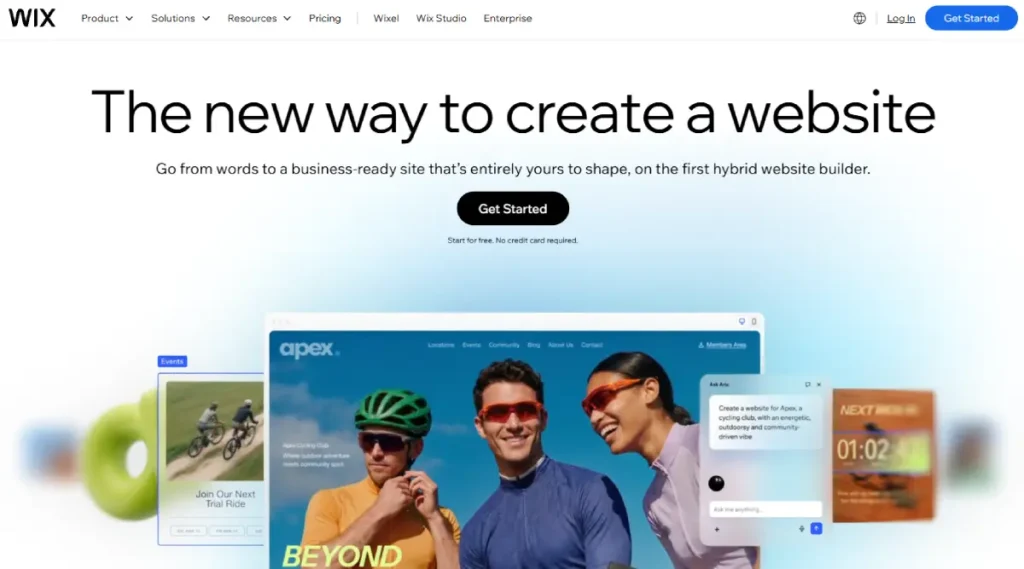
The free plan lets you publish a functional site at a wix.com subdomain with no time limit. Most small businesses will need a paid plan to connect a custom domain and remove Wix ads, but the free tier is useful for building and testing before you commit.
Wix’s App Market adds booking calendars, membership areas, live chat, restaurant menus, and dozens of other features without touching any code. For service businesses, this is one of the most complete ecosystems available.
One practical combination: if you also run social media profiles for your business, pairing your Wix site with a link in bio tool connects all your social content and calls to action under one trackable link.
Wix SEO has improved significantly in recent years. The platform now includes a guided SEO setup checklist, full meta tag editing, and structured data support for products and events.
Key features
- Free drag-and-drop editor with 900+ templates
- Free plan available at a wix.com subdomain
- App Market with 300+ third-party integrations
- Built-in booking, events, and ecommerce on paid plans
- SEO Wiz with guided optimization checklist
Pros
- Most design flexibility of any beginner-accessible builder on this list
- Real free plan that lets you publish without a time limit
- Strong app ecosystem for adding features without custom code
Cons
- Sites cannot be migrated to another platform once built in Wix
- Free plan includes Wix branding and a wix.com subdomain
Pricing
Free plan available. Light at $17/mo, Core at $29/mo, Business at $39/mo, Business Elite at $159/mo (annual billing).
Not for: Businesses planning to switch to a self-hosted platform later, as Wix does not export your site files in a portable format.
Why we included this: Wix consistently performs as the most accessible builder that does not sacrifice features. The free plan, editor flexibility, and app market make it the top general-purpose pick for small service businesses and solo operators.
3. Squarespace
Best for: Creatives, consultants, and service businesses that want a polished, design-forward site that looks professional without any design background.
Squarespace templates are the best-looking on this list. Every template is mobile-optimized by default, and the consistent design grid means your site looks clean and professional without manual fine-tuning or spacing adjustments.
There is no permanent free plan, but Squarespace offers a 14-day free trial with no credit card required. After that, the Basic plan at $12 per month (annual billing) is one of the more affordable starting points for a branded, well-designed site.

The platform includes ecommerce on all plans. The Basic plan charges a 2% transaction fee, which disappears on Core at $17 per month.
For most small businesses selling products, Core is the better starting plan when you factor in the savings on transaction fees.
If you are driving traffic from social platforms to your site, Squarespace’s built-in analytics give you a clear view of where visitors are coming from. Pairing that with social media metrics tools gives you a more complete picture of your performance across channels.
Squarespace works particularly well for photographers, consultants, wellness professionals, event planners, and boutique retailers where the first impression of the site matters to conversion.
Key features
- Premium templates with consistent grid-based layouts
- Built-in ecommerce on all plans
- 14-day free trial with no credit card required
- Native analytics for traffic, conversions, and sales
- SEO controls including meta tags, sitemaps, and structured data
Pros
- Best template quality of any builder on this list
- 0% transaction fees on Core and above plans
- Clean analytics dashboard built into the platform
Cons
- No permanent free plan, only a 14-day trial period
- Less third-party app flexibility compared to Wix or WordPress.com
Pricing
No free plan; 14-day free trial. Basic at $12/mo, Core at $17/mo, Advanced at $25/mo (annual billing).
Not for: Businesses that rely on specific third-party integrations not natively supported in Squarespace, or those that need a highly customized layout that breaks from the grid.
Why we included this: Squarespace delivers a level of visual polish that is hard to match at its price point. For any business where presentation is part of the brand, it earns its place on this list as the go-to design-forward option.
4. Shopify
Best for: Product-based businesses that want a proven ecommerce platform with the infrastructure to grow from first sale to full-scale operation.
Shopify is not a general website builder. It is an ecommerce platform first, and that focus shows in every feature it includes: inventory management, multi-currency checkout, shipping carrier integration, discount codes, and detailed sales reports are all built in from the start.
The Basic plan at $19 per month gives a small product business everything it needs to get started.

Shopify Payments removes transaction fees when you use Shopify’s native checkout. If you use a third-party payment processor, an additional fee applies.
Shopify has one of the tightest TikTok integrations of any platform on this list. You can connect Shopify to TikTok to sync your product catalog and run ads directly from the Shopify dashboard.
You can also sell on TikTok Shop using Shopify by linking your store to TikTok’s native shopping features. For newer merchants, TikTok Shopify dropshipping is one of the most accessible setups available without carrying inventory.
Shopify’s template library is smaller than Wix’s but built specifically for conversion on product pages. The Shopify App Store includes 8,000+ extensions for subscriptions, loyalty programs, bundles, and more.
Key features
- Complete ecommerce infrastructure with inventory and order management
- Shopify Payments with 0% transaction fees
- Native TikTok Shop and social selling integrations
- 8,000+ apps in the Shopify App Store
- Built-in abandoned cart recovery on all plans
Pros
- Best-in-class ecommerce for growing product businesses
- TikTok integration is one of the strongest of any builder tested
- Scales from first product to multi-million dollar revenue without replatforming
Cons
- Additional transaction fees apply when using third-party payment processors
- Higher monthly cost than general website builders for non-ecommerce use cases
Pricing
No free plan; 3-day free trial. Basic at $19/mo, Grow at $49/mo, Advanced at $259/mo (monthly). Annual plans available at reduced rates.
Not for: Businesses that primarily offer services and have no need for product inventory, shipping management, or multi-channel selling.
Why we included this: Shopify is the most reliable long-term platform for any business that sells physical products. It is built entirely for commerce and grows with you in a way that general-purpose builders cannot match once you start scaling.
5. Webflow
Best for: Designers, developers, and businesses that need a fully custom layout and clean code output without hiring a developer to build from scratch.
Webflow sits at the intersection of a visual editor and front-end development. You design with elements and properties that map directly to CSS and HTML, which gives you more layout control than any other no-code builder on the market.
The free Starter plan lets you build and preview a site in staging but requires a paid plan to publish. The Basic plan at $15 per month covers most small business needs, while the new Premium plan at $25 per month adds advanced SEO controls, higher page limits, and more CMS capacity.
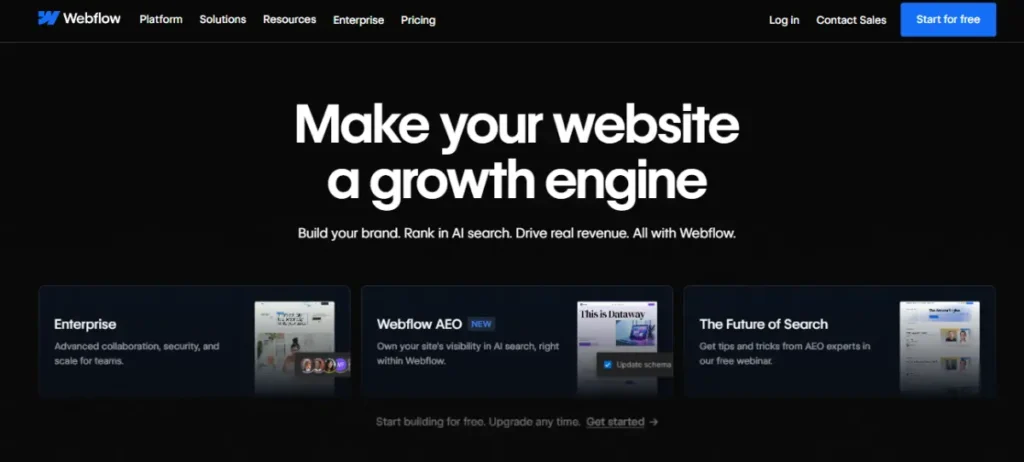
Webflow generates clean, semantic code behind the scenes. In our testing, Webflow sites consistently scored well on Core Web Vitals compared to template-heavy builders that generate bloated HTML.
Once your site is live and driving traffic, making sure your external campaigns are performing matters.
A URL shortener for tracking campaign links and strong call-to-action copy on your pages help convert the traffic a well-built Webflow site can attract.
Webflow also includes a content management system for dynamic content like blog posts, team pages, and case studies, all managed from a visual editor without writing database queries.
Key features
- Visual design canvas with CSS-level control over layout and styling
- CMS for dynamic content including blogs, portfolios, and team pages
- Clean semantic code output for strong Core Web Vitals scores
- Responsive breakpoints for desktop, tablet, and mobile
- Webflow Ecommerce for product-based sites on paid plans
Pros
- Most precise design control of any builder on this list without writing code
- Generated code is clean and performs well in site speed tests
- CMS handles content-heavy sites that need structured data management
Cons
- Steeper learning curve than every other builder on this list
- Free plan only allows staging, no published site until you upgrade
Pricing
Free staging plan available (not published). Basic at $15/mo, Premium at $25/mo (annual billing).
Not for: Business owners who want to build and update their own site without any prior design or web development background.
Why we included this: Webflow fills a specific gap for businesses where visual differentiation is part of the brand strategy. When templates cannot deliver the look you need, Webflow is the right tool.
6. WordPress.com
Best for: Bloggers, content-led businesses, and anyone who wants the power of WordPress without managing hosting or server configuration.
WordPress.com is the hosted version of WordPress, managed by Automattic. You get a clean block editor, access to thousands of themes, and a content management system that is unmatched for publishing-heavy businesses.
The free plan lets you publish posts and pages at a wordpress.com subdomain without a credit card. Personal plans start at $4 per month (annual) or $9 per month (monthly) and include a custom domain.
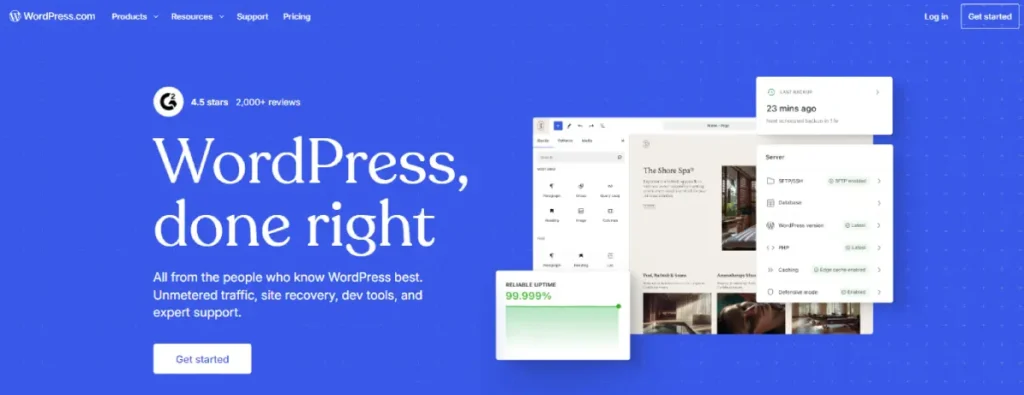
One significant update: all paid WordPress.com plans now include plugin access, which was previously limited to higher tiers. That change opens up a wide range of WordPress’s plugin ecosystem to businesses on starter plans.
For businesses that want to combine their site with content marketing, WordPress.com integrates with most social media marketing tools for scheduling posts, analyzing reach, and distributing content automatically.
The main trade-off with WordPress.com is that you get less server control than self-hosted WordPress.org. If you eventually need custom server configurations, specific PHP setups, or full plugin freedom, you will need to migrate to a self-hosted host.
Key features
- Real free plan with publishing at a wordpress.com subdomain
- Plugin access on all paid plans (not locked to Business tier)
- Thousands of themes including free and premium options
- Built-in Jetpack for security, backups, and site performance
- Full CMS for managing posts, pages, categories, and media
Pros
- Real free plan with no time limit and no credit card required
- Plugin access on all paid plans significantly expands functionality
- Strong for SEO-driven content strategies with full meta tag and schema control
Cons
- Server-level limitations may require migrating to self-hosted WordPress as the business grows
- Less drag-and-drop design flexibility compared to Wix or Squarespace
Pricing
Free plan available. Personal at $4/mo, Premium at $8/mo, Business at $25/mo, Commerce at $45/mo (annual billing).
Not for: Businesses that need full root server access, custom hosting configurations, or ecommerce without upgrading to the Commerce plan.
Why we included this: WordPress.com gives content-focused small businesses access to the world’s most widely used CMS at a price that removes the technical barrier. The recent expansion of plugin access to all paid plans makes it substantially more competitive than it was two years ago.
7. GoDaddy Website Builder
Best for: Local businesses and first-time site owners who want to get online fast with a bundled domain, email, and built-in marketing tools.
GoDaddy’s website builder is one of the fastest setups on this list. The onboarding process walks you through selecting your business category and immediately generates a starter site you can edit and publish the same day.
The Basic plan at $9.99 per month (annual billing) bundles a free custom domain, free professional email, and basic marketing tools into a single low-cost package. That combination makes it strong value for a first site where you want everything in one place.
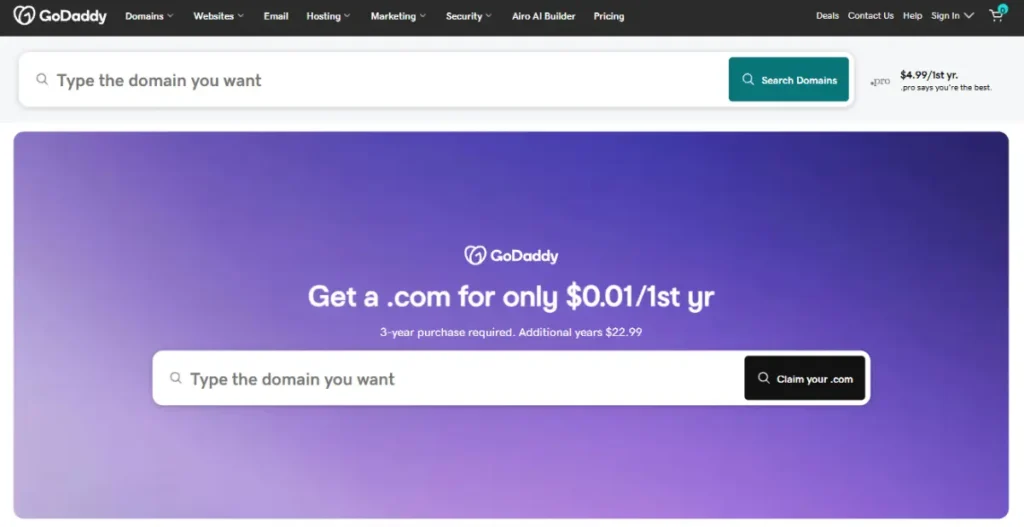
GoDaddy’s AI assistant, Airo, generates your site structure, email content, and social captions from a short description of your business. In our testing, the AI output covered the core pages and needed only basic edits to be usable.
The Premium plan at $14.99 per month adds 25,000 email marketing sends per month, unlimited ad integrations with Meta and Google, and online appointment booking.
For a local service business that relies on bookings, that plan makes practical sense at its price.
Pairing a GoDaddy site with a QR code generator for print marketing materials like menus, flyers, and packaging is an effective way to connect your offline and online presence.
Key features
- GoDaddy Airo AI builder included on all plans
- Free custom domain and free professional email on all paid plans
- Built-in email marketing (100 sends/mo on Basic, 25,000 on Premium)
- Appointment booking on Premium and Commerce plans
- Social media posting and ad integration on Premium and above
Pros
- Fastest setup experience of any builder on this list
- Free domain and professional email included at the lowest plan tier
- AI tools handle site content, social posts, and email from one dashboard
Cons
- Less design flexibility than Wix or Squarespace for custom or creative layouts
- Ecommerce features are more limited than Shopify or BigCommerce
Pricing
Free trial available. Basic at $9.99/mo, Premium at $14.99/mo, Commerce at $20.99/mo (annual billing).
Not for: Businesses that need a visually distinctive brand or advanced ecommerce beyond basic product listings, appointment bookings, and simple online stores.
Why we included this: GoDaddy’s combination of speed, bundled domain and email, and AI-powered tools makes it the most practical entry point for local businesses that need to get online fast and maintain consistent marketing without a dedicated team.
8. BigCommerce
Best for: Growing online stores that need enterprise-level ecommerce features and no transaction fees as they scale across multiple channels.
BigCommerce is built for businesses that expect to outgrow basic store builders. Unlike most platforms on this list, it charges no transaction fees on any plan regardless of which payment processor you use.
The Standard plan at $29 per month (annual billing) includes unlimited products, real-time shipping quotes, multi-currency support, and native integrations with Amazon, eBay, Instagram, and Google Shopping. Most growing stores will not need to upgrade for a significant time.
BigCommerce’s SEO infrastructure is stronger than most builders. The platform supports custom URL structures, canonical tags, and schema markup for products and reviews, all of which contribute to organic search performance.
Annual sales revenue caps apply to each plan tier: Standard handles up to $50,000 in annual sales, Plus up to $180,000, and Pro up to $400,000. Exceeding those limits moves you to the next tier automatically.
Key features
- No transaction fees on any plan, including with third-party payment processors
- Multi-channel selling across Amazon, eBay, Instagram, and Google Shopping
- Advanced SEO controls including custom URL structure and schema markup
- Real-time shipping rates and carrier integration included by default
- Unlimited products and file storage on all plans
Pros
- Zero transaction fees on all plans, including with third-party payment processors
- Multi-channel selling from a single dashboard without third-party apps
- Strong SEO infrastructure for businesses investing in organic traffic
Cons
- Higher starting price than general website builders for businesses that do not need full ecommerce
- Annual sales caps per plan tier require upgrading as revenue grows
Pricing
No free plan; 15-day free trial. Standard at $29/mo, Plus at $79/mo, Pro at $299/mo (annual billing).
Not for: Service businesses, freelancers, or stores with small product catalogs that do not need multi-channel selling or advanced inventory management.
Why we included this: BigCommerce is the right choice for product businesses that are growing and do not want the disruption of replatforming when they hit revenue milestones. The zero transaction fee policy and multi-channel tools make it the strongest pure ecommerce option for scaling stores.
9. UENI
Best for: Small business owners who want a professional site built for them without any DIY time, technical decisions, or creative input required.
UENI works differently from every other tool on this list. Instead of handing you an editor, UENI builds your site for you. You provide your business details, service descriptions, and photos. Their team creates a custom site, typically within a few days.
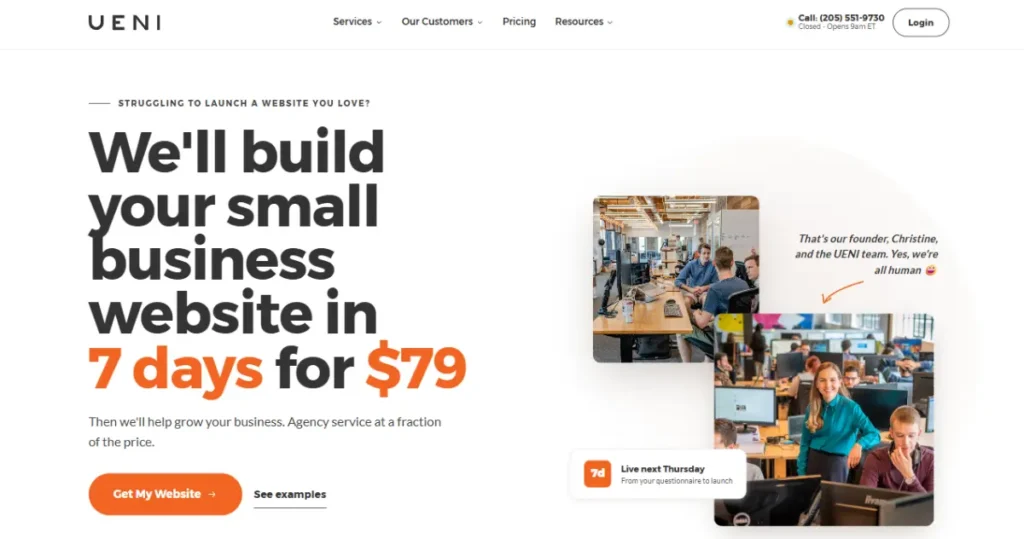
The pricing reflects this: a $79 one-time setup fee plus $18.74 per month. That is higher than DIY builders, but it accounts for the professional build service. For business owners whose time is better spent running the business, the trade-off often makes sense.
UENI sites are optimized for local SEO from launch, including Google Business Profile integration and structured data for service businesses. If you run social campaigns alongside your site, using link shorteners for your campaign URLs keeps your tracking clean and branded.
The platform serves primarily local service businesses: tradespeople, salons, consultants, cleaning companies, and similar operations where the owner needs a web presence but has no interest in building or maintaining one.
Key features
- Done-for-you website build included in the one-time setup fee
- Local SEO optimization built into every site at launch
- Google Business Profile connection and integration
- Mobile-optimized design delivered from the start
- 30-day money-back guarantee
Pros
- Zero DIY required, site is built by a professional team
- Local SEO optimization is included by default, not an add-on
- One price with no technical decisions, themes to choose, or plugins to install
Cons
- Monthly cost is higher than DIY builders for comparable feature sets
- Less control over design changes and future content updates compared to self-build platforms
Pricing
No free plan; 30-day money-back guarantee. $79 one-time setup fee plus $18.74/mo.
Not for: Businesses that want full design control, plan to make frequent content updates independently, or want to manage their site without relying on a third-party team.
Why we included this: UENI exists for a real and underserved segment of small business owners who need a website but have no time or interest in building one. For that audience, it is the most direct path from zero to a live, optimized web presence.
10. Square Online (Square)
Best for: Businesses already using Square for in-person payments who want to add an online store without re-entering any existing product or customer data.
Square Online connects directly to your Square point-of-sale account. Products, inventory levels, and customer records sync automatically, which removes the dual-entry problem that most small retailers face when they try to manage both physical and online sales separately.

The free plan is genuinely functional. You can build a complete online store and process orders at a squareup.com subdomain with no monthly fee. Square charges a per-transaction processing fee of 2.9% + 30 cents on all plans, including the free tier.
The Plus plan at $49 per month adds a custom domain, removes Square branding from your storefront, and unlocks better shipping rates, coupon tools, and advanced inventory features. For a business doing meaningful online volume, that upgrade typically pays for itself quickly.
Square Online is not the strongest standalone ecommerce platform in terms of design flexibility or advanced features. But if you are already a Square merchant, it is the fastest path from zero to a working online store without any migration or data re-entry.
Key features
- Automatic sync of products and inventory with Square POS
- Real free plan with no monthly fee (per-transaction fees apply)
- Online ordering for pickup, delivery, and shipping
- Appointment booking for service-based businesses
- Instagram and Facebook shop integration
Pros
- Best option for existing Square users with zero duplicate data entry
- Real free plan with a fully functional online store
- Handles pickup, delivery, and shipping orders from one dashboard
Cons
- Per-transaction fees apply on all plans, including the free tier
- Limited design customization compared to dedicated website builders
Pricing
Free plan available (transaction fees apply). Plus at $49/mo, Premium at $149/mo.
Not for: Businesses not using the Square ecosystem who want a fully branded, design-flexible site with more creative control from day one.
Why we included this: Square Online solves one specific problem exceptionally well: getting a Square-based business online with no migration, no data duplication, and no extra setup. For that use case, nothing on this list is faster.
11. WooCommerce
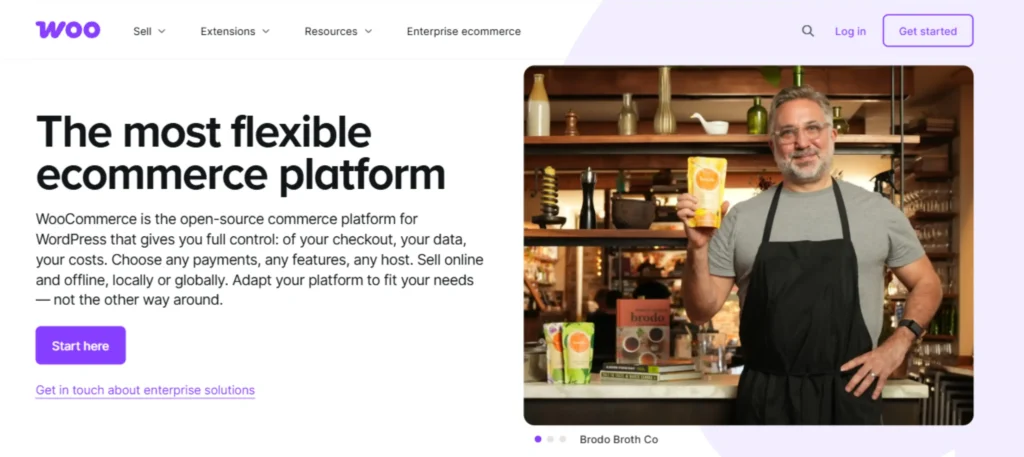
Best for: WordPress users who want a fully flexible online store with no monthly platform fee and complete ownership of their data.
WooCommerce is a free plugin that turns any WordPress site into a fully functional online store. You pay for hosting, starting around $5 per month with most providers, but nothing for the WooCommerce platform itself.
The trade-off is setup complexity. You need to choose a host, install WordPress, configure the plugin, and connect payment gateways.
That process takes longer than any other option on this list. The flexibility you get in return, however, is unmatched.
WooCommerce supports unlimited products, physical and digital goods, subscriptions, and bookings through extensions.
The plugin ecosystem includes 800+ official WooCommerce extensions and thousands of compatible third-party themes and plugins.
For businesses expanding into social commerce, WooCommerce connects to TikTok Shop through a dedicated integration plugin that syncs your catalog automatically.
You can also generate product-level QR codes for WooCommerce to drive offline traffic directly to specific product pages, which works well for brick-and-mortar stores.
WooCommerce has no revenue caps, no transaction fees from the platform itself (payment processors charge their own rates), and you own your data fully with no vendor lock-in.
Key features
- Free plugin with no monthly platform fee
- Unlimited products, categories, and product variations
- TikTok Shop integration via plugin
- 800+ official WooCommerce extensions for subscriptions, bookings, and more
- Full data ownership with no vendor lock-in
Pros
- No monthly platform fee, only the cost of your hosting
- Maximum customization flexibility through plugins and themes
- Full data ownership and freedom to change hosts at any time
Cons
- More setup time and technical comfort required than any other builder on this list
- Security updates, backups, and plugin maintenance are your responsibility
Pricing
Plugin is free. Hosting starts at approximately $2.99/mo. Extensions and themes priced separately.
Not for: Non-technical business owners who want a site built and managed without dealing with hosting providers, WordPress settings, or plugin configurations.
Why we included this: WooCommerce is the right long-term choice for businesses that want full control over their store and are willing to invest the initial setup time. The zero platform fee is the most cost-efficient option at any scale.
Tool Ratings at a Glance
After testing all 11 tools, here is how they compare across the four criteria used to evaluate each platform.
| Tool | Ease of Setup | Ecommerce Depth | Design Flexibility | Value for Price |
|---|---|---|---|---|
| Hostinger | 5 | 3 | 3 | 5 |
| Wix | 5 | 3 | 5 | 4 |
| Squarespace | 4 | 3 | 4 | 4 |
| Shopify | 4 | 5 | 3 | 4 |
| Webflow | 2 | 3 | 5 | 3 |
| WordPress.com | 3 | 3 | 4 | 5 |
| GoDaddy | 5 | 2 | 3 | 5 |
| BigCommerce | 3 | 5 | 3 | 4 |
| UENI | 5 | 2 | 2 | 3 |
| Square Online | 4 | 3 | 2 | 4 |
| WooCommerce | 2 | 5 | 5 | 5 |
Key: 5 = Excellent, 4 = Good, 3 = Fair, 2 = Limited
Ease of Setup: Time from signup to a published, functional site. Ecommerce Depth: Range of product, payment, and order management features. Design Flexibility: Control over layout, styling, and custom elements. Value for Price: Features delivered relative to monthly cost at entry and mid tiers.
Which Tool Stack Fits Your Situation?
| You are a… | Start with… |
|---|---|
| First-time site owner with no technical background | GoDaddy for the fastest launch or Wix for more long-term flexibility |
| Service business: salon, coach, consultant, trainer | Wix or Squarespace for design quality, booking tools, and marketing features |
| Product-based store with physical inventory | Shopify for inventory management, TikTok Shop, and ecommerce infrastructure |
| Growing store selling across multiple channels | BigCommerce for zero transaction fees and native multi-channel integration |
| Designer or developer building for clients | Webflow for pixel-level design control and clean code output |
| Content creator, blogger, or media-focused brand | WordPress.com for CMS depth, plugin access, and free publishing |
| Local trade or service business with no time to build | UENI for a done-for-you setup with local SEO built in |
| WordPress user who wants to add a fully featured store | WooCommerce for zero platform fees and full data ownership |
Beyond the builder itself, the way you grow your site traffic matters just as much as how you build it. A solid ecommerce growth blueprint helps you think through acquisition, retention, and conversion once your site is live.
FAQ
The questions below cover the most common decision points when choosing a website builder for a small business. Each answer stands on its own so you can get what you need without reading the full article.
What is the best free website builder for small businesses?
Wix, WordPress.com, and Square Online all offer real free plans that let you publish a functional site with no upfront cost. Wix gives you the most design flexibility on its free tier. WordPress.com is the best option for content-heavy or blog-driven sites. Square Online is the right free choice if you already use Square for payments and want to add an online store. All three add platform branding on free plans that disappears when you upgrade to a paid tier.
How much does a small business website cost per month?
A small business website typically costs between $9 and $50 per month on most major website builders when billed annually. Hostinger starts at $2.99/mo, GoDaddy at $9.99/mo, and Squarespace at $12/mo. Shopify starts at $19/mo and is more appropriate for product-heavy stores. WooCommerce removes the monthly platform fee entirely, though hosting adds roughly $5 per month. Budget for domain registration separately if it is not included in your plan.
Which website builder is easiest for beginners with no technical background?
GoDaddy and Wix are the most beginner-friendly builders on this list. GoDaddy’s AI-assisted setup can get you to a published site in under an hour with no design decisions required. Wix uses a drag-and-drop editor with hundreds of templates and no code required at any stage. Both include a free domain and email on paid plans. If your priority is the fastest possible launch, GoDaddy is the better choice. If you want more long-term design control, Wix is the stronger platform.
Can I build a website for free and upgrade later without losing content?
Yes. Wix, WordPress.com, and Square Online all let you build and publish on a free plan, then upgrade at any time to add a custom domain and remove platform branding. Your content carries over automatically when you upgrade. Webflow lets you build in a free staging environment, but publishing requires a paid plan. Squarespace, Shopify, GoDaddy, BigCommerce, and Hostinger offer time-limited trials rather than ongoing free plans.
Which website builder is best for selling products online?
Shopify is the best overall choice for most product-based small businesses because of its inventory management, Shopify Payments, abandoned cart recovery, and TikTok Shop integration. BigCommerce is the stronger option for businesses that use third-party payment processors and want to avoid transaction fees at scale. WooCommerce is the best choice for existing WordPress users who want full control over their store without a monthly platform fee.
Do I need a website if I already have social media accounts for my business?
Yes. Social media accounts do not replace a website. You do not own your audience on any social platform, and algorithm or policy changes can reduce your visibility overnight with no warning. A website gives you a permanent, searchable home for your brand where you control the content, the calls to action, and the customer data you collect. Most small businesses that grow sustainably use both: a website as the permanent hub and social accounts to drive traffic to it.
Wrapping Up
Choosing a website builder comes down to three things: what your business needs the site to do, how much time you are willing to spend building and maintaining it, and your monthly budget for the next 12 to 24 months.
For most small businesses just starting out, Wix or GoDaddy covers the basics well at a price that does not strain a tight budget.
If selling products is central to your business, Shopify is worth the higher monthly cost because it grows with you in a way that general-purpose builders cannot.
If you want full control at the lowest long-term cost and are comfortable with WordPress, WooCommerce is the most flexible option on this list.
Your next step is simple: pick one platform based on your situation, start a free trial or free plan today, and build a basic homepage and contact page. That single action puts you ahead of every competitor who is still researching.
Sources